Appendix 5: Playback Software, Rev. 1.1
A5.15 Video Channel Display Tab(s)
Radar data is captured at 15-second intervals. If multiple radar images are available for video
capture, capture times will be staggered but still allow for individual captures at 15-second
intervals.
There are a number of options available when viewing the radar data:
- To display the radar data in its own window, choose View > Full Size Video > Video Channel.
- To close this window, click the ‘x’ in the top right corner.
- To move the radar image (once in its own window) in order to make a particular section visible
without adjusting the window dimensions, click and drag by placing the mouse pointer over a
section of the image, pressing the left mouse button and moving the mouse;
- To view the whole radar image available in its own window select View > Fit to Window >
Video Channel;
- To save the radar image as a .bmp file, select File > Save > Video Channel. A dialogue will
open allowing a save location to be chosen.
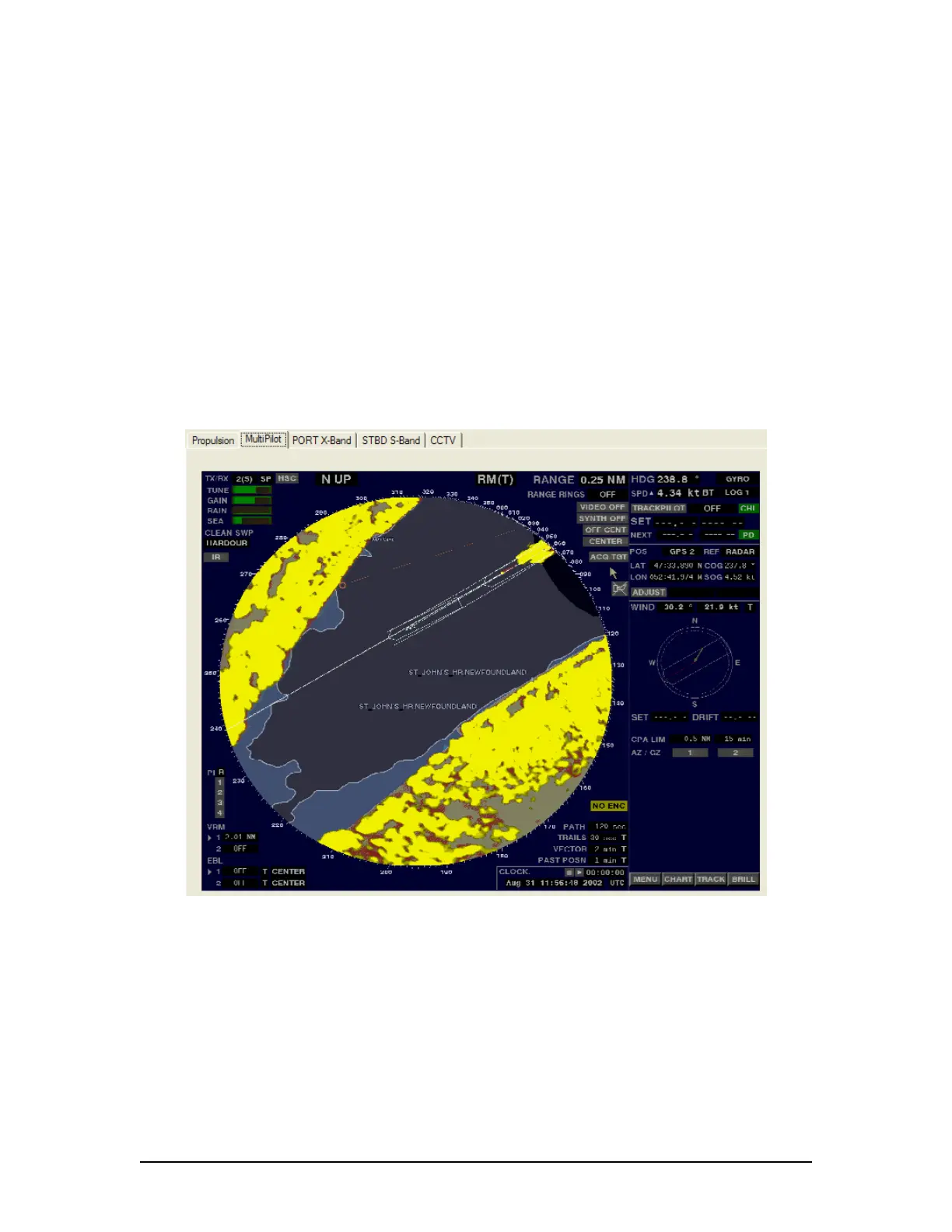
Figure 27 – MultiPilot Tab
The images are captured directly from the radar display. Therefore, any radar supporting ECDIS
or chart displays will have the ECDIS or chart image recorded.
A5.16 Proprietary Tab
If proprietary data is present in the data playback, a “Proprietary” conning tab may appear. This
tab window will present the available proprietary data in sentence format.
VDR-100G3/G3S Installation Manual 06/10/2008
15



 To Next Page