Chapter 10: NMEA Module, Rev. 1.3
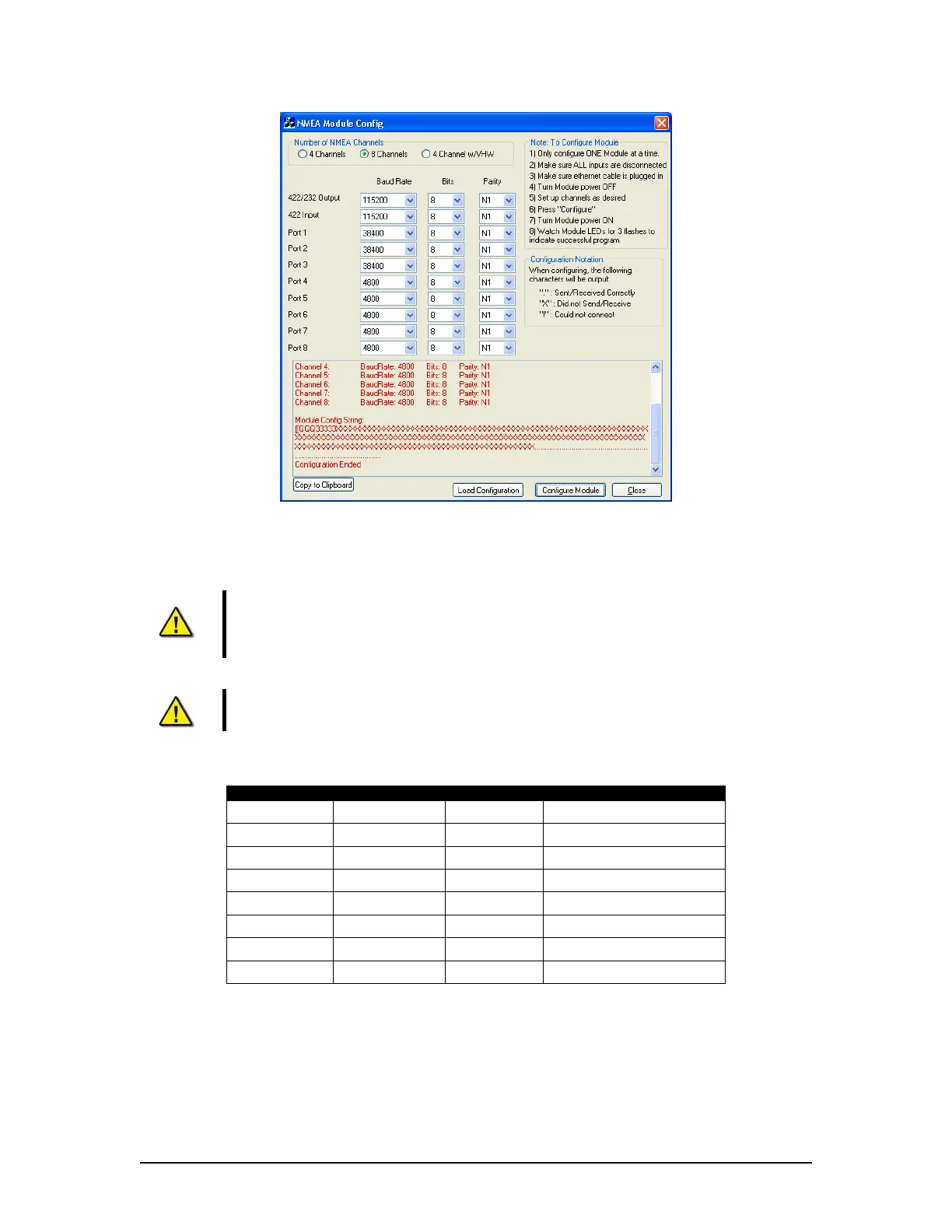
Figure 10–5 - Configuration Utility Reboot Sequence
11. Press the “Stop” button at the bottom of the Configuration window once the first three
(3) LEDs are no longer illuminated.
NOTE: Once the NMEA Module configuration is complete, it is recommended to
verify that the settings have been programmed correctly by completing the
‘Checking the NMEA Module Configuration’ procedure located at the beginning
of this document.
NOTE: AIS data must be connected on Channel 1 at 38,400 baud, and the
RS422 output baud rate should be set to 38,400.
10.5.3 NMEA Module ID (MUX ID) – DIP Switch Settings
Switch 1 Switch 2 Switch 3 MUX ID
ON ON ON MUX ID 0
OFF ON ON MUX ID 1
ON OFF ON MUX ID 2
OFF OFF ON MUX ID 3
ON ON OFF MUX ID 4
OFF ON OFF MUX ID 5
ON OFF OFF MUX ID 6
OFF OFF OFF MUX ID 7
Table 10-3- MUX ID jumper configuration
Note that if the MUX ID = 0, no channel or MUX identifiers are included in the output string.
VDR-100G3/G3S Installation Manual 15/01/2009
10-8



 To Next Page