Appendix 5: Playback Software, Rev. 1.1
A5.5 Starting Data Playback
To start the data playback, complete the following steps:
1. Ensure Real Time Display mode is disabled. Select Mode from the main menu. If a
checkmark appears adjacent to the “Real Time Display” option, Real Time Display mode
is currently enabled. To disable this option, ensure no checkmark appears adjacent to
this selection by clicking it. A prompt will appear indicating Playback mode is enabled
2. Select a data set for playback.
To view the current dataset selected, select Playback | System Contents from the main
menu.
3. To begin playback of the selected data set, choose Playback | Start from the main
menu.
4. A dialog box will appear asking for a password. The default password is “VDR”. Click OK
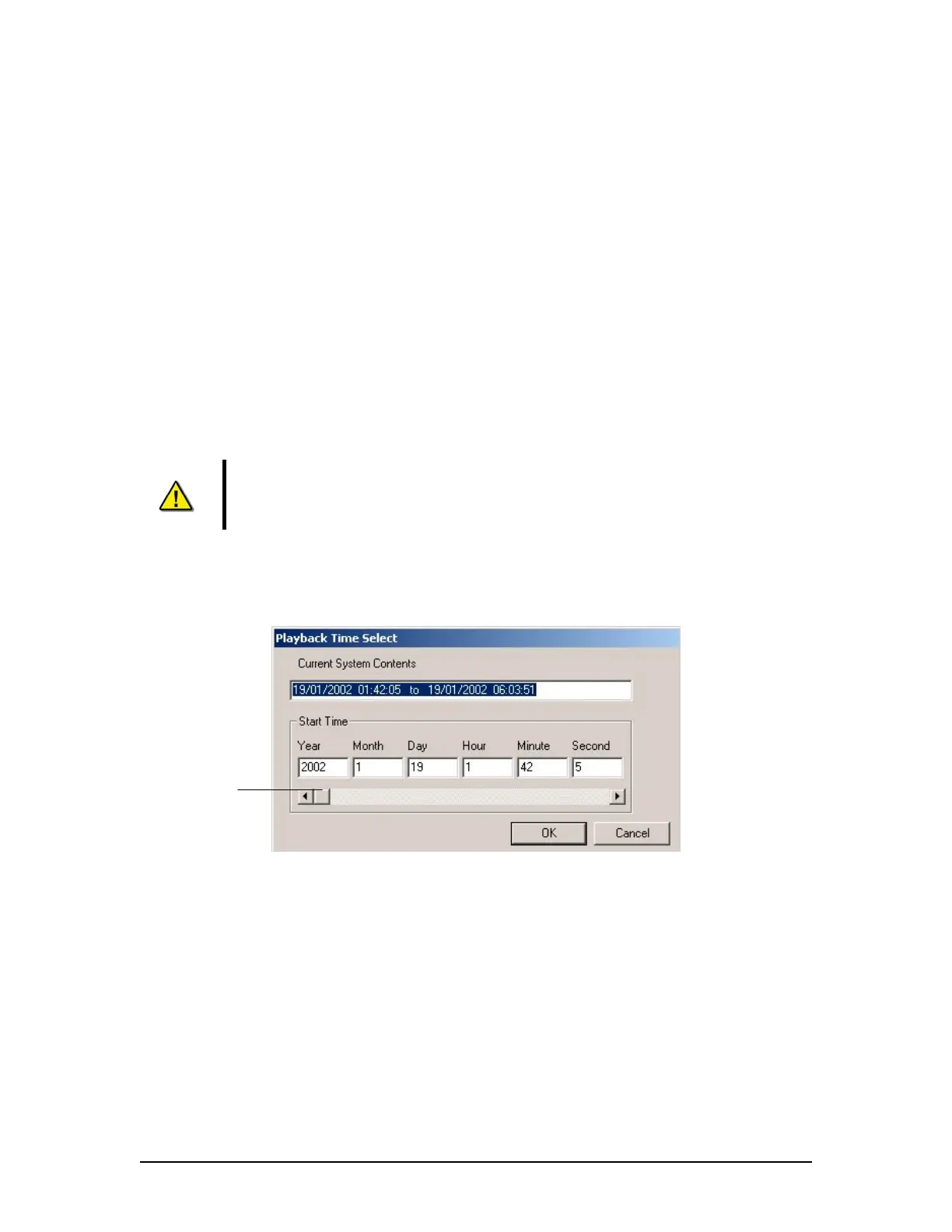
and a second dialog box will appear asking for a start time.
The password is case sensitive. It must be typed in the text box as “VDR”
5. Use the scroll bar (or enter a time in the text boxes) to select a playback start time.
6. Click OK to begin the playback.
Start Time Scrollbar
Figure 14 - Choose Start Time For Playback
VDR-100G3/G3S Installation Manual 06/10/2008
7



 To Next Page