Appendix 5: Playback Software, Rev. 1.1
A5.13 Wind Information
The Wind Information pane contains data regarding the wind’s True and Relative Direction (Dir)
and Speed (Sp).
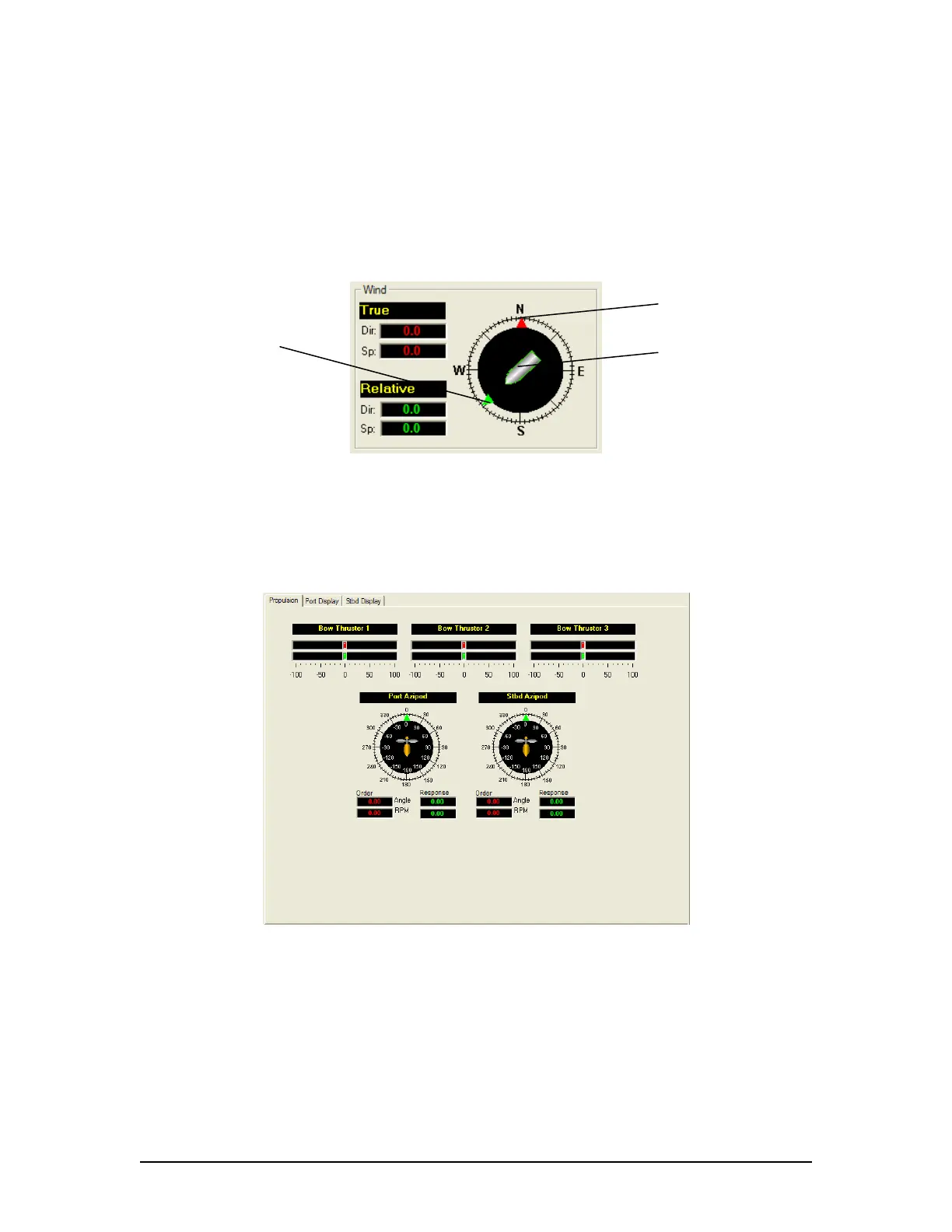
A compass is also provided in order to illustrate wind direction based on ship’s heading. The red
arrow indicates True wind direction while the green arrow indicates Relative wind direction. The
ship graphic indicates the ship’s heading.
Red Arrow – True Wind Direction
Green Arrow – Relative Wind Direction
Ship Graphic – Ship Heading
Figure 25 - Wind Information
A5.14 Propulsion Tab
The Propulsion Tab is custom designed for each individual ship according to propulsion systems,
bow thruster configuration and NMEA strings broadcast by bridge electronics. These displays are
dependant upon the vdr-cfg.txt file created for a particular ship.
Figure 26 – Sample Propulsion Tab
VDR-100G3/G3S Installation Manual 06/10/2008
14



 To Next Page