Appendix 2: System Configuration File, Rev. 1.1
A2.9.2 Configure Fire Doors Device
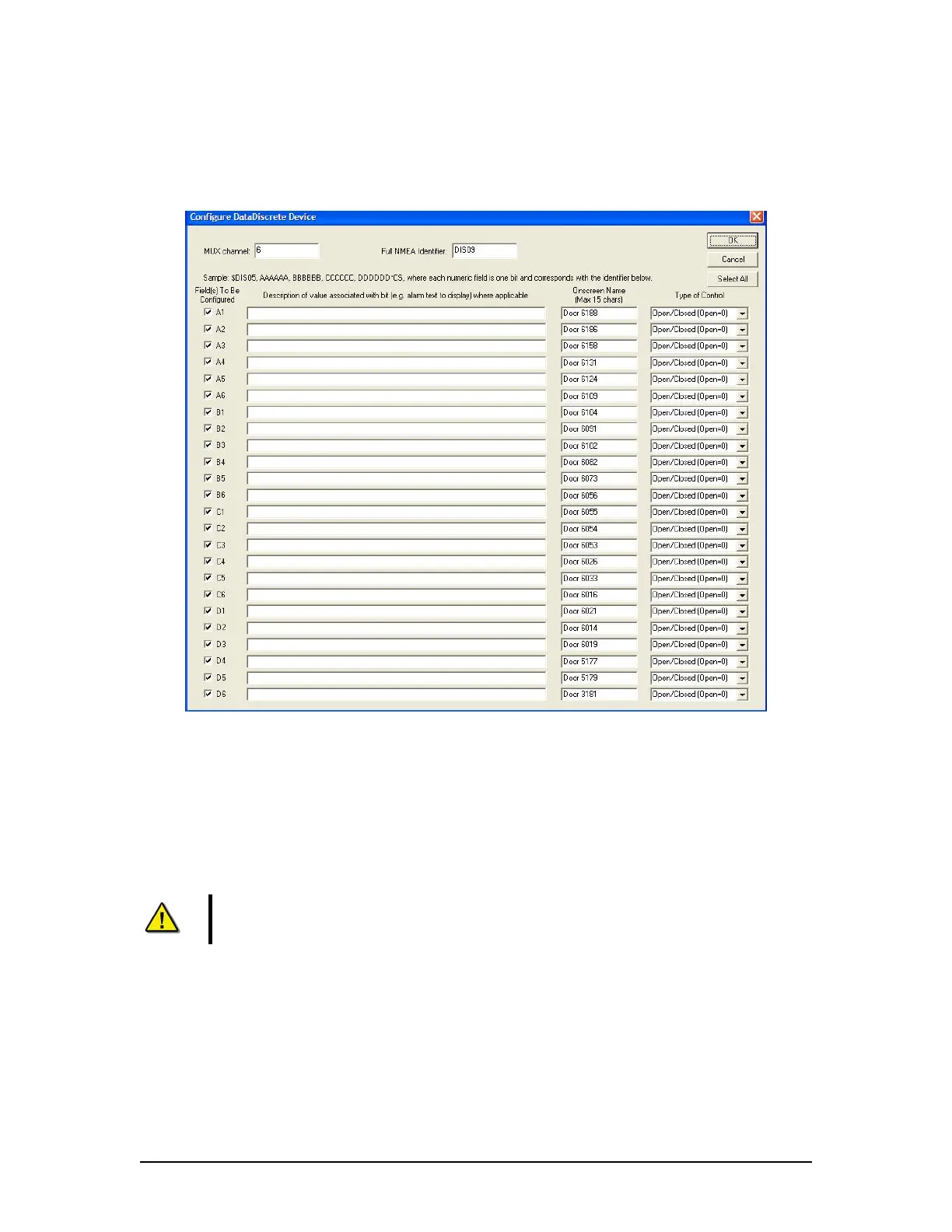
Enter information specific to the DataDiscrete or NavMultiPoint device selected (See Figure A2-
25 - Configure DataDiscrete Device below). The following information must be entered:
Figure A2- 25 - Configure DataDiscrete Device
A2.9.2.1 MUX Channel
Enter the MUX channel to which the DataDiscrete or NavMultiPoint is connected.
A2.9.2.2 Full NMEA Identifier
Enter the NMEA identifier for the device being configured. For example, the first
DataDiscrete would have a DIS01 identifier.
Note! The ‘$’ should NOT be entered as a part of the identifier into these text
fields. It is added automatically in the < .ini> file.
A2.9.2.3 Field(s) to be Configured
Check the appropriate number of boxes to indicate which fields must be configured
(connected to fire doors).
A2.9.2.4 Description of Value
For each checkbox (Field(s) to be configured) marked with a check, a description of the
value associated with that field should be entered.
VDR-100G3/G3S Installation Manual 06/10/2008
27



 To Next Page