Chapter 5: Data Acquisition Unit, Rev. 1.1
5.3.1 Cable Entry System
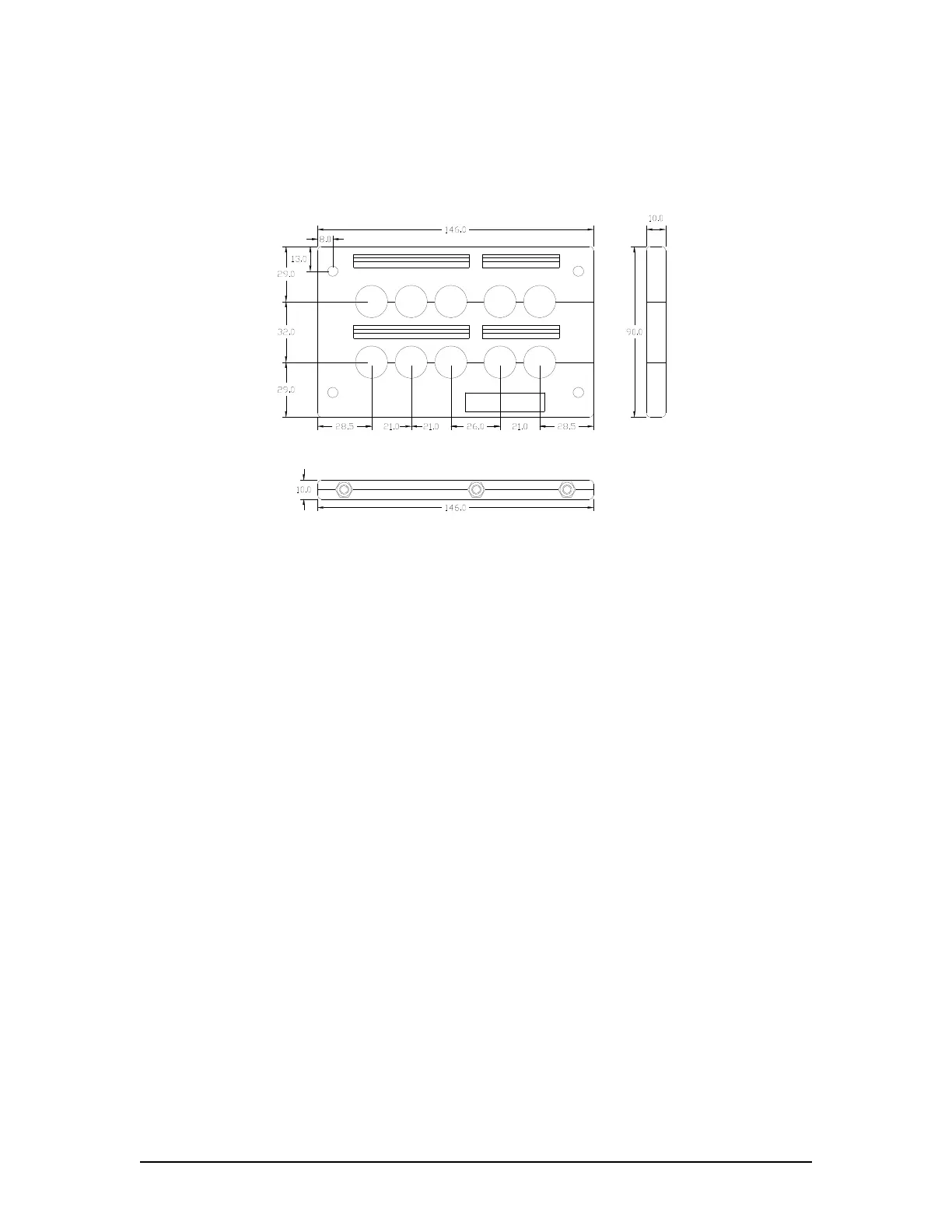
The DAU is equipped with cable entry panels, similar to that illustrated in Figure 5.3 - 10-Hole
Cable Entry Plate below.
Tel.:07191/4820
MP-Systemtechnik
KDL 2/10
Figure 5.3 - 10-Hole Cable Entry Plate
To install the appropriate cables using a cable entry plate, follow the instructions below:
1. Remove the entry plate from its cut-out position;
2. Select the split grommets to suit the various cable size;
3. Open the entry gland by removing the hexagon screws;
4. Remove the cable insulation, in order to reveal the metal screen; the metal screen
should then be grounded to the internal ground bolt;
5. Position the grommets over the cable and affix cable ties if required;
6. Insert the assembled grommets into the entry plate;
7. Place blank grommets into the entries not used;
8. Close and screw up the entry plate; and
9. Screw the entry plate to its original cut-out position.
VDR-100G3/G3S Installation Manual 06/10/2008
5-3



 To Next Page