Chapter 12: Final Recording Medium Setup, Rev. 1.5
12.3.1.2 Mounting the Rutter-ACR Float-free SFRM Capsule
The Rutter-ACR Float-free SFRM Capsule shall be located near the bridge on the external deck
area of the vessel to increase the probability of its survival and recovery following an incident. As
outlined in IEC 61996, the capsule shall be positioned clear of rigging and other potential
obstructions and as near to the centerline of the ship as practically possible.
Criteria to be considered when assessing the optimum position shall include but not be limited to
the following:
1. Separation from probable sources of mechanical damage;
2. Separation from fuel or other potential fire sources;
3. Operational environment for continued serviceability;
4. Accessibility for copying of recorded data and for routine maintenance;
5. Distance from the VDR-100G3 DPU: The maximum distance allowed for PoE is 75
metres
The Rutter-ACR Float-free SFRM Capsule comes with a power/data interface box (PS-100) to
provide power to the capsule and data to and from the VDR. The PS-100 must be mounted
vertically inside the DPU with the power source connection at the bottom and Ethernet RJ45’s
connections at the top.
For VDR-100G3\S serial numbers 30108110375 and later:
• The Rutter-ACR Float-free SFRM Capsule is supplied with a 5m Ethernet cable intended
to connect the capsule to a junction box. The junction box must be shielded and
connected to the hull of the vessel. All cables extending through a ship hull must be fitted
with waterproof glands (not provided with VDR-100G3/S) and, if extending through a
deck, must be protected by gooseneck conduit.
• Rutter-ACR Float-free SFRM Capsules are shipped with a set of mounting plates with
predrilled holes that are attached to the exterior of the SeaShelter2 mounting bracket.
This allows the technician to mount the Rutter ACR Float free capsule without removing
the protective cover of the memory capsule.
12.3.1.3 Connecting the Rutter-ACR Float-free SFRM Capsule
The Rutter-ACR Float-free SFRM Capsule requires no setup or partitioning. It will function
correctly when properly connected. Communication and Power connections between the VDR-
100G3/S and the Rutter-ACR Float-free SFRM Capsule is via Ethernet cable and connections.
For VDR serial numbers prior to 30108110376: Mount the capsule and connect the cables to
the capsule and the PS-100 to complete the installation. Connection is made as per drawing
entitled ACR Capsule Connections (See Note 2) found in the Drawing Appendix section of the
VDR-100-G3 Approval Drawing package at the back of the VDR-100-G3 Installation Manual.
For VDR serial numbers 30108110376 and up: Mount the capsule and connect the cables to
the junction box and the PS-100 to complete the installation. Connection is made as per drawing
entitled ACR Capsule Connections (See Note 1) found in the Drawing Appendix section of the
VDR-100-G3 Approval Drawing package at the back of the VDR-100-G3 Installation Manual.
The junction box can be located inside the ship, but must be located within the cable distance of
the FRM cables. It must also be fully screened and connected to
the vessel’s hull. If mounted outside, it must also be waterproof.
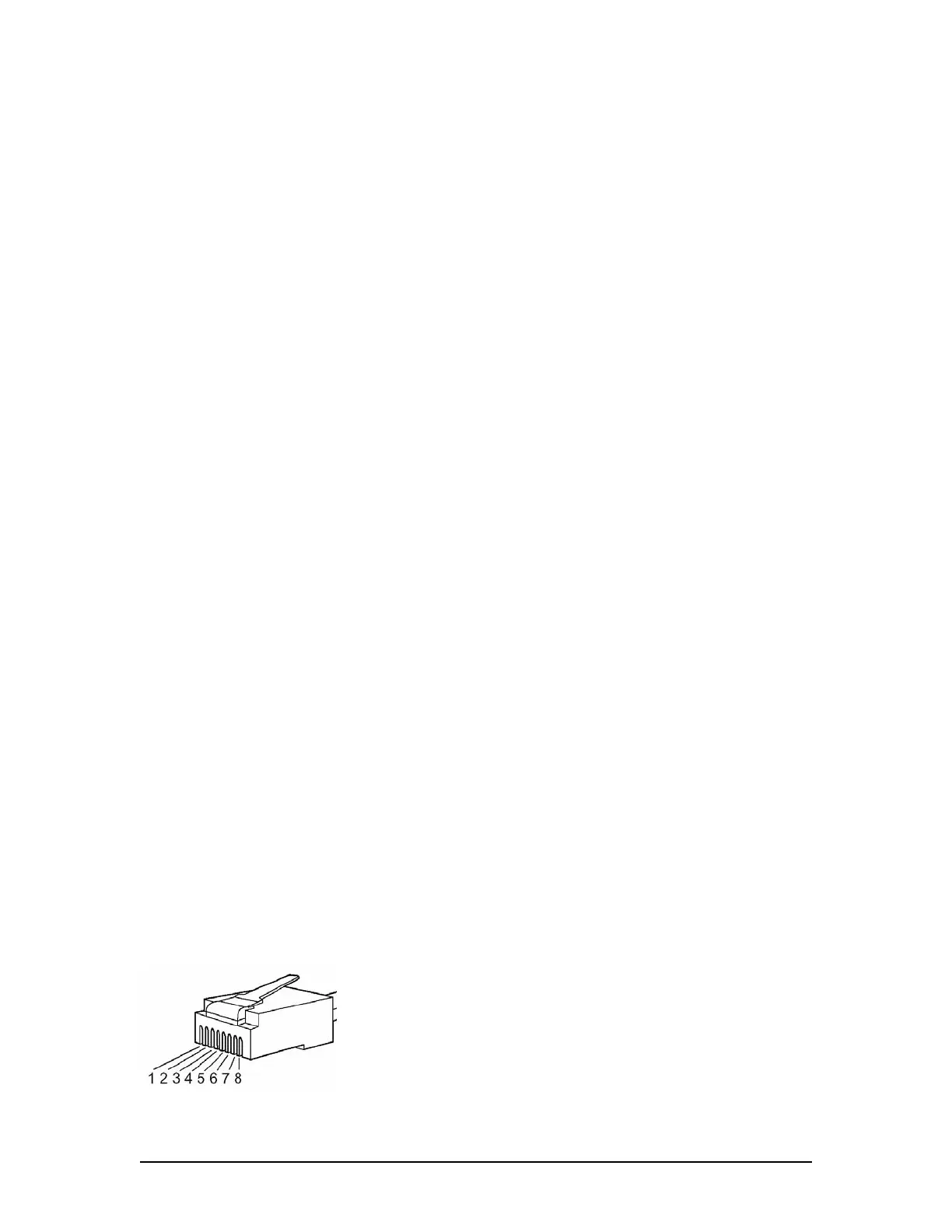
--Rutter uses the 568B standard for all straight-thru Ethernet
cables.
--Rutter uses the crossover standard noted below for all cross-over
Ethernet cables.
Figure 12–12 - RJ45 Connector
VDR-100G3/G3S Installation Manual 10/12/2008
12 - 22



 To Next Page