Chapter 11: OPERATION and ALARM UNIT TEST and USER GUIDE
11.13 Copying Data to a USB Memory Stick (or optional
RSM)
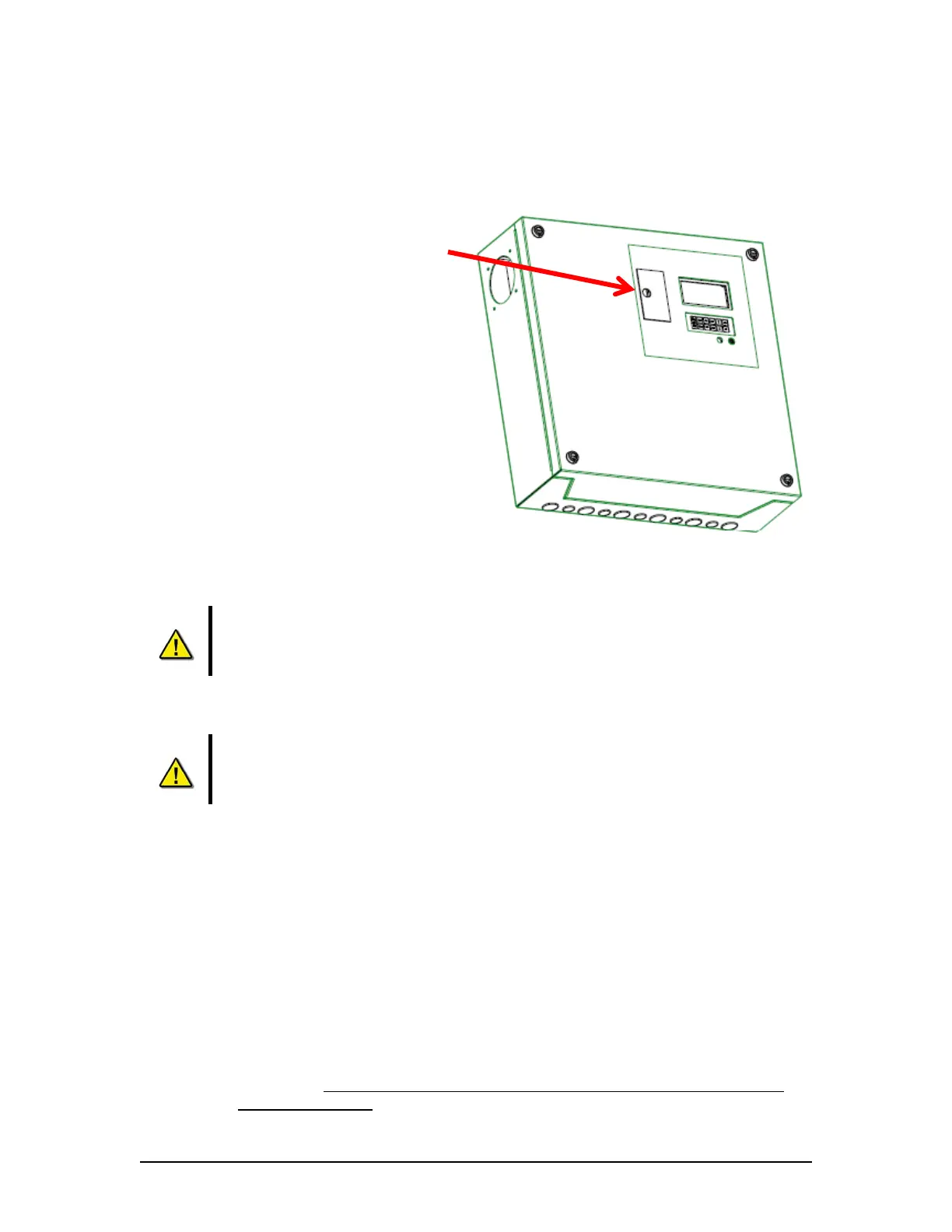
Normally when the G3 is installed the USB
Memory Stick is connected to the USB port
located in the front compartment of the DPU.
For copying data to the removable USB
Memory Stick (or RSM), press “Enter” after
you have selected the desired data set. See
Section 11.13 - Copying Data to a USB
Memory Stick (or optional RSM). Depending
on the amount of data to be copied, and of the
free memory space available, you may have to
acknowledge a display prompt.
The USB Memory Stick will typically hold 2
data sets of 12 hours each (dependant on the
data set size).
Warning: Before performing a Copy function, make sure the USB Memory Stick
(or RSM) does not contain data which you want to keep. Before copying it is
recommended that the operator:
1. “Eject” the USB Memory Stick using the OAU keypad,
2. Physically remove the USB Memory Stick from the DPU,
3. Copy the USB Memory Stick contents to an external computer,
4. Return the USB Memory Stick to the DPU compartment.
Warning: Before performing a Copy All operation, the USB Memory Stick should
be replaced with the RSM having sufficient storage capacity to copy all the
contents of the DMM hard drive. This could be as much as 160GB.
Note: The copy process may take from several minutes to several hours, depending on the
amount of data to be copied. The progress of the recording is displayed on the OAU LCD as a
percentage.
If the copy process has finished, failed or been cancelled manually, the OAU LCD will display
“USB: Stby”. The USB Memory Stick will not immediately resume normal operation. After
one hour, if the USB Memory Stick has not been ejected from the system, the system will delete
all data on it and resume the data recording process to it.
If the system has no Memory Stick nor other USB storage device with sufficient free space
connected, the display will show the error message “Removable Storage Drive Absent.”
Warning: The following situations will result in all data being deleted from the
USB Memory Stick:
VDR-100G3/G3S Installation Manual 06/10/2008
11-10



 To Next Page