Appendix 2: System Configuration File, Rev. 1.1
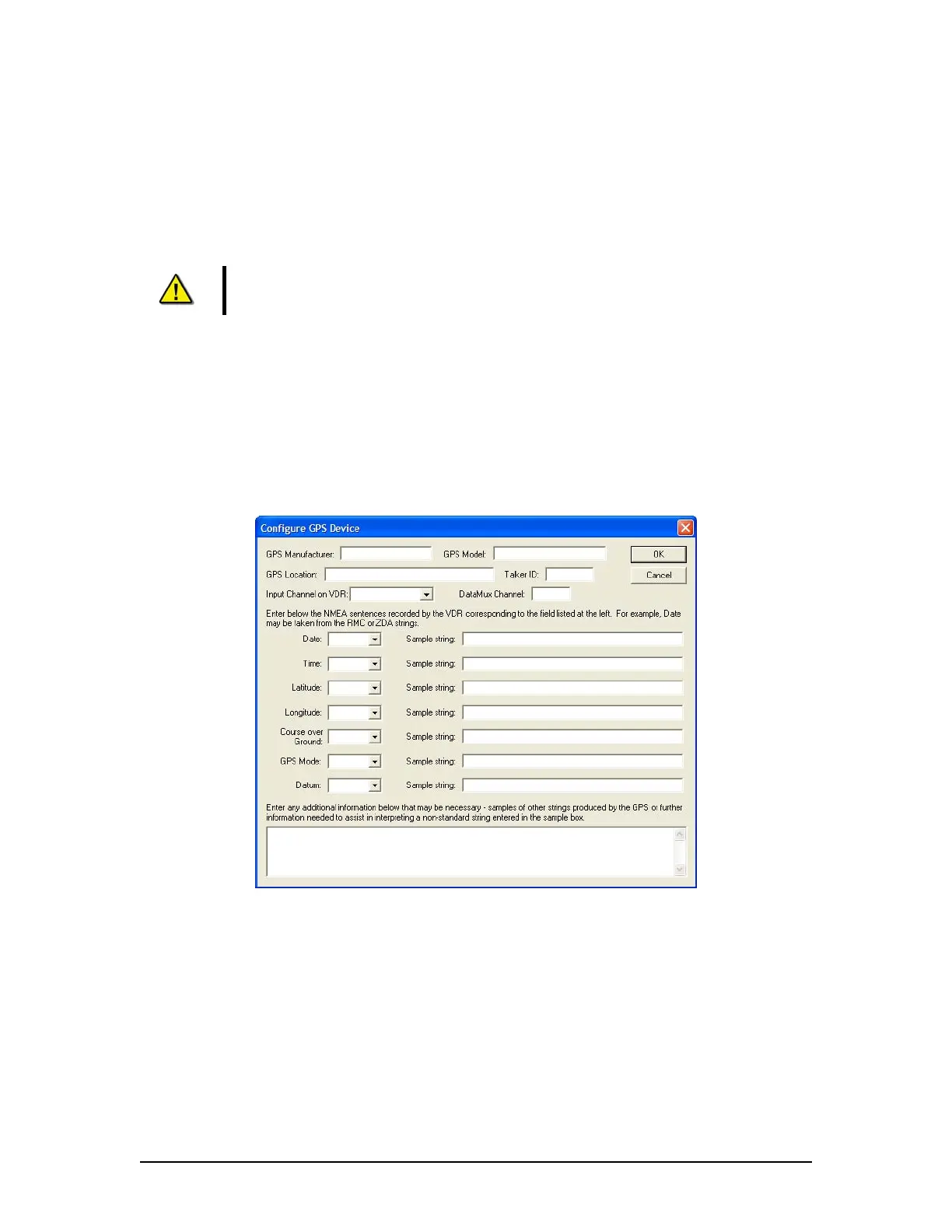
A2.8.1.3 GPS Location
Enter the location of the configured GPS device onboard the ship.
A2.8.1.4 Talker ID
The first two alphanumeric (letters and numbers) characters of the NMEA sentence ‘Address
Field’ identify the Talker.
Note! When entering the Talker ID for a GPS device, these two letters will
always be “GP”.
A2.8.1.5 Input Channel on VDR
In most instances, the GPS will be connected directly to COM1 on the DMU. However, there are
instances where this may not be the case. Options available for selection are Channel1,
Channel2, Channel3, Channel4, and DataMux Channel.
A2.8.1.6 DataMux Channel
If the “DataMux Channel” option is selected in the “Input Channel on VDR” field, it will be
necessary to enter the MUX channel to which the DataMux is connected.
Figure A2- 15 - Configure GPS Device
For each of the available NMEA sentence drop-down fields (Date, Time, Latitude, Longitude,
Course over Ground, GPS Mode, and Datum), select the appropriate string type and enter a
sample string in the adjacent text field.
The following options are available in the various drop-down fields:
ZDA – Time & Date
$--ZDA,hhmmss.ss,xx,xx,xxxx,xx,xx*hh<CR><LF>
RMC – Recommended Minimum Specific GNSS Data
$--RMC,hhmmss.ss,A,llll.ll,a,yyyyy.yy,a,x.x,x.x,xxxxxx,x.x,a,a*hh<CR><LF>
VDR-100G3/G3S Installation Manual 06/10/2008
16



 To Next Page