Appendix 5: Playback Software, Rev. 1.1
A5.21 Hull Openings Tab
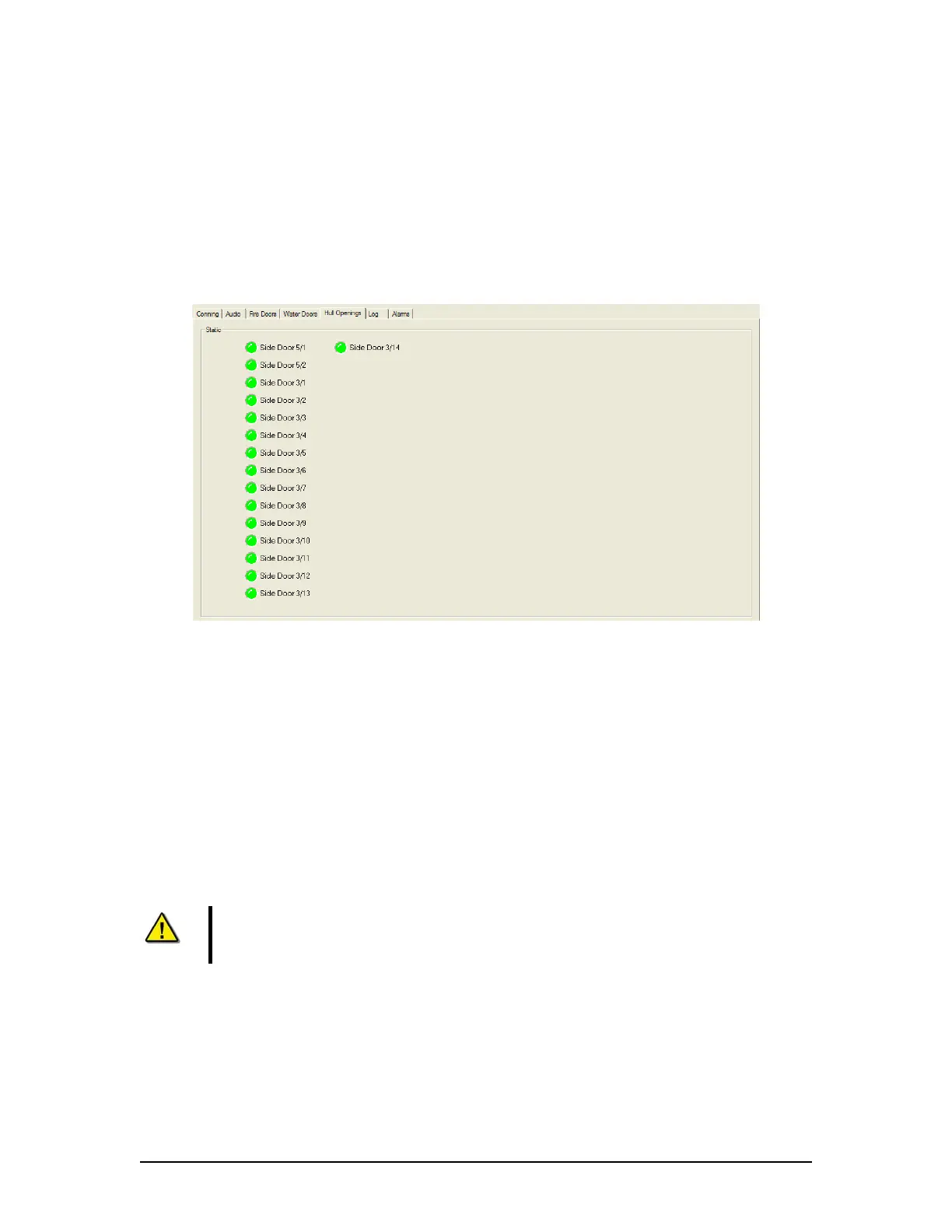
The Hull Openings Tab Screen displays information regarding the status of the ship’s hull
openings. The colour of the light adjacent to the door name, dependant upon the configuration,
indicates an active (often indicated with the colour red) or non-active (often indicated with the
colour green) door or opening.
Should the number of hull openings exceed the initial screen space, a scroll bar will become
visible allowing a user to view all available.
Figure 36 - Hull Openings Tab
A5.22 Alarms Tab
An alarm is an “on” event, only displaying when triggered. When an alarm occurs, the word
“ALARM” will display in the lower left corner of the Playback interface. The Alarms tab allows a
user to view information pertaining to all triggered alarms.
A5.23 Data Extraction
The volume of data contained in downloaded VDR data sets can be very large. In many
instances it may be desirable to access smaller portions of the data without downloading the
entire data set. As a result it is possible to copy only a specific portion of a data set, which can
then be easily removed to a separate location for analysis or e-mailed to a third party.
Note! The Data Extraction option is not available during Real Time Display mode.
The ‘Data Extraction’ option under the ‘Data’ file menu is disabled while the
Playback application is operating in Real Time Display mode.
VDR-100G3/G3S Installation Manual 06/10/2008
23



 To Next Page