Chapter 13: Remote Storage Module (Optional) and USB Memory Stick, Rev. 1.1
VDR-100G3/G3S Installation Manual 08/10/2008
13-2
The OAU is used to initiate copying of data to the USB Memory Stick (or RSM) for removal and
analysis purposes.
To playback the data from the RSM/USB Memory Stick, a PC will require the following:
The minimum requirements for a PC outlined in Chapter 1: System Overview
Rutter Technologies’ playback software.
13.1 Connecting the RSM
To connect the RSM, once the USB memory stick has been properly ejected and physically
removed, complete the following steps:
1. Attach the USB 2.0 cable from the RSM to the USB 2.O port in the compartment in the
front panel of the DPU;
2. Connect the AC power cable to the RSM;
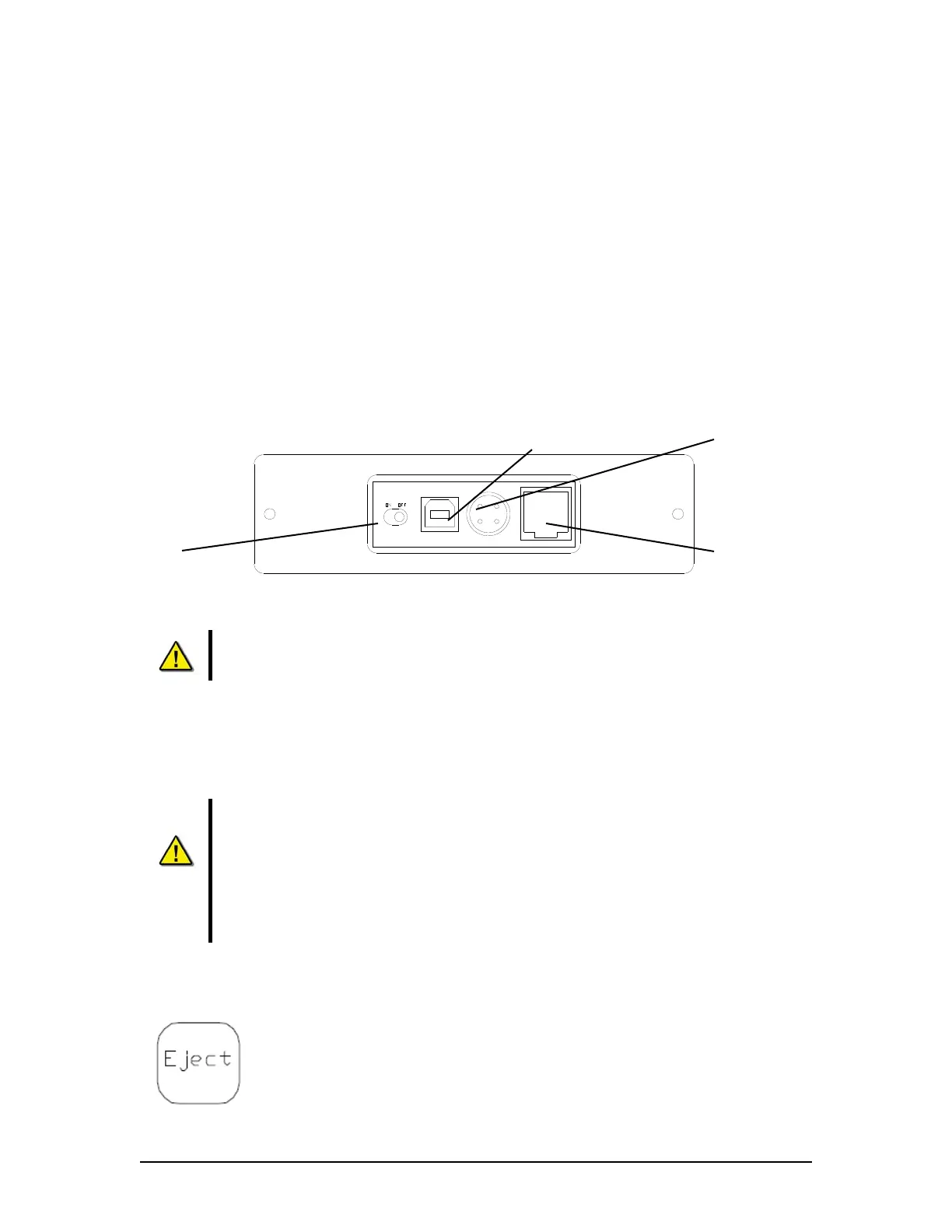
3. Power on the RSM (switch RSM Power to “On” position);
Figure 13–1 - Rear View of RSM Unit
The system will auto-detect the RSM and the OAU will display the status as “USB: STBY”.
Once the RSM is physically connected, the DMM will automatically detect it. As
part of this process, all data on the RSM will be deleted.
13.2 Disconnecting the USB Memory Stick or RSM
The process to disconnect/eject the USB Memory Stick or RSM must be performed prior to
physically disconnecting the unit from the system.
Important! Do not physically disconnect the USB Memory Stick or RSM before
ejecting it from the system via the OAU. Failure to eject the drive properly will
trigger a “REMOTE ERROR” on the OAU. This error can be cleared only by re-
connecting the improperly removed drive (See Section 11.14 – Connecting the
USB Memory Stick and Section 13.1 – Connecting the RSM).
Warning: Failure to properly eject the drive may result in disk corruption.
It is recommended to POWER OFF the RSM BEFORE physically disconnecting it.
To disconnect the USB Memory Stick (USB) or RSM, the following steps must be completed:
1. Press the “Eject” button on the OAU menu pad;
2. Press “Enter” to select the “USB” option on the OAU display;
3. The OAU will display the message “Disconnecting” indicating that the
operator should wait while the USB memory stick or RSM is disconnected.
Power Input
Ethernet Port
(NOT USED)
Power Switch
USB 2.0 Input



 To Next Page