Appendix 2: System Configuration File, Rev. 1.1
Click the “Setup” button located next to the “# of Control Locations” drop-down box and enter the
discrete information for the control locations. Presently, only a DataDiscrete device can be used
to indicate the location of control. Clicking the button will cause a “Configure DataDiscrete”
window to appear (see Figure A2- 25 - Configure DataDiscrete Device). Refer to section A2.9.2
Configure Fire Doors Device to add configuration details for the DataDiscrete device.
The control locations are configured in order, i.e, the first point configured on the DataDiscrete will
correspond to control location 1, the second corresponds to control location 2, etc.
A2.13.3 Engine Description
In the tabbed sections, enter propulsion system information (for example, Order and Response).
Provide a descriptive name for the engine to be displayed in VDR Playback during playback of
recorded data. For example, name the first Starboard Engine Stbd Engine 1.
A2.13.3.1 Example 1 – NMEA Engine Data on Conditional Sentence
The following example illustrates a sample setup for a ship with engines that broadcast NMEA
data sentences. This example uses a Rolls-Royce KaMeWa system, which broadcasts a number
sentence with the $PRRS message. To understand the setup, the sentence format must first be
understood. In this example, the sentence appears as follows:
$PRRS,no,val1,val2,val3,val4,val5,val6,val7,val8,val9,val10,val11,*hh<CR><LF>
Note the string number field (“no”) specifies the equipment from which the sentence is broadcast.
The interpretation of each string value field (“valX”) is dependant upon the string number field. For
example, the value in the first string value field (“val1”) is interpreted as a Lever Command only if
a “6” appears in the string number field (“no”). As a result, this string is called a conditional
sentence. This example illustrates how to complete the Engine #1 tab if the sentence is
broadcast from the port propeller.
Message Item Format Range Unit Usage
Header $PRRS $PRRS
$P = Proprietary data
RRS = Rolls Royce Sweden
No 6 6
1 = Outer water jets
2 = Water jet rpm commands
3 = Inner water jets
4 = Bow tunnel thruster
5 = Stern tunnel thruster
6 = Port main propeller
7 = Stbd main propeller
Val1 Real -100 … +100 % Lever Command
Val2 Real -100 … +100 % Pitch Response
Val3 Real -100 … +100 % RPM command
Val4 Real -100 … +100 % RPM response
Val5
Val6
Table A2- 1 - $PRRS String Values – Example1
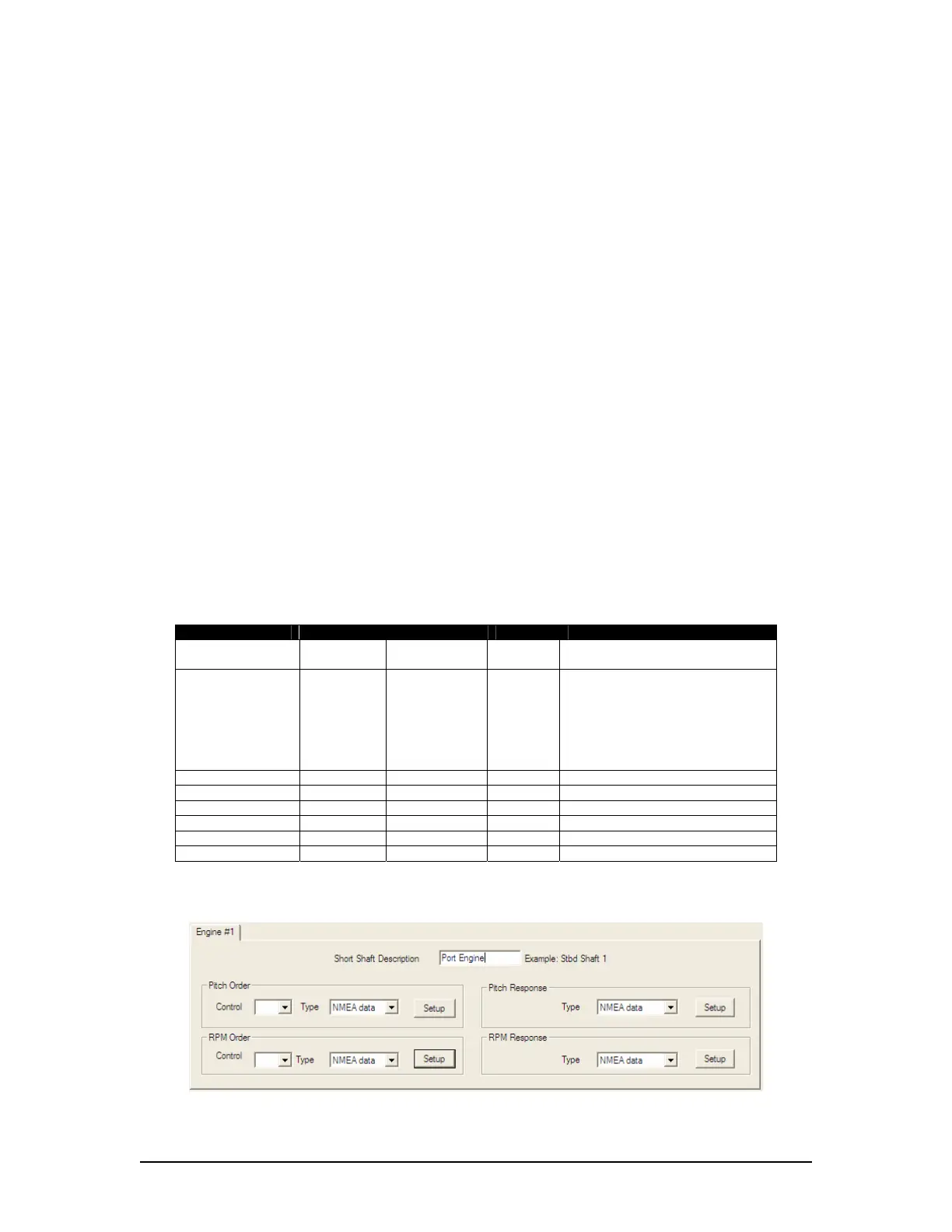
1. In the “Pitch Order” section, choose NMEA data from the Type drop-down box.
Figure A2- 30 - Engine Description – Example 1
VDR-100G3/G3S Installation Manual 06/10/2008
33



 To Next Page