Chapter 12: Final Recording Medium Setup, Rev. 1.5
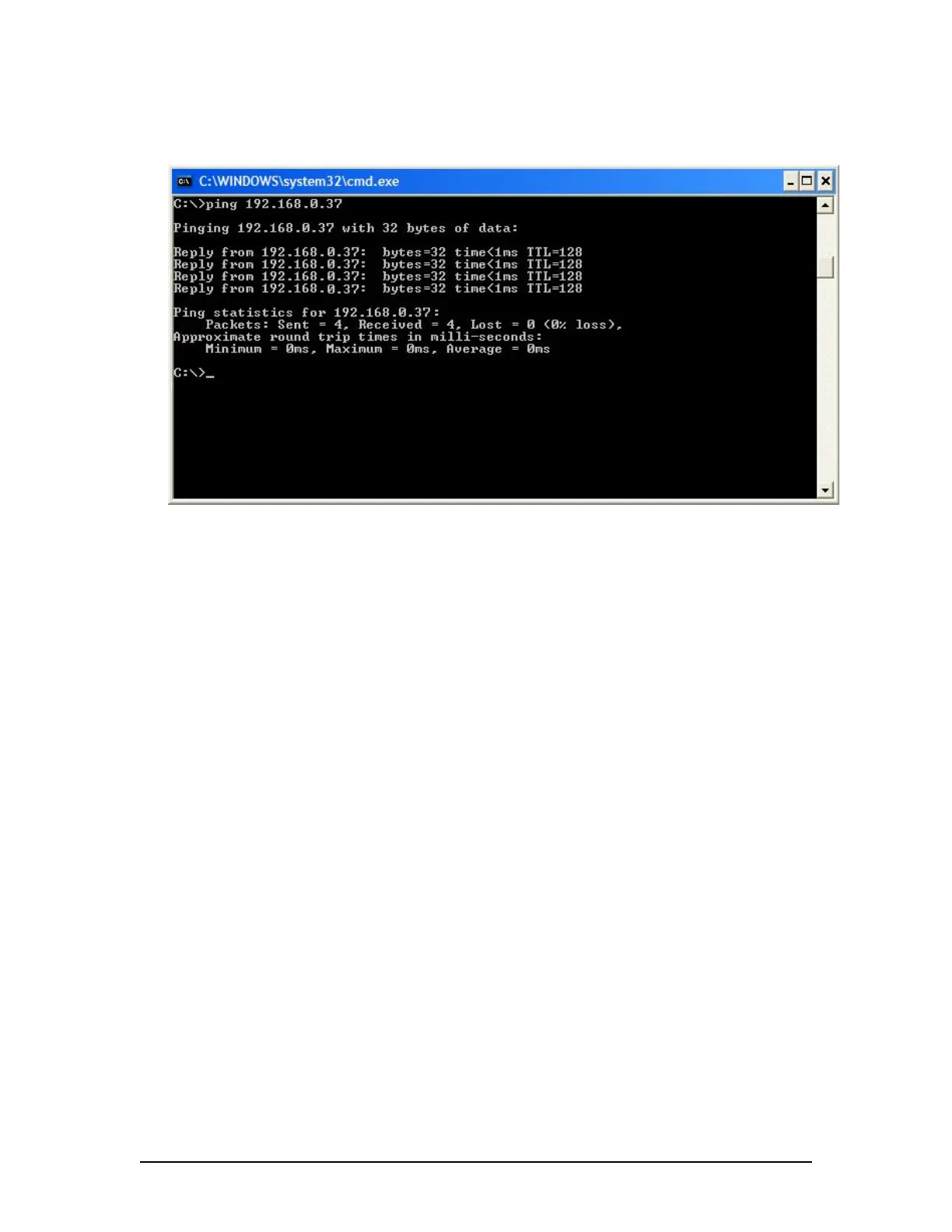
4. If the request times out, check the JoTron Float –free SFRM capsule cable connections
(see Figure 12–19 - Pinging the JoTron Float-free SFRM Capsule)
Figure 12–19 - Pinging the JoTron Float-free SFRM Capsule
5. Once communications has been verified, close the command prompt window and go to
Section 12.3.2.6. OR, if communications cannot be verified go to Section 12.3.2.5.
12.3.2.5 How to Check the FRM Ethernet Port IP Address for the JoTron Float-
free SFRM Capsule
The default IP address of the JoTron Float-free SFRM Capsule is 192.168.0.37. The VDR’s
factory configuration for the FRM Ethernet port IP address is 192.168.0.189. If this address is not
correctly configured, communication between the VDR and the JoTron Float-free SFRM Capsule
will not be possible. The FRM port must be in the same IP range as the JoTron Float-free SFRM
Capsule, with the last segment different than the VDR (as shown below.). To check and/or
change the IP segment of the VDR’s FRM Ethernet port:
1. Open the Control Panel via the Start menu;
2. Double-click the Network Connections icon;
3. Right-click on the FRM icon and select Properties from the pop-up menu;
4. In the Local Area Connection Properties window, highlight “Internet Protocol;
(TCP/IP)” and click the “Properties” button located directly below the available
options;
5. In the subsequent Internet Protocol (TCP/IP) Properties window, select the “Use
the following IP address” radio button
6. Enter 192.168.0.189 (the last number can be any number from 2 to 254, except
37.)
7. Click the “OK” button in the Internet Protocol (TCP/IP) Properties;
8. Click the “OK” button in the Local Area Connection Properties; and
9. The connection should now be established.
VDR-100G3/G3S Installation Manual 10/12/2008
12 - 31



 To Next Page