Chapter 7: VDR Record Operating Instructions, Rev. 1.1
7.3 Tests Menu
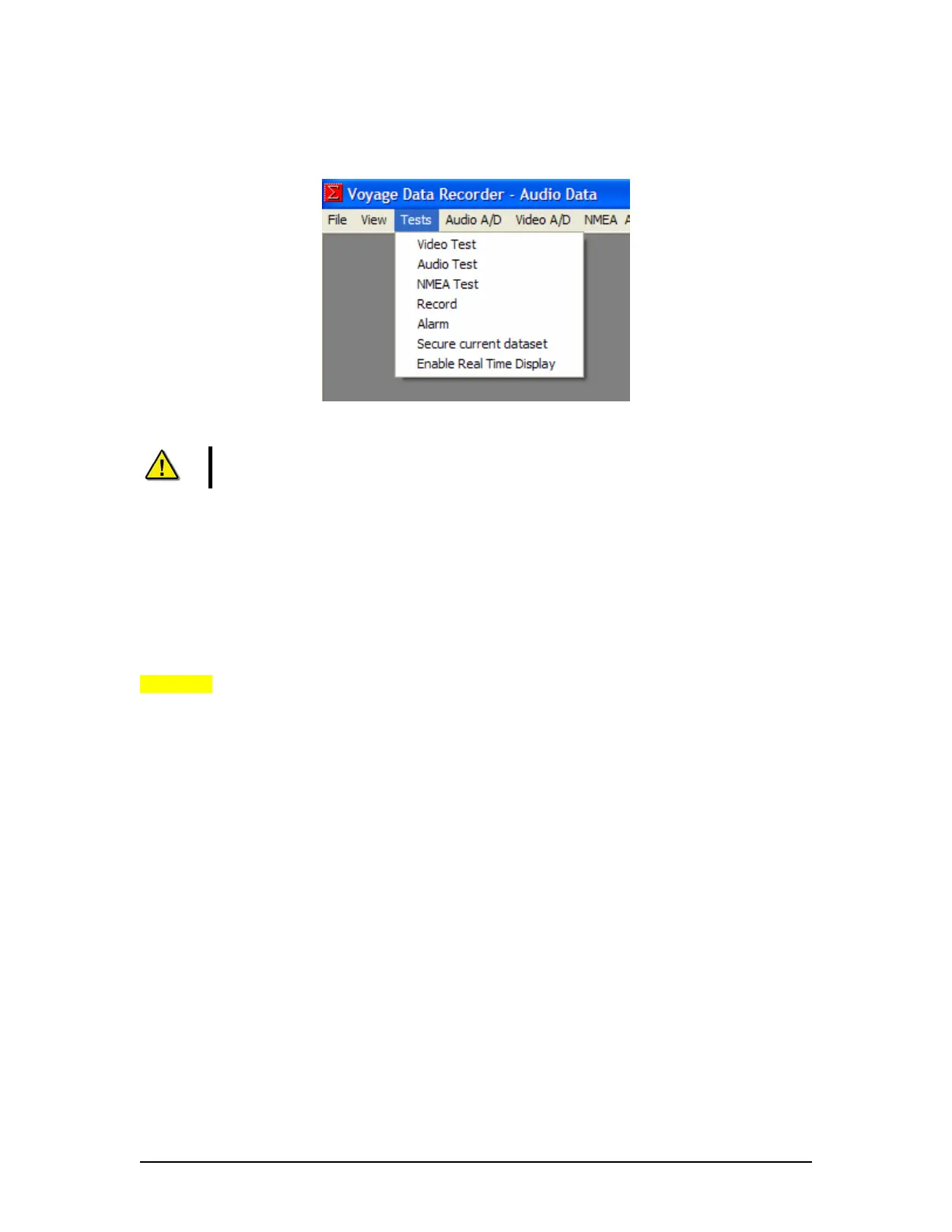
Figure 7-7 - Tests Menu
Note! Only 1 test mode may be operated at a time.
Video Test – Activates the VDR Video test mode. In this mode it will perform video captures and
display the resultant image in the Video Data window. The file size of the captured image, the
time of capture and the channel on which the image was captured will be displayed in the Log
Window. If more than one video source is captured, the Video Data window will display the
images based on the capture interval set in the <vdrparams.ini> file.
Audio Test – Activates the VDR Audio Test mode. In this mode the bridge audio levels and VHF
signals will be displayed in the Audio Data window and the calculated RMS levels for each zone
will be displayed in the Log Window. To test the microphone buzzers with this test refer to
Chapter 8.
NMEA Test – Activates the VDR NMEA Test mode. In this mode all the NMEA data, as it is
received, will be displayed in the Log Window.
Record – Activates the VDR record mode. In this mode the record status and errors will be
displayed in the Log Window. Video, Audio, or NMEA data WILL NOT be updated in their
windows. This is the standard operating mode for the VDR.
Alarm – Performs a one-time communications test with the OAU. A successful test will display
the message Storage error in the Log Window and the OAU will display Status: Storage Error and
sound the audible alarm for 2 seconds.
Secure current dataset – Secures and timestamps the most recent 12 hours of captured data.
Time is set in the <vdrparams.ini> file.
Enable Real Time Display – Enables the Real Time Display software option for a period of three
(3) hours. A message will appear in the Log Window indicating that the option has been turned
on. The time remaining will display if the option is selected while the software option is enabled.
If the Real Time Display software option is purchased, this option is not displayed because it is
already active.
NOTE: Real Time Display is not a test mode and may be operated as the same time as the
record mode.
VDR-100G3/G3S Installation Manual 06/10/2008
7-4



 To Next Page