Chapter 11: OPERATION and ALARM UNIT TEST and USER GUIDE
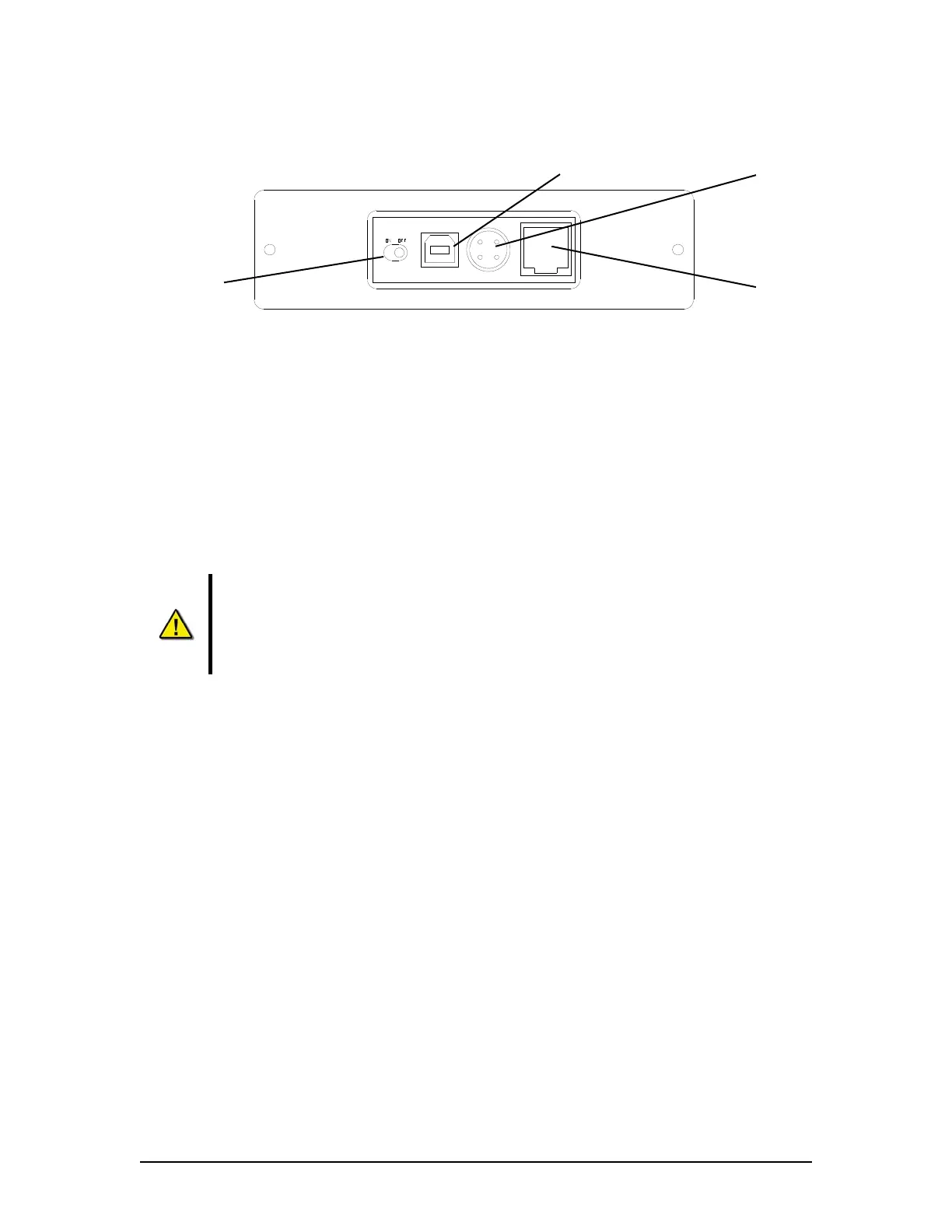
USB 2.0 Port
Power Switch
Power Input
Ethernet Port
(Not used)
Figure 11-7 - Rear View of RSM Unit
11.17 Re-connecting the USB Memory Stick or RSM
To connect the USB Memory Stick, insert it into the USB compartment of the DPU or connect the
power and data cables to the RSM.
The system will detect the drive and the OAU will display “USB: Stby” If connecting a USB
Memory Stick, after at least 10 seconds the system will begin recording to the USB Memory Stick
and the OAU will display a “USB: Rec”
Once the USB Memory Stick is physically connected, the VDR will automatically
detect it and begin the recording process to it. As part of this process, all data on
the USB Memory Stick will be deleted.
Once the RSM is physically connected, the VDR will automatically detect it. As part
of this process, all data on the RSM will be deleted.
VDR-100G3/G3S Installation Manual 06/10/2008
11-13



 To Next Page