Appendix 5: Playback Software, Rev. 1.1
It is supplied with the software and can be changed by choosing Set Password from the
Playback menu. A dialog box will appear asking for the old and new passwords.
The second password is for playback of recorded audio data. The default password is “VDR”
(case sensitive). It can be changed by choosing Set Password from the Audio menu.
Figure 19 - Change Password
A5.10 Playback Controls
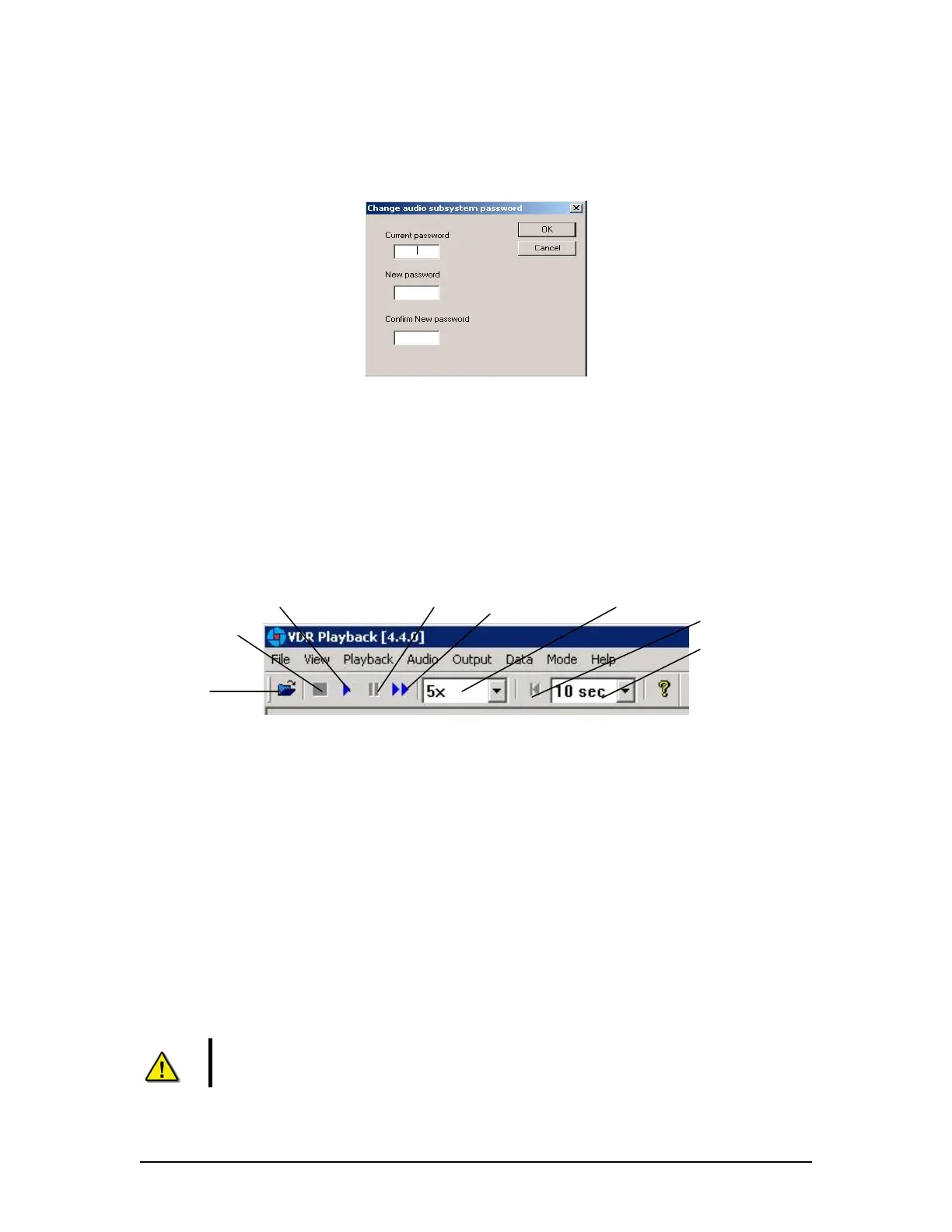
Playback can be controlled via the Playback menu items or by using the buttons located on the
Controls toolbar. Both options offer a full range of controls, including the ability to run the
playback in fast time (with the additional option of choosing replay speed). Figure 20 – Controls
Toolbar provides an illustration of the toolbar. If available for use, buttons will appear blue in
colour. If unavailable for use, buttons will be gray in colour.
Play
Pause Fast Forward Fast Forward Rate
Playback Data Rewind
Stop
Playback Data Rewind Time
Open
Figure 20 - Controls Toolbar
A description of each of the buttons on the Controls toolbar are listed below.
Open: Opens a dialog prompting the user to select a new data set for playback.
Stop: Stops the playback of the current data set or stops the playback of real time data.
Play: Begins the playback of the selected data set or begins the playback of real time data.
Pause: Pauses the playback of the current dataset. Press the pause button again to continue
playback.
Fast Forward: Used to speed up or fast forward the playback of the current data set. To return
the playback to normal operation, press the “Fast Forward” button a second time.
Note! The ‘Fast Forward Rate’ drop down box cannot be manipulated once a
playback has started.
VDR-100G3/G3S Installation Manual 06/10/2008
10



 To Next Page