Appendix 2: System Configuration File, Rev. 1.1
A2.5 Video
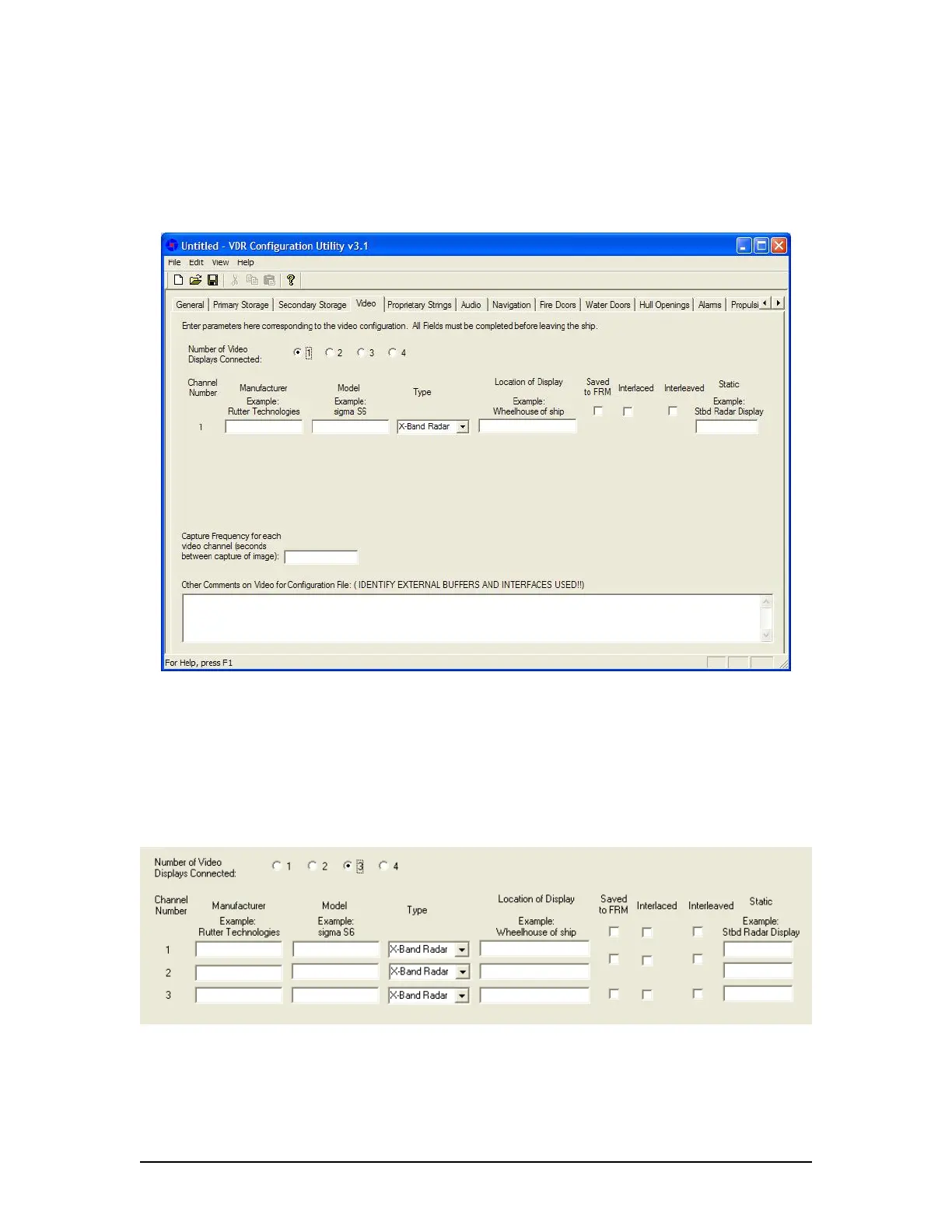
The ‘Video’ tab requires the input of information specific to the video configuration (see Figure
A2- 7 - Video below).
Figure A2- 7 - Video
The followings fields must be completed in the Video tab window:
A2.5.1 Number of Video Displays Connected
Select the radio button (1, 2, 3, or 4) applicable to the number of video displays connected to the
VDR. If more than one Video Display is selected, the software will make the applicable number of
rows available for data entry (see Figure A2- 8 - Video Channel Information below).
Figure A2- 8 - Video Channel Information
A2.5.2 Manufacturer
Enter the name of the video capture component’s manufacturer.
VDR-100G3/G3S Installation Manual 06/10/2008
10



 To Next Page