Appendix 2: System Configuration File, Rev. 1.1
A2.8.7 Configure Speed Device
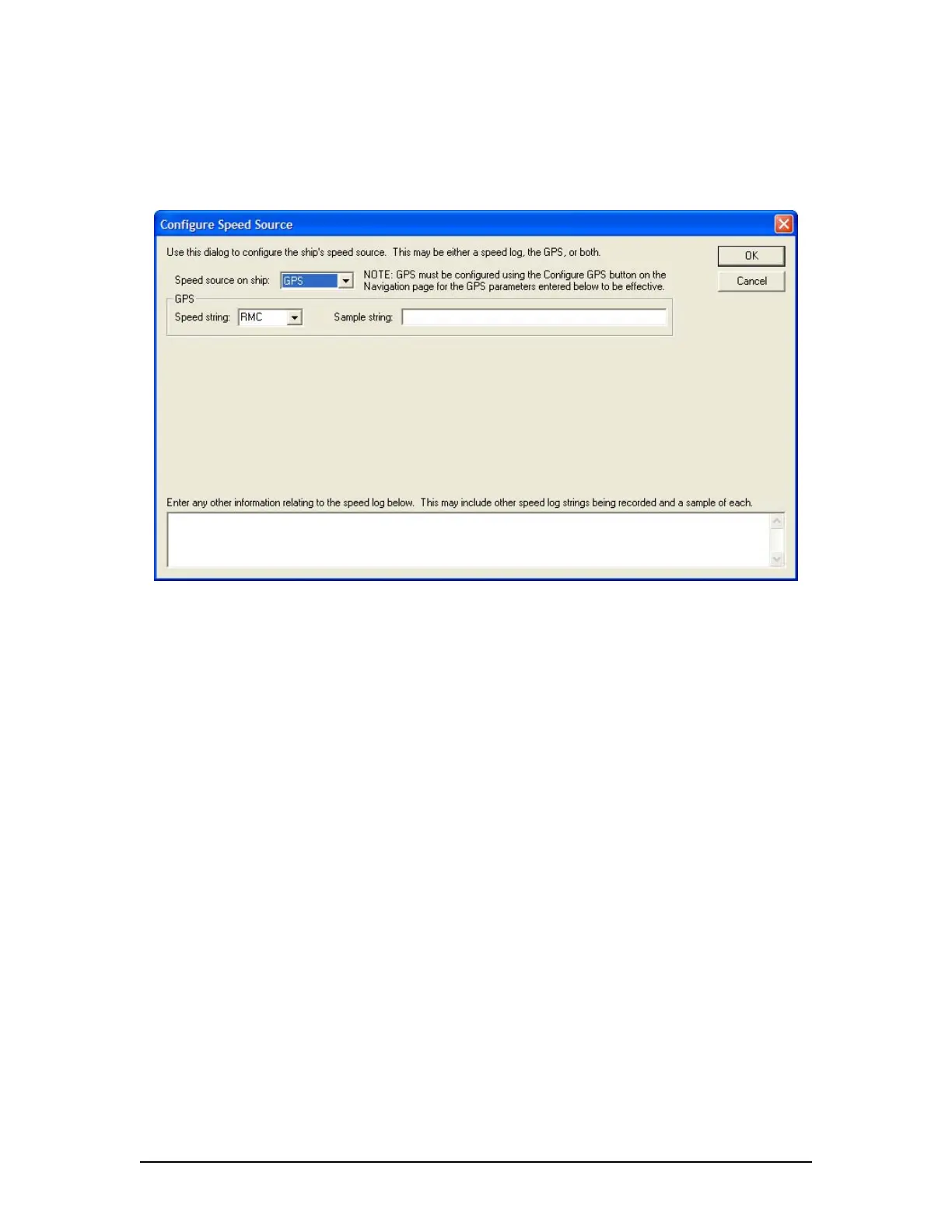
Clicking the Configure Speed Device tab opens the Configure Speed Source data entry window
(see Figure A2- 21 - Configure Speed Device below). This window requires information relevant
to the ship’s speed device.
Figure A2- 21 - Configure Speed Device
A2.8.7.1 Speed Source on Ship
From the drop-down menu select the device from which ship speed information is collected.
Options available for selection are: GPS, Speed Log, or both GPS and Speed Log. The option
selected determines the information than must be entered in this window.
A2.8.7.2 GPS
GPS is the default selection and will require the following information:
A2.8.7.2.1. Speed String
From the drop down box select the appropriate speed string. Options available for selection
are:
RMC – Recommended Minimum Specific GNSS Data
$--RMC,hhmmss.ss,A,llll.ll,a,yyyyy.yy,a,x.x,x.x,xxxxxx,x.x,a,a*hh<CR><LF>
VBW – Dual Ground/Water Speed
$--VBW,x.x,x.x,A,x.x,x.x,A,x.x,A,x.x,A*hh<CR><LF>
VDR – Set and Drift
$--VDR,x.x,T,x.x,M,x.x,N*hh<CR><LF>
VHW – Water Speed and Heading
$--VHW,x.x,T,x.x,M,x.x,N,x.x,K*hh<CR><LF>
VTG – Course Over Ground and Ground Speed
$--VTG,x.x,T,x.x,M,x.x,N,x.x,K,a*hh<CR><LF>
VDR-100G3/G3S Installation Manual 06/10/2008
23



 To Next Page