Chapter 8: Audio Module, Rev 1.1
8.4.2.2 Adjusting Phantom Voltage
Phantom voltage is used to power the preamplifier of a condenser-type microphone. The
following table details the different models of microphones, their type, and phantom voltage
status.
Part Part No Type Phantom Voltage
Outdoor Microphone RUT-01018-AA Condenser ON
Indoor Microphone RUT-01019-AA Condenser ON
VHF N/A N/A OFF
Table 8-4 - Phantom Voltage Status
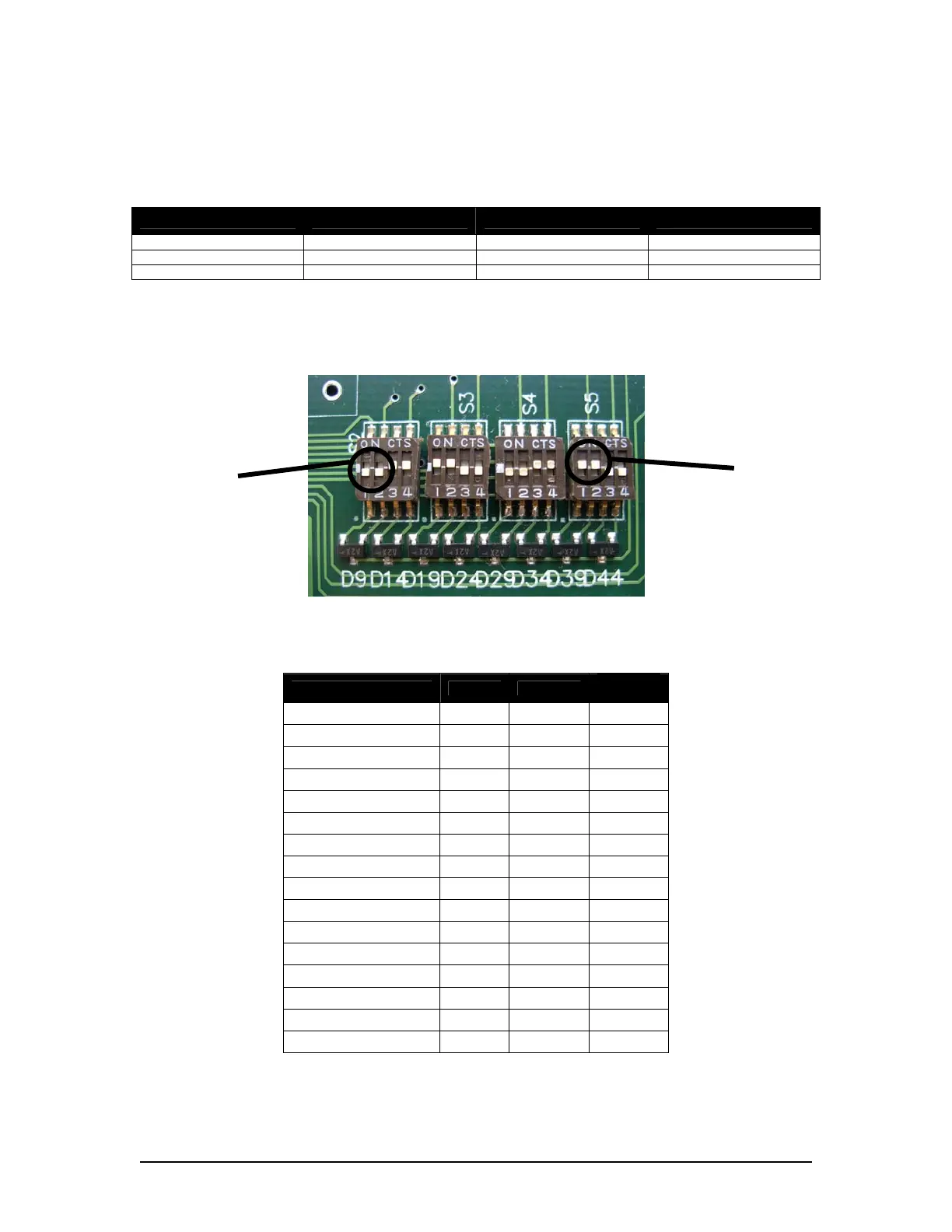
The phantom voltage in the Audio Module is adjusted via DIP-Switches S2 – S5 (as shown in
Figure 8-13 - Phantom Voltage DIP-Switches ):
ON
OFF
Figure 8-13 - Phantom Voltage DIP-Switches
See the table below for the Phantom Voltage Block, DIP-Switch, and Audio Module Input
associations.
Phantom Voltage Block Switch Input
Factory
Default
S5 4 Input 1 OFF
S5 3 Input 2 OFF
S5 2 Input 3 ON
S5 1 Input 4 ON
S4 4 Input 5 ON
S4 3 Input 6 ON
S4 2 Input 7 OFF
S4 1 Input 8 OFF
S3 4 Input 9 OFF
S3 3 Input 10 OFF
S3 2 Input 11 ON
S3 1 Input 12 ON
S2 4 Input 13 ON
S2 3 Input 14 ON
S2 2 Input 15 OFF
S2 1 Input 16 OFF
Table 8-5 - Phantom Voltage to Audio Module Input Associations
VDR-100G3/G3S Installation Manual 06/10/2008
8-17



 To Next Page