Appendix 5: Playback Software, Rev. 1.1
A5.23.1 Opening Data Extraction Window
To extract a specific portion of data, begin the playback of captured data. Once data is in active
playback mode allow it to play until the beginning point of the portion desired for extraction is
reached:
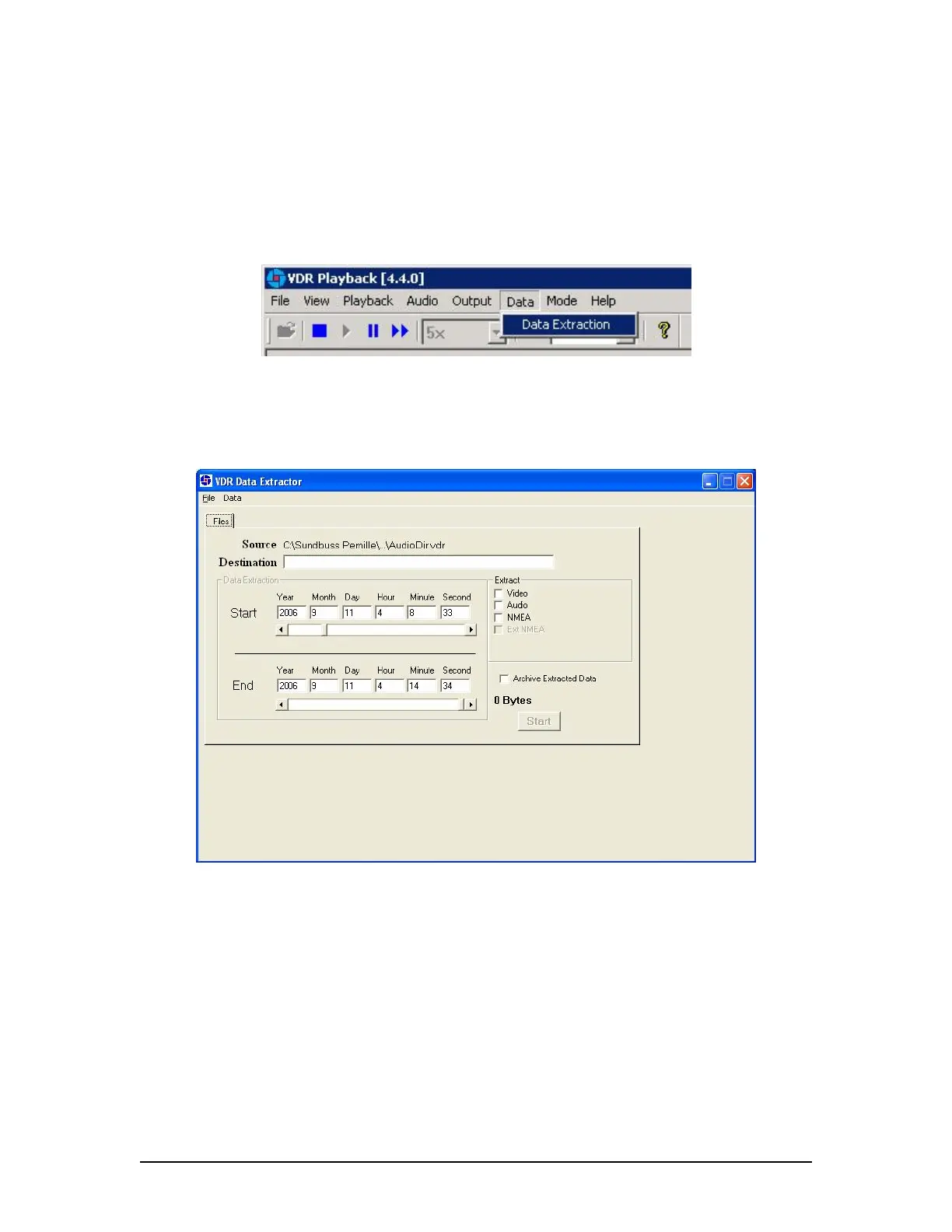
Select “Data Extraction” option from the “Data” file menu.
Figure 37 - Data Extraction Option
The Data Extraction window will open (see Figure 38 - Data Extraction Window below). This
may take a number of seconds. The start time will automatically appear as the point in the
playback where the Data Extraction window was opened.
Figure 38 - Data Extraction Window
VDR-100G3/G3S Installation Manual 06/10/2008
24



 To Next Page