Chapter 11: Operation and Alarm Unit Test and User Guide, Rev. 1.1
VDR-100G3/G3S Installation Manual 06/10/2008
6
11.5 OAU User Guide
This section provides a user guide for operating the VDR-100G3/S. All user-level operation occurs via the
OAU. The OAU provides the ability to secure data as well as offering audible alarms that alert the user to
potential problems with the unit and/or component connections.
11.6 OAU Display
The OAU presents the following information, when in normal operational mode, at a 4 line alphanumeric
illuminated display:
(Line 1) (This line blank unless required to display longer messages)
(Line 2) Status: Recording
(Line 3) (This line blank unless required to display longer messages)
(Line 4) USB: Rec
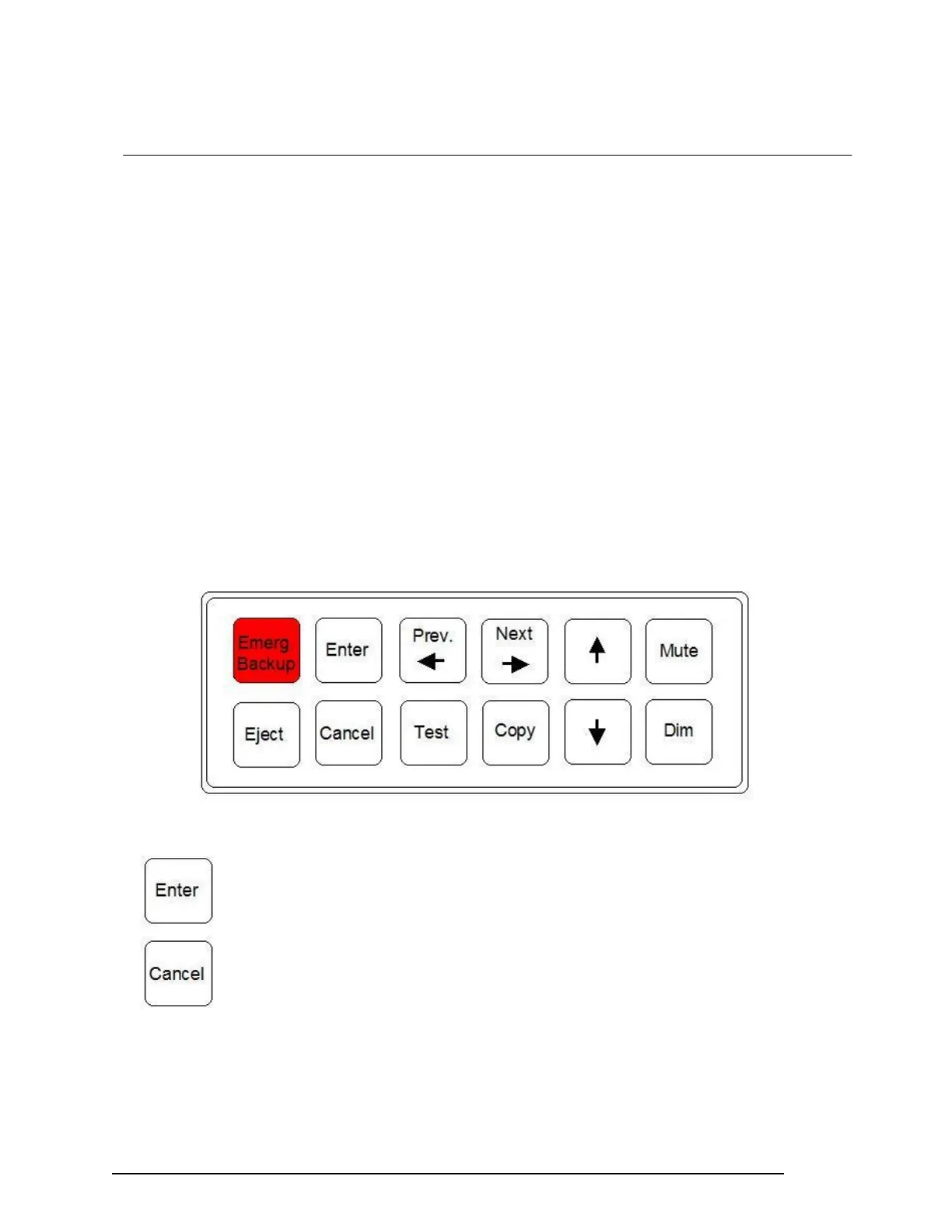
11.7 OAU Keypad
The VDR is operated by the illuminated keypad of the OAU and associated information presented on its
display:
Figure 11-5 – OAU Keypad
Press “Enter” to execute a command
Press “Cancel” to undo an initiated operation, if not otherwise instructed by the display
menu.



 To Next Page