Appendix 2: System Configuration File, Rev. 1.1
A2.8.3.4 Character in Field
Enter the position of the character in the field that identifies the autopilot status. This is a numeric
value that represents the place of the character in the field beginning to the left of the field. See
example below.
A2.8.3.5 Activation Value
Enter the activation value of the character that sets the autopilot status to ON. Refer to example
that follows.
EXAMPLE: 11$DIS02, 000000,000000,000001,000000*5C
In this example a DataDiscrete is being used. The autopilot status is present in the third (3) field,
sixth (6) position of the NMEA sentence. The autopilot is active when a one (1) is present. Below
is a sample of how to configure the VDR Playback to display the autopilot status based on the
information provided.
Mux Channel: 11
NMEA Identifier: DIS02
Field Containing Autopilot Info: 3
Character in Field: 6
Activation Value: 1
A2.8.4 Configure Depth Device
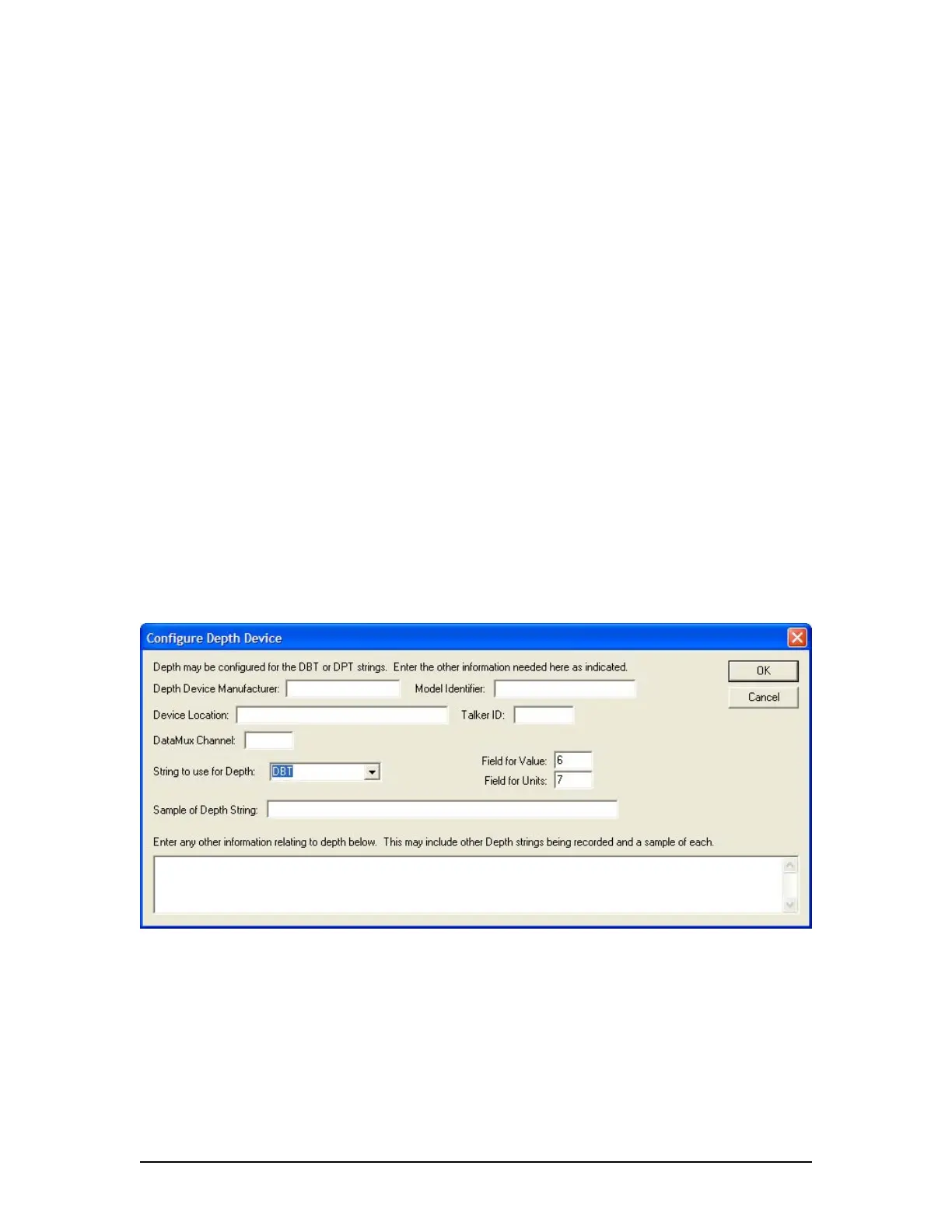
Clicking the Configure Depth Device tab opens the Configure Depth Device data entry window
(see Figure A2- 18 - Configure Depth Device below). The information entered here will enable
VDR Playback to display Ship’s depth during playback of recorded data.
Figure A2- 18 - Configure Depth Device
A2.8.4.1 Depth Device Manufacturer
Enter the name of the manufacturer of the depth device.
A2.8.4.2 Model Identifier
Enter the model of the depth device.
VDR-100G3/G3S Installation Manual 06/10/2008
19



 To Next Page