Appendix 2: System Configuration File, Rev. 1.1
A2.3 Primary Storage
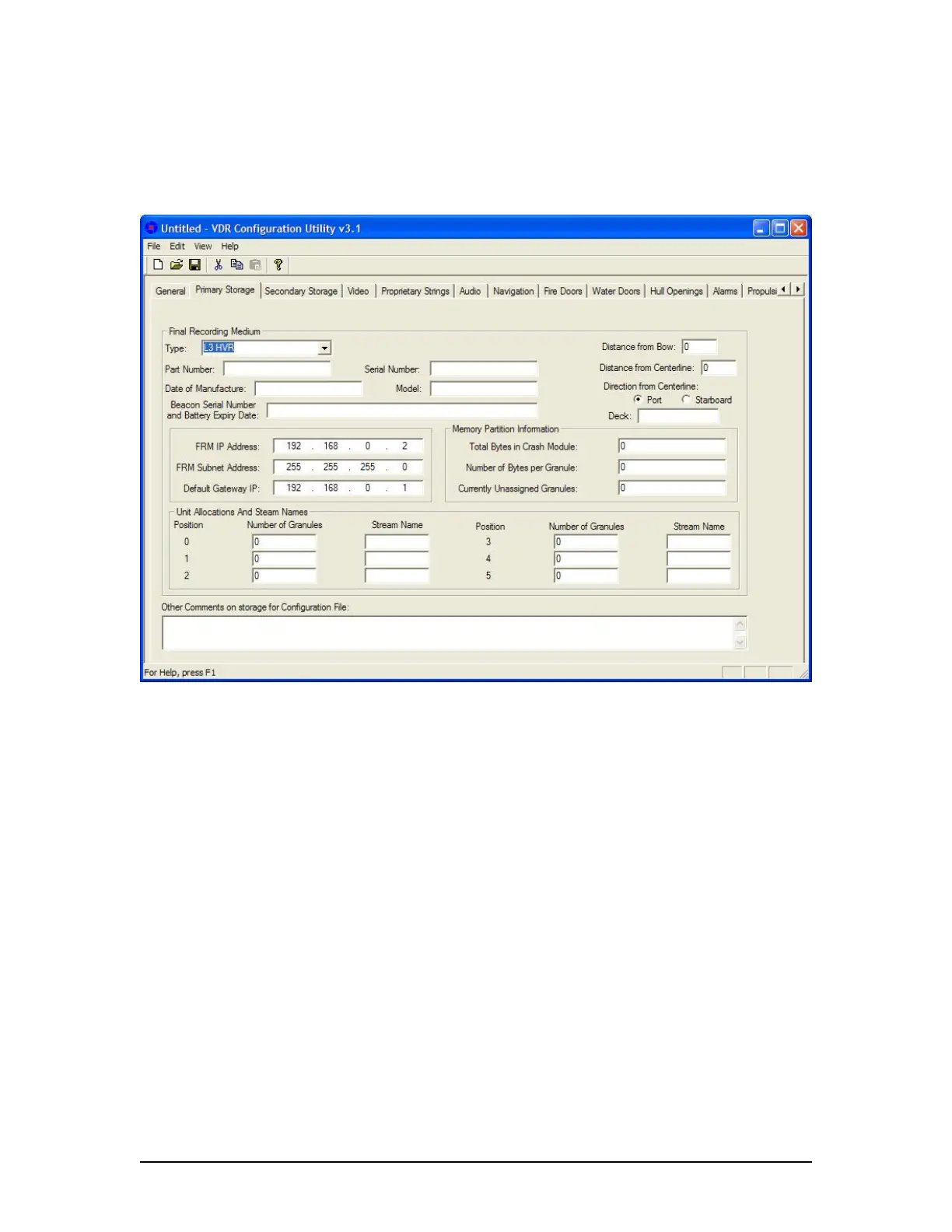
The ‘Primary FRM’ tab requires the input of information about the Final Recording Medium (FRM)
unit (see Figure A2- 3 – Primary Storage below).
Figure A2- 3 – Primary Storage
The following fields must be completed in the Primary Storage window:
A2.3.1 Type
From the accompanying drop-down box, select the FRM model and manufacturer applicable to
the installation. Options available are:
L3 HVR (default),
Jotron SVDR ,
Rutter Fixed (RUT-02447),
Rutter-ACR Float-Free or
Not Installed.
A2.3.2 Part Number
Enter the FRM’s part number.
A2.3.3 Serial Number
Enter the FRM’s serial number.
VDR-100G3/G3S Installation Manual 06/10/2008
4



 To Next Page