Chapter 7: VDR Record Operating Instructions, Rev. 1.1
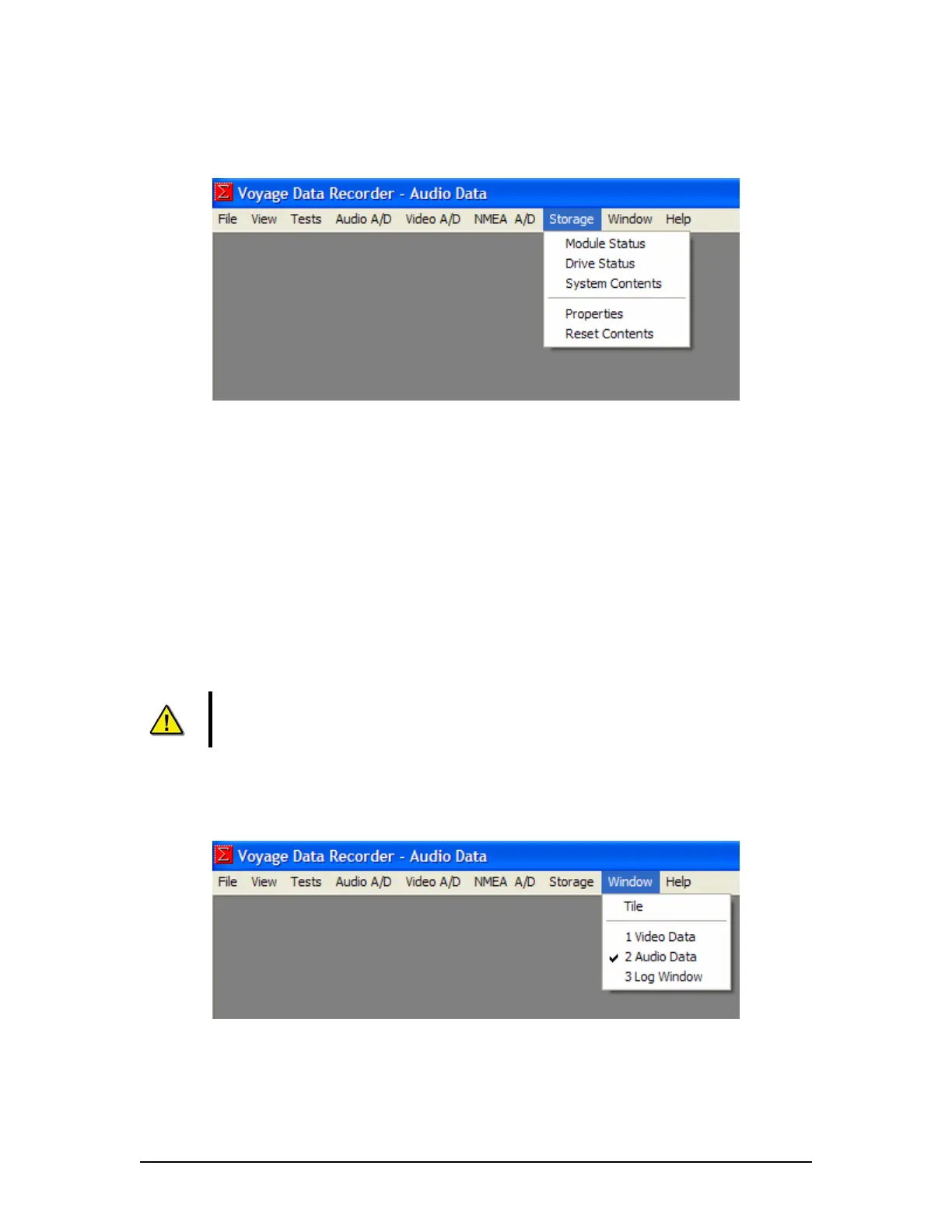
7.7 Storage Menu
Figure 7-11 - Storage Menu
Module Status – Displays the current status of the overall Storage module, the 4 individual
modules (Video, Audio, NMEA and FRM), the USB status and the RSM status in the Log
Window.
Drive Status – Displays the current status of the DMM.
System Contents – Displays the start and end time of the NMEA, Audio and Video data sets
currently recorded on the DMM internal drive.
Properties – This menu will not be available if the VDR_Record application is in record mode.
There are 2 additional items under the Properties menu:
Location – Displays the location of where the primary data set will be saved.
Enables mirroring of the data set to another location.
Advanced Controls – Sets the number of data blocks to be packaged into one
file.
NOTE: Changes to these settings will take place immediately in the recording but
will not be written to the <vdrparams.ini> until the VDR_Record application is
closed. Commit to save.
Reset Contents – Deletes the current recorded data set on the internal DMM drive.
7.8 Window Menu
Figure 7-12 - Window Menu
Tile – Arranges all open windows so they are displayed on the screen simultaneously.
1. Video Data – Selects the Video Data as the active window.
2. Audio Data – Selects the Audio Data as the active window.
VDR-100G3/G3S Installation Manual 06/10/2008
7-7



 To Next Page