Appendix 5: Playback Software, Rev. 1.1
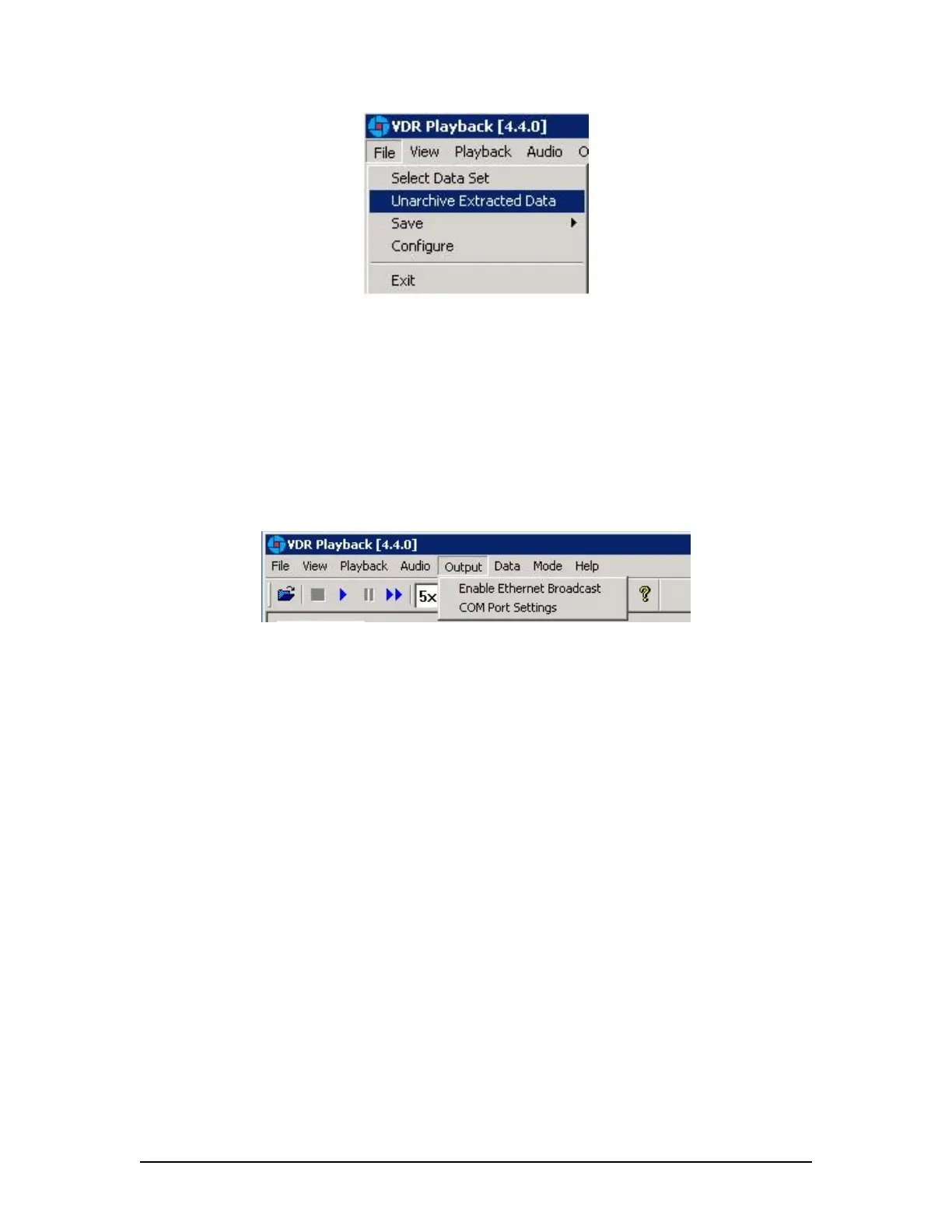
Figure 12 - Unarchive Extracted Data
To playback the archived data after selecting the Unarchive Extracted Data file menu option,
locate the <.rfa> (archive) file and select a folder to which the data can be extracted. Once
extracted, an applicable configuration file will need to be selected in order to continue playback.
A5.4 Enabling Ethernet Broadcasts
To enable the Playback software and Client PC to broadcast data across a network for use with a
separate Electronic Charting System (ECS) or other software, select Output | Enable Ethernet
Broadcast from the main menu. If a checkmark appears adjacent to this option, broadcasting is
currently enabled. To disable this option, ensure no checkmark appears adjacent to this selection.
Figure 13 - Enabling Ethernet Broadcasting
The broadcast will occur on UDP Port 4450 and 4451. Refer to the relevant ECS manual to
properly enable a PC to receive an Ethernet broadcast from Rutter Technologies’ Playback
software.
VDR-100G3/G3S Installation Manual 06/10/2008
6



 To Next Page