Chapter 12: Final Recording Medium Setup, Rev. 1.5
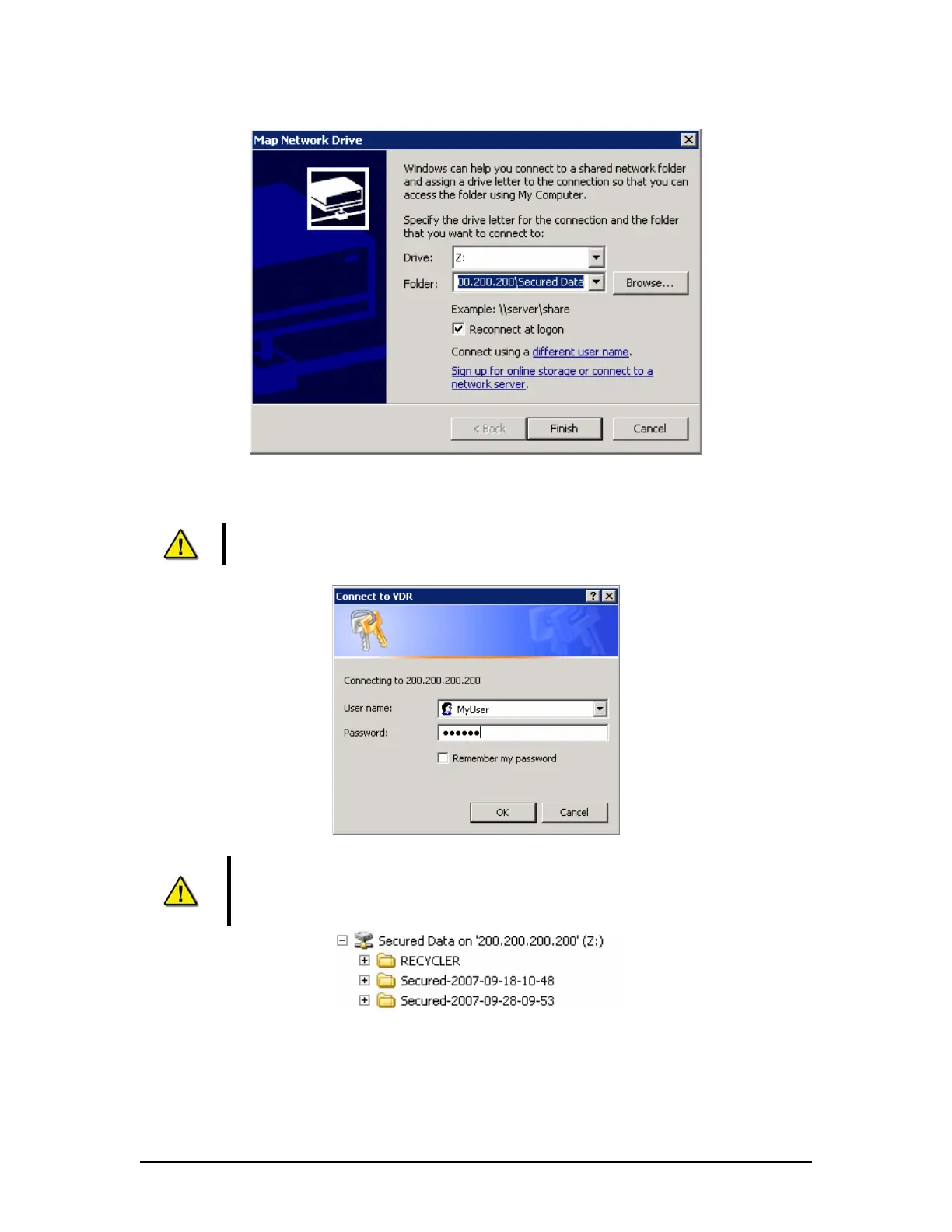
Figure 12–29 – Mapping the Secured Data Drive
10. At the prompt, enter "MyUser" for the user name and ‘Rutter’ for the password.
NOTE: These entries are case-sensitive. Capitals and lower case letters must be
repeated exactly
Figure 12–30 – Enter Password and User name
NOTE: When the Playback PC connects to the ‘Secured Data’ drive on the VDR-
100G3, it will appear in Windows Explorer.
Figure 12–31 – The Mapped Secured Data Drive
11. Select the downloaded data set of interest, and copy it to the Playback PC.
VDR-100G3/G3S Installation Manual 10/12/2008
12 - 42



 To Next Page