EasyManua.ls Logo

Santerno Sinus Penta - Using the MENU Key

Santerno Sinus Penta
486 pages
Print Icon
To Next Page IconTo Next Page
To Previous Page IconTo Previous Page
Loading...
PROGRAMMING GUIDE
SINUS PENTA
21/486
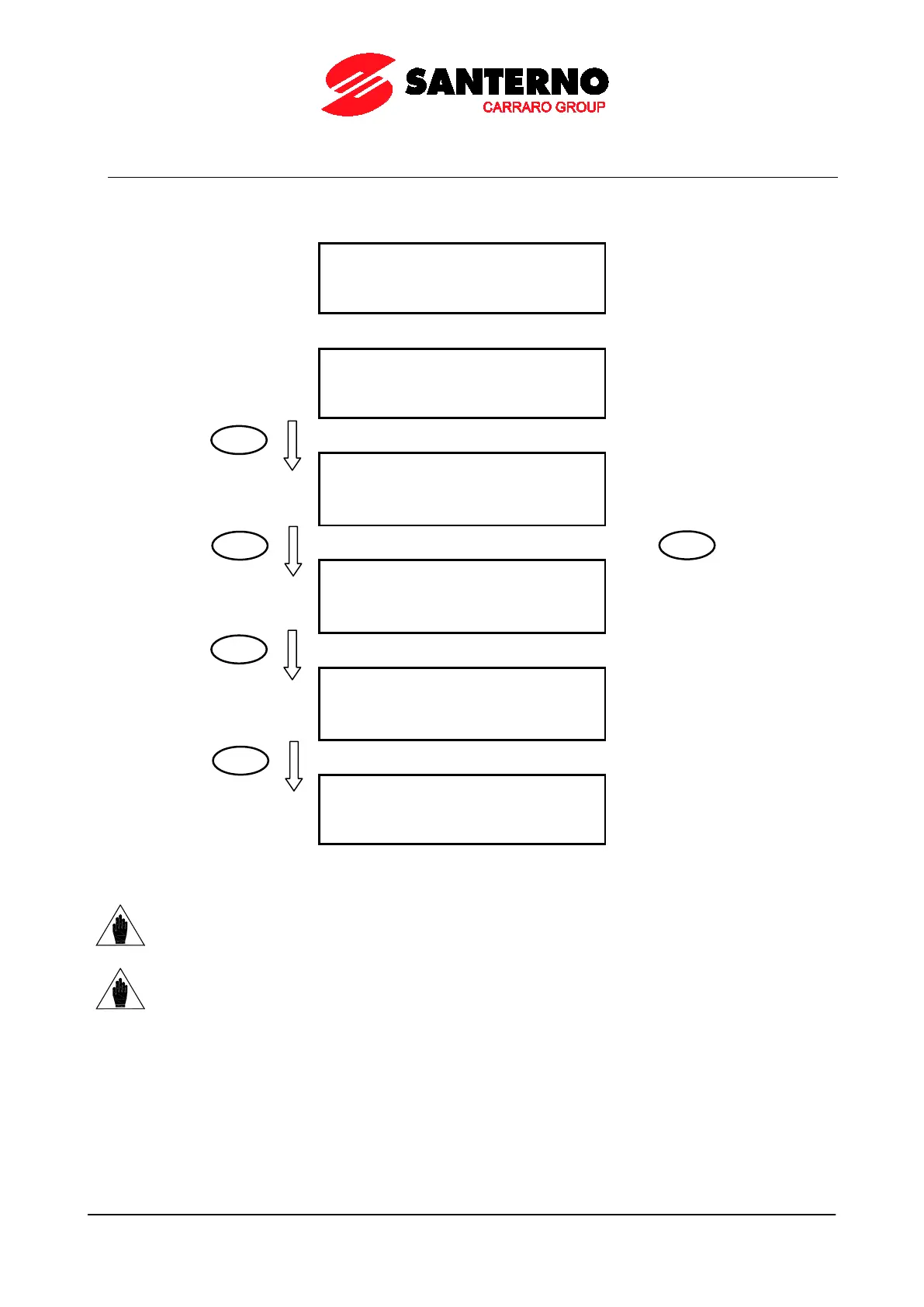
1.6. Using the MENU Key
The MENU key allows going to the next menu. From the Root page, press the MENU key to enable circular navigation.
A
N
Y
P
A
G
E
I
N
A
M
E
N
U
Start-Up Menu [*]
[
I
D
P
]
S
I
N
U
S
P
E
N
T
A
S
T
A
R
T
-
U
P
M
E
N
U
P
r
e
s
s
E
N
T
E
R
t
o
s
t
a
r
t
Measures Page
+
0
.
0
H
z
+
0
.
0
A
+
0
.
0
0
r
p
m
+
0
.
0
0
r
p
m
KEYPAD Pages (if any…)
+
0
.
0
H
z
+
0
.
0
A
+
0
.
0
0
r
p
m
R
e
f
+
1
5
0
0
.
0
0
r
p
m
…KEYPAD Pages (continued) [**]
+
0
.
0
H
z
+
0
.
0
A
+
0
.
0
0
r
p
m
T
L
i
m
+
1
5
0
.
0
N
m
Root Page
I
N
V
E
R
T
E
R
O
K
+
1
5
0
0
.
0
0
r
p
m
+
0
.
0
0
r
p
m
M
E
A
P
A
R
C
F
[
I
D
P
]
NOTE [*] The Start-Up menu is available only if P265=3: Start-Up (see the DISPLAY/KEYPAD MENU).
NOTE [**]
The Keypad pages are available only if the relevant references / feedback /
limits are activated
(see the CONTROL METHOD MENU and the PID CONFIGURATION MENU).

MENU
MENU
MENU
MENU
MENU

Table of Contents

Other manuals for Santerno Sinus Penta

Related product manuals