PROGRAMMING GUIDE
SINUS PENTA
25/486
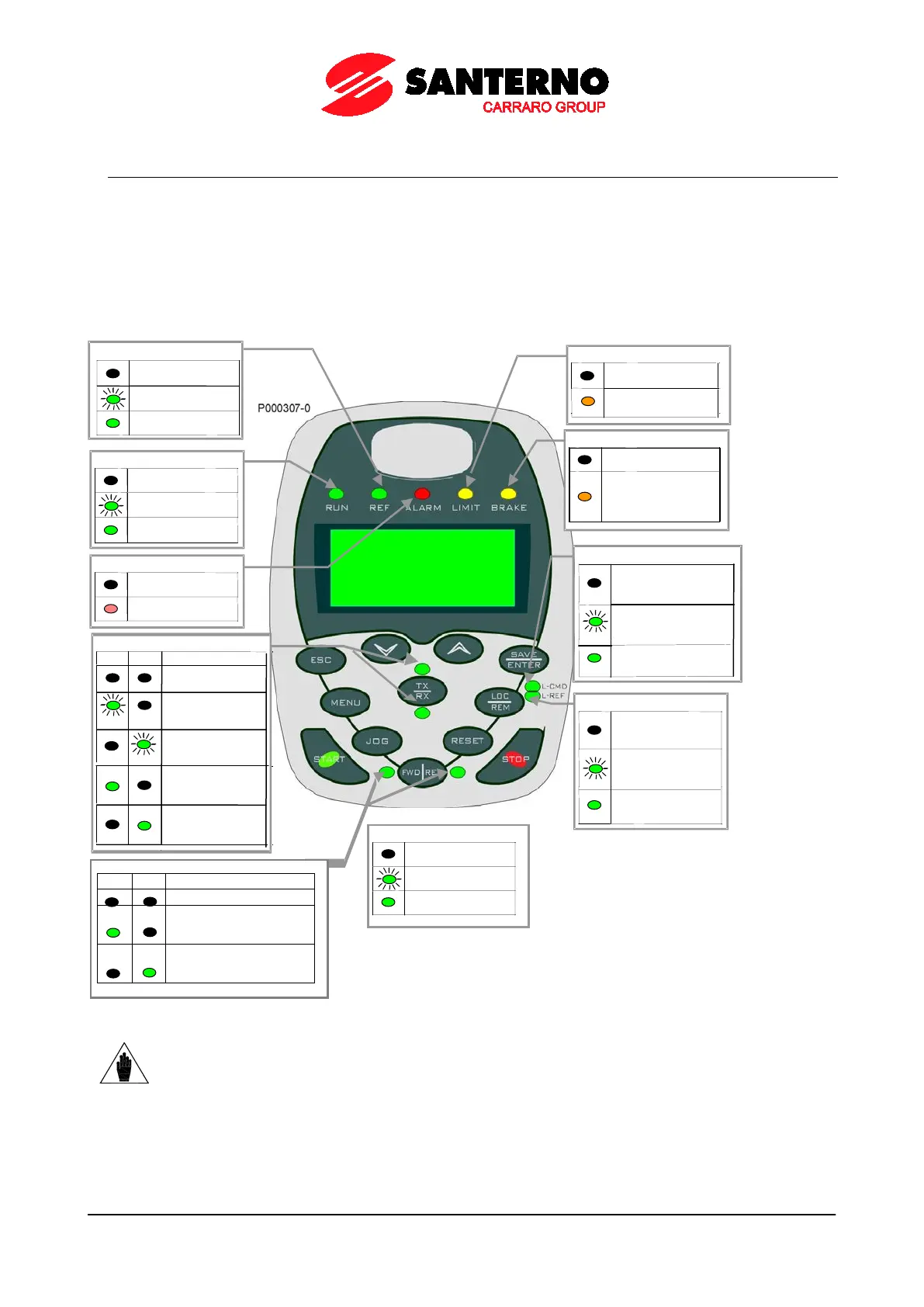
1.12. Indicator LEDs on the Display/Keypad
Eleven LEDs are located on the keypad, along with a 4-line, 16-character LCD display, a buzzer and 12 function keys.
The display shows the parameter values, the diagnostic messages and the variables processed by the drive.
The figure below shows the location of the indicator LEDs and their functionality.
Figure 3: Display/keypad
NOTE
See also the OPERATING AND REMOTING THE KEYPAD section in the
Accessories – User Manual.
Motor powered,
but no torque (idle)
Motor powered
and running
Reference for speed,
frequency or torque=0
Motor acceleration
or deceleration
Voltage or current
limit active
sources other than
Commands sent both
from keypad and
terminal board
Commands sent
from keypad only
sources other
than keypad
Reference sent both
from keypad and
terminal board
Reference sent from
keypad only
Total reference of frequency/
speed/torque
is being sent
and is positive
Total reference of frequency/
speed/torque is being sent
and is negative.
No parameter transfer
in progress
Download: waiting
for confirmation
Upload: waiting
for confirmation
Parameter
downloading from
keypad to inv
erter
Parameter
uploading from
inverter to keypad



 To Next Page