SINUS PENTA
PROGRAMMING GUIDE
372/486
41. POWER DOWN MENU
41.1. Overview
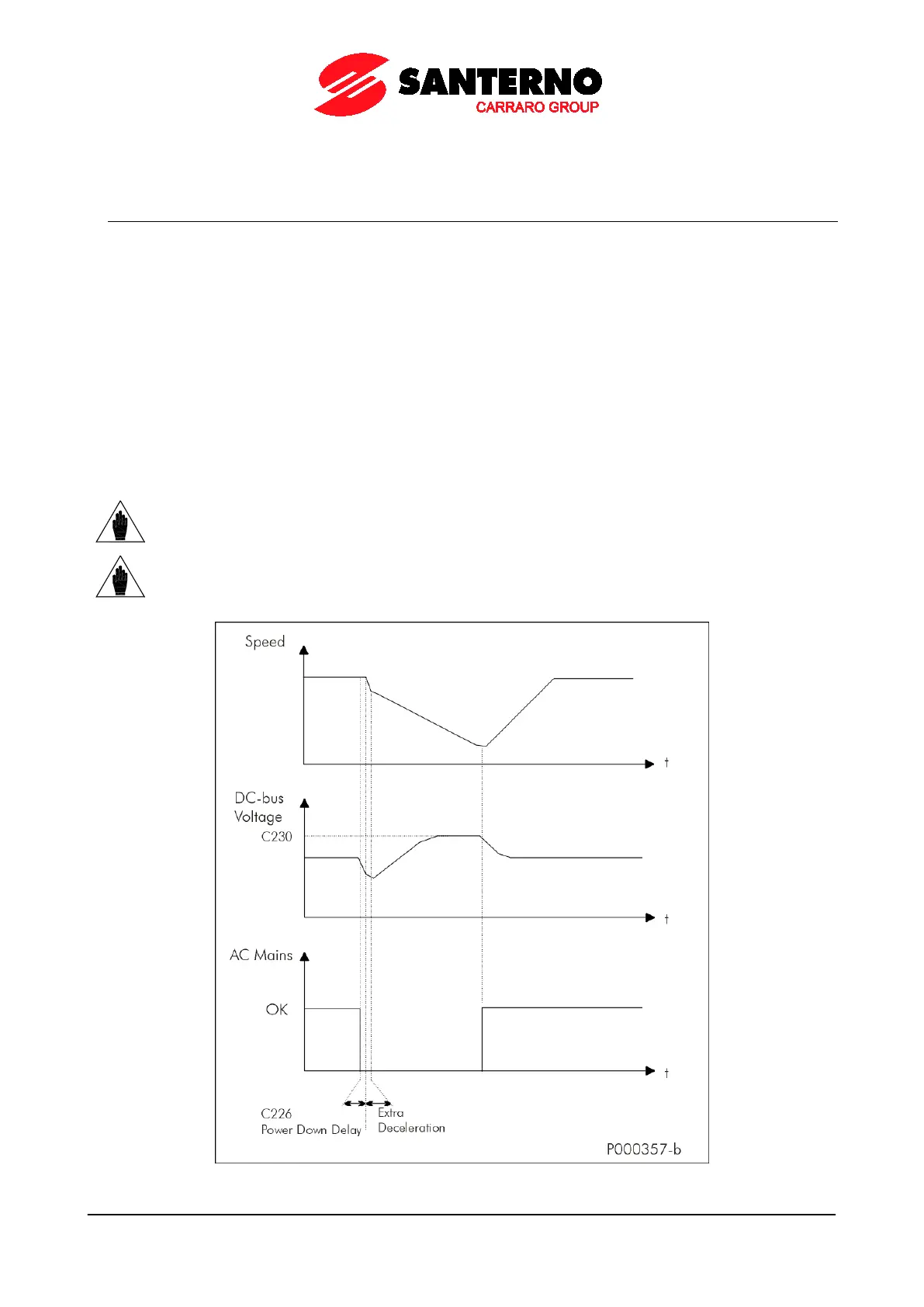
In the case of power failure, the drive can be kept powered on by exploiting the kinetic energy of the motor and the load:
energy recovered due to motor slowing down is used to power the drive, thus avoiding losing the drive control when a
black–out occurs.
All parameters relating to the Power Down function are included in the Power Down submenu in the Configuration
menu.
The following options are available (parameter C225):
– [NO]: The function is disabled.
– [YES]: After the time set in C226 (Power Down start delay), starting from the instant when power down occurs, a
deceleration ramp takes place (deceleration ramp in Power Down C227). The time period of the deceleration ramp can
be user-defined.
– [YES V]: In case of power down for a time longer than C226, the motor coasts to stop, so that DC bus voltage value is
kept constant at C230. To do so, a PI (proportional–integral) regulator is used, which is adjusted through parameter
C231
(proportional term) and C232 (integral term).
– [Alarm]: In case of power down, when the time set in C226 is over, alarm A064 trips (factory setting).
NOTE
If the mains loss deactivates the ENABLE-A and ENABLE-B commands
coast to stop, because these commands are required for the hardware enable of IGBTs.
NOTE
If a drive is DC-powered by a Regenerative Penta (or an equivalent drive
voltage), Power Down cannot occur (C008 = xT Regen, where x can be 2, 4, 5, or 6 ).
Figure 63: Power Down (Example)



 To Next Page