PROGRAMMING GUIDE
SINUS PENTA
307/486
36.1.1. COMMAND SOURCES
The drive commands may be sent from the following sources:
0: Disabled
1: Terminal board A
2: Serial link (with MODBUS protocol)
3: Fieldbus (fieldbus on optional board)
4: Terminal board B
5: Keypad (remotable display/keypad)
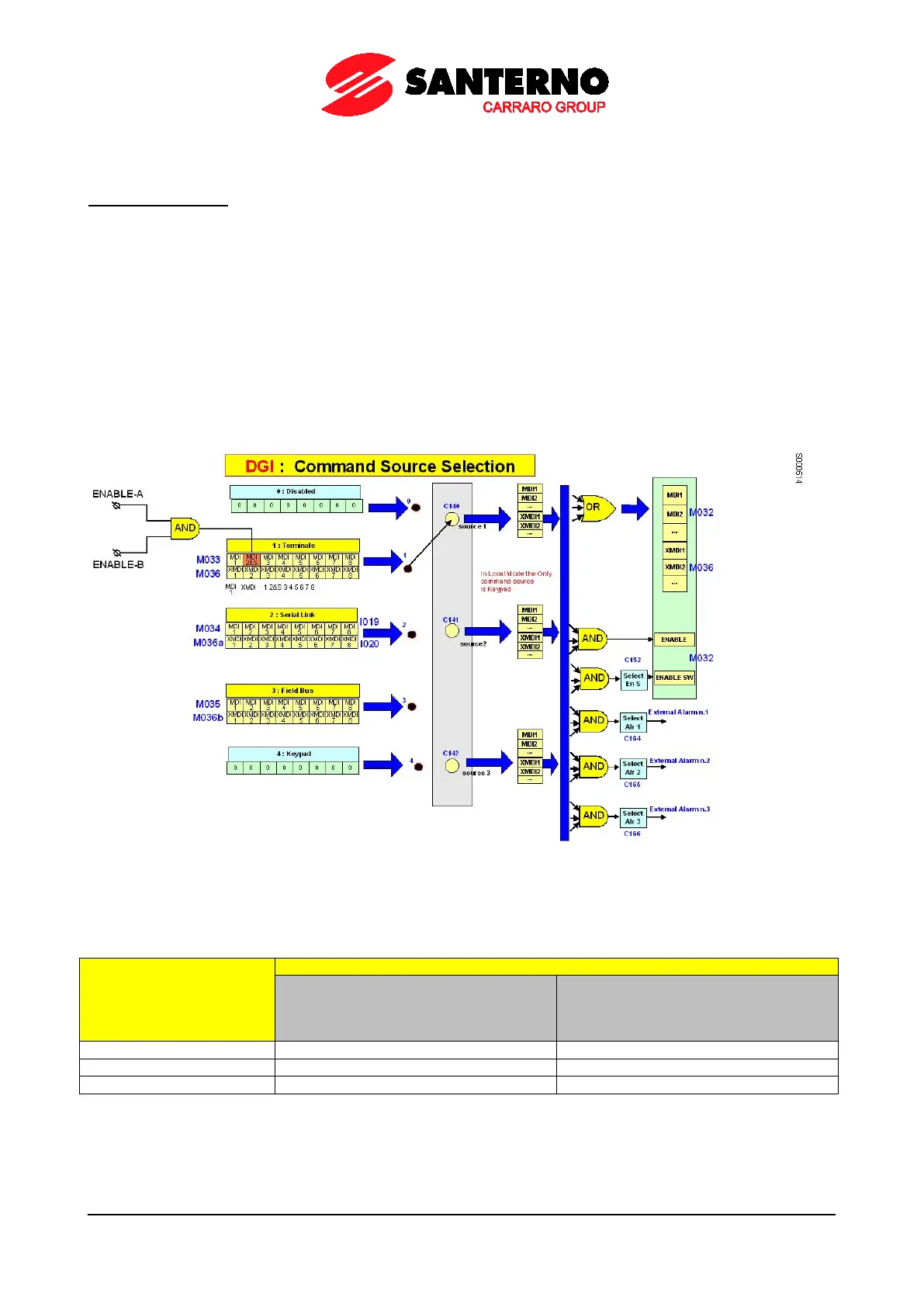
The factory-setting enables only Terminal Board A (C140=1 and C141=1) as a command source (see also the DIGITAL
INPUTS MENU). Both Terminal board A and B refer to the same terminal board located on the control board, but allow
switching between one set of START, STOP, REVERSE commands sent to three terminals to a different set of
commands sent to three different terminals.
Most commands may be delayed (when enabled or disabled): refer to the TIMERS MENU.
Figure 49: Selecting the command sources
If the keypad is not selected as a command source or, when the keypad is selected, if the the STOP input function is
also enabled (C150≠0), more than one command source may be enabled at a time by programming parameters C140,
C141, C142 accordingly. The logic function for the different command sources is as follows:
Source programmed in:
C179 (Source Selection) = 0: Disable
and (logic AND)
C179a (Command Selection) = 0: Disable
C179 = MDIx input
or (logic OR)
Table 90: Enable conditions of the control sources
• AND for the terminals allocated to the ENABLE functions (MDI2&S inputs on physical terminals, MDI2 via
serial command or fieldbus), ENABLE-SW, External Alarms n.1, n.2, n.3.
• OR for all other terminals.



 To Next Page