5 OPERATION
5.64 MHL360 E
5.19.8.2 Switching engine shutdown on/off
Prerequisites
The machine operator is authorized in the
service menu.
h Chapter 5.19.8.6 Settings in the service
menu
Diesel engine is running
Prerequisites
►
Main contol display > Function menu
►
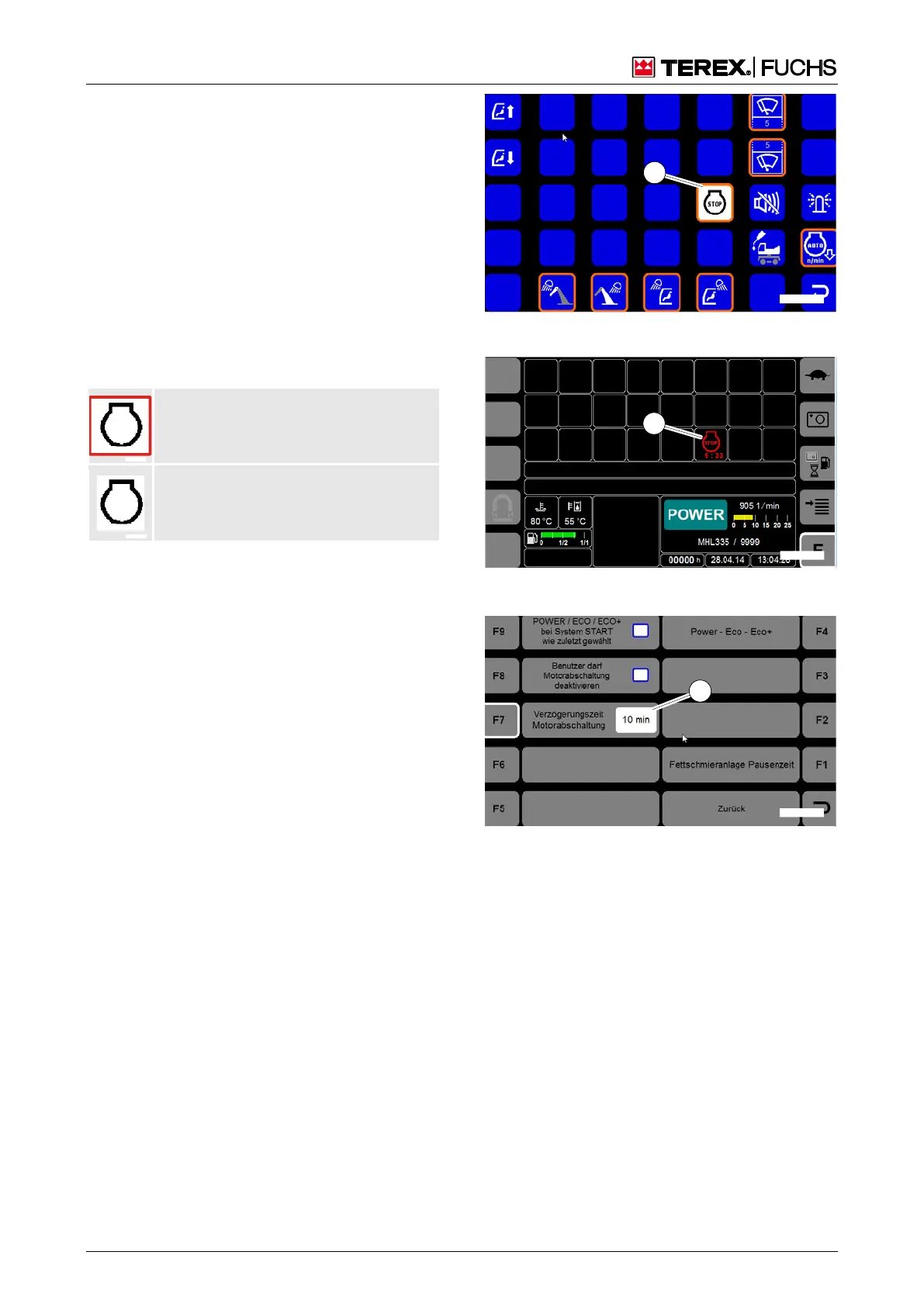
Select function (190/1)
Engine shutdown switched on
Engine shutdown switched off
►
Change by pressing: Multifunction button
or four-way rocker switch
5.19.8.3 Switch the automatic idling sys-
tem on/off
h Chapter 5.19.7 Auto-idling system
5.19.8.4 Engine shutdown
The pending shutdown is shown on the dis-
play (191/2) by:
A red symbol with the time (e.g. 9.33
minutes) to shutdown
5.19.8.5 Starting the diesel engine after
shutdown
►
Press the start/stop button briefly
5.19.8.6 Settings in the service menu
Information about access to the service menu:
h Chapter 4.5.12 Service menu
Adjusting the shutdown time
Setting range: 1 Min. – 30 Mins.
Factory setting: 10 Mins.
Procedure
►
Service menu > Settings
►
Press the F7 (192) function key.
Bild 190 Engine shutdown switched on
Bild 191 Pending engine shutdown
Bild 192 Engine shutdown delay time



 To Next Page