Chapter 7: PC SOFTWARE OFFLINE SETTINGS
10. ACTIVATION SETTING MODE
7-55
Step 6. After setting completion, click on the [Apply] button to save the settings and click on the [OK] button to
close the [Function Key Settings] window.
Tips
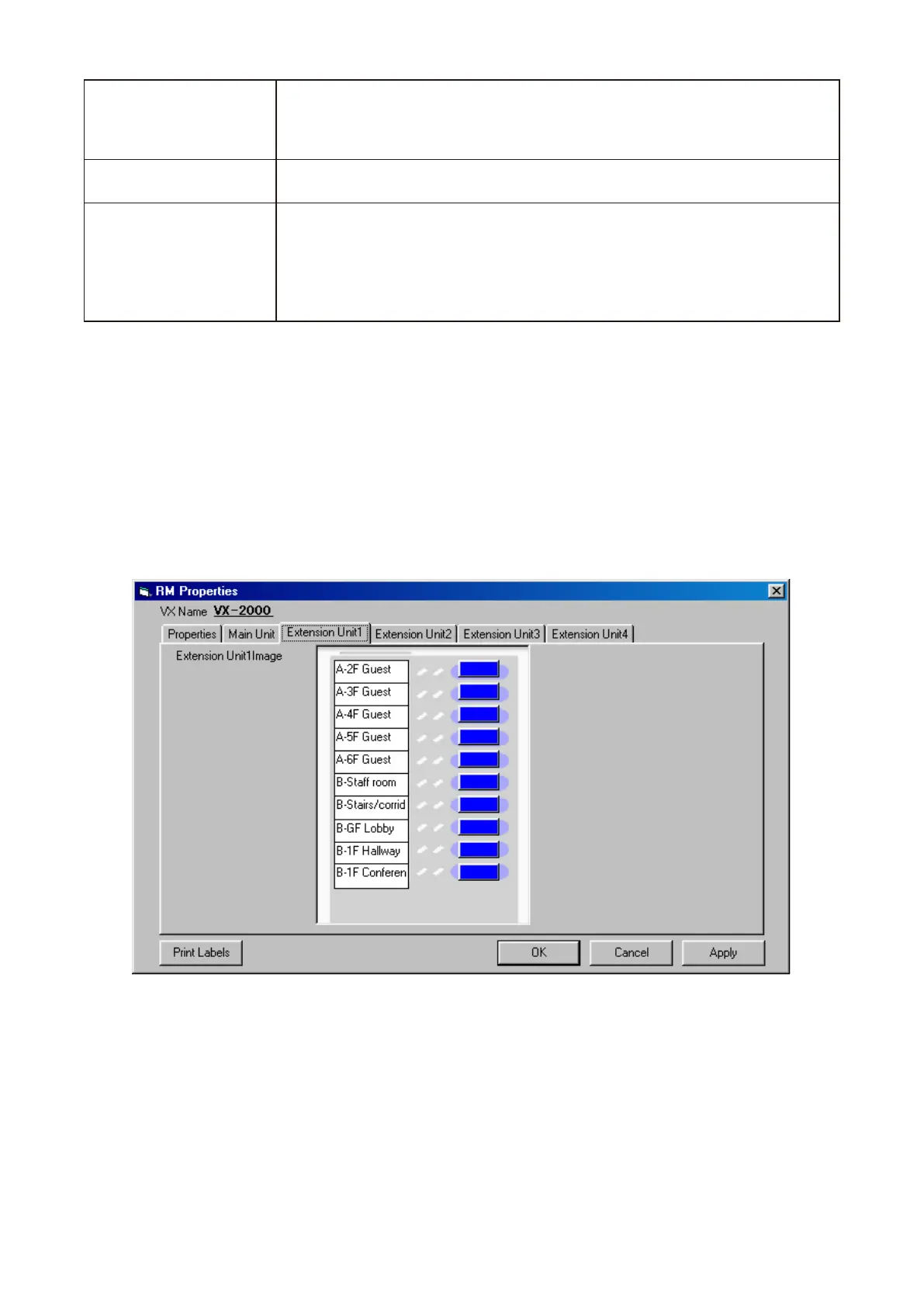
• Clickingon[PrintLabels]ontheRMPropertiesscreenpermitsthesetfunctionkeynamestobeprintedout.
The printed names can then be used as labels for the corresponding Remote Microphone or Extension Unit.
• Theprintednamecanbeformattedin 2or 3linesonthelabelbyentering doubleslash"//"atalinefeed
position in the function key name column on the screen.
Step 7. When setting up a Remote Microphone Extension unit RM-210, click the appropriate [Extension Unit]
tab.
Repeat Steps 3 – 6 above to assign functions to the unit's function keys.
Executes the Lamp Test. The Remote Microphone's buzzer continues to sound
and each FAULT indicator on the VX-2000's and VX-2000SF's front panel
lights during test. The original condition is automatically restored when the test
is completed.
Lamp Test*
Assigning this function to a Function key allows the buzzer to sound at the time
of emergency broadcast. Use this function to stop the buzzer.
Emergency Ack.*
Permits the password-locked Remote Microphone to operate by entering a
password.
Operation timeout period after password entry can be selected at the time of
function assignment to the key.
Only the Lamp test key operation and Failure Output Receipt key operation are
possible while in the Password entry status.
Password Lock*
* Available only when the VX-2000 Setting Software Version 2.1 or later is installed.



 To Next Page