Chapter 9: CONNECTIONS
6. CONNECTION CABLE PIN ASSIGNMENT
9-21
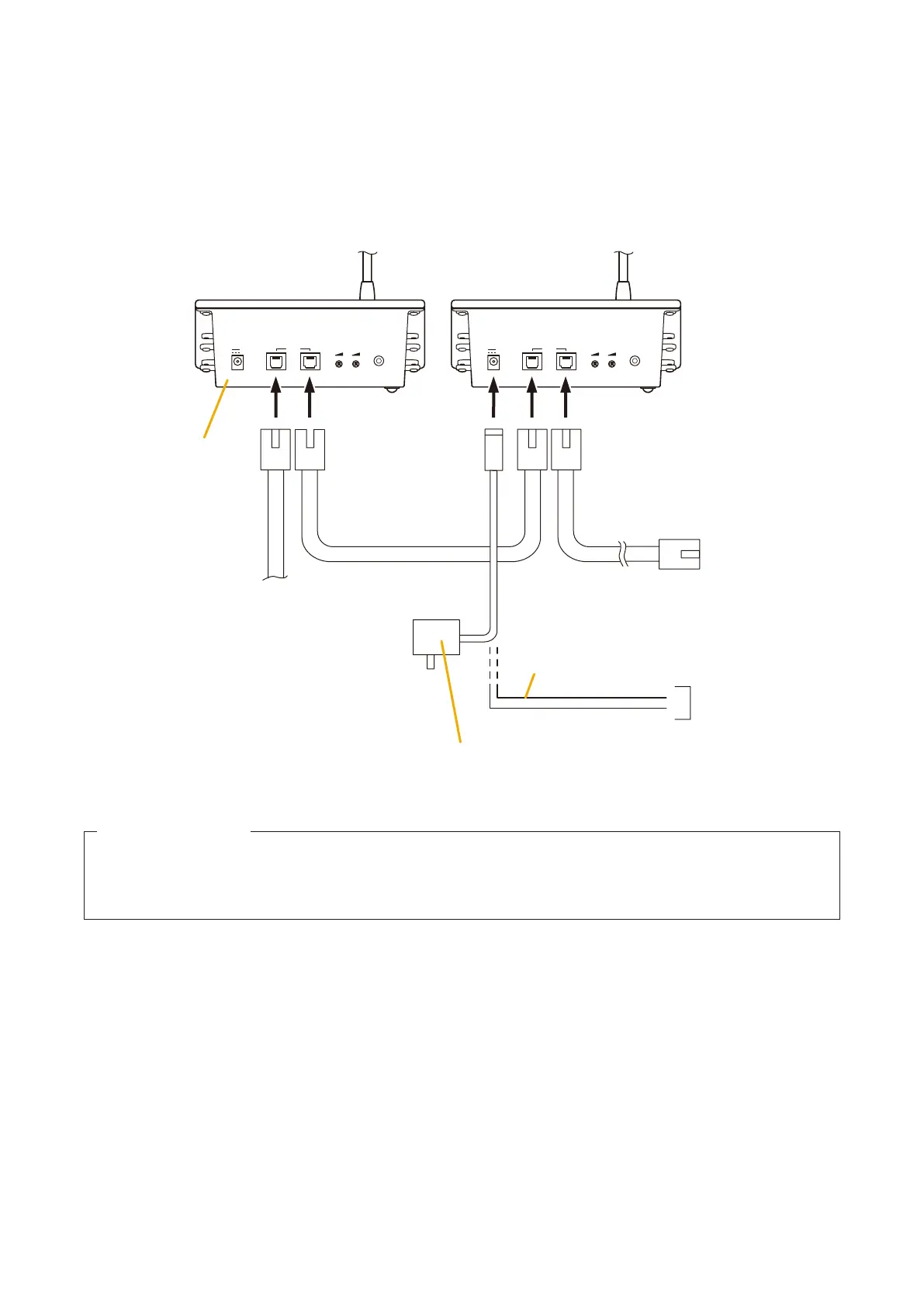
•DirectpowersupplytotheRM-200X
If the RM-200X is used for both emergency and general-purpose broadcast applications and the backup power
supply is required for AC power failure, supply the power directly from the VX-2000DS or VX-3000DS to the
RM-200X's rear-mounted DC POWER IN terminal.
If no backup power supply is required because the Remote Microphone is to be exclusively used for general-
purpose broadcasting, AC adapters can also be used to supply the power.
LINK
DC POWER IN
24V
MICSP
EXTERNAL
MIC INLINK
DC POWER IN
24V
MICSP
EXTERNAL
MIC IN
To VX-200XR
RM-200X RearRM-200X Rear
To the next
RM-200X
DC power in (+)
DC power in (
-
)
AC adapter
Use when no backup power supply is required.
Connect when backup power supply
(from the VX-2000DS or VX-3000DS)
is required.
From VX-2000DS'
or VX-3000DS'
DC POWER OUT
–
+
Power is supplied from
the VX-200XR.
24 V DC/over 750 mA (Operation range: 16 – 40 V DC)
Usable power input plug: Non-polarity type
(5.5 mm outer diameter, 2.1 mm inner diameter, and 9.5 mm long)
Usable AC adapter
Note
Plugging a DC plug into the RM-200X's DC POWER IN terminal automatically switches the RM-200X's
DC power input to this terminal, disconnecting the unit's power supply from the LINK connector.
Be sure to firmly secure the DC plug by fixing the power cable onto the RM-200X's bottom-mounted cable
hook.
If the DC plug is pulled out, the LINK connector takes over the unit's power supply and is connected to the
system power line. This may cause the voltage drop of power supply and increase the current consumption
from the VX-200XR, resulting in the system malfunction.



 To Next Page