CDM-625 Advanced Satellite Modem Revision 13
Appendix F MN-CDM625
F–60
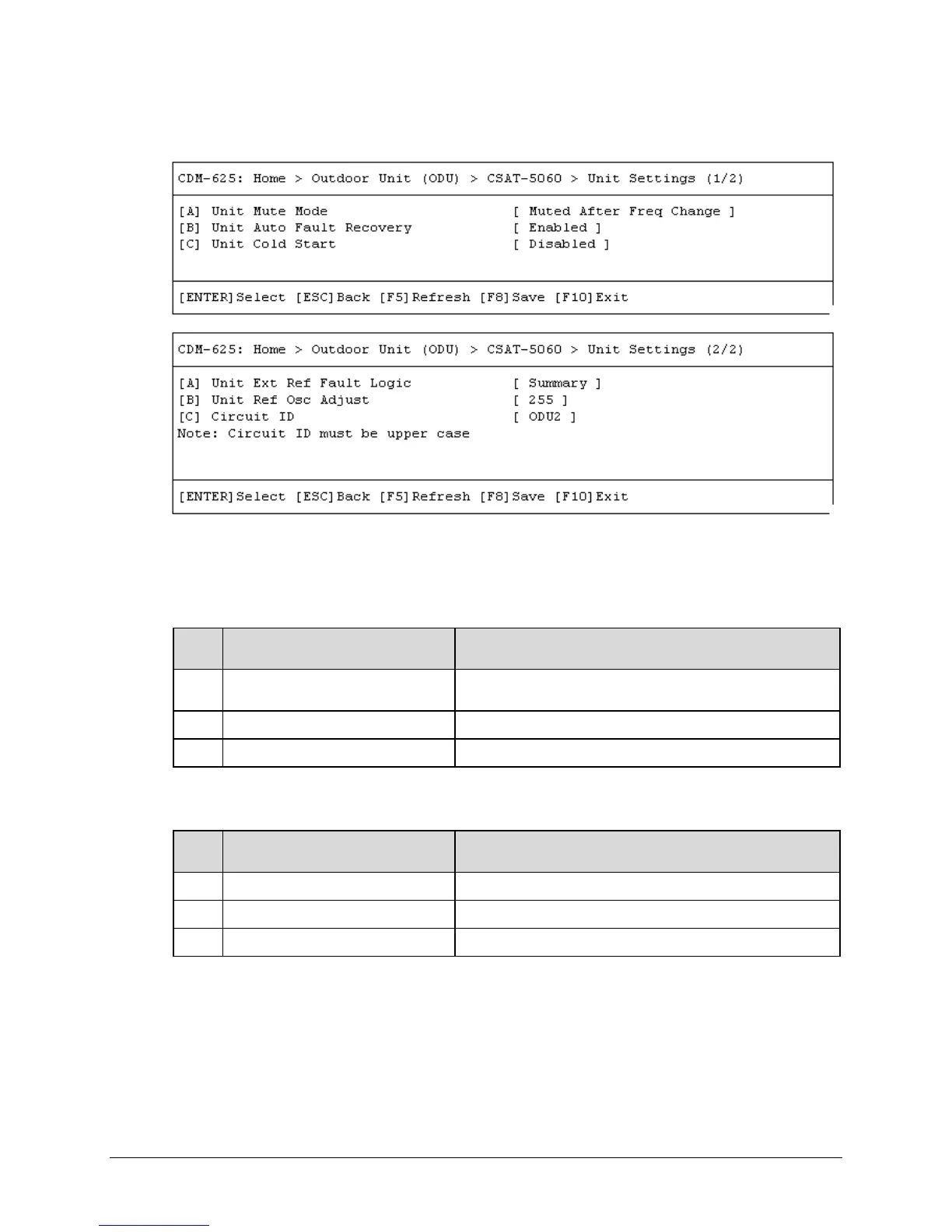
F.5.1.2.1.3 Home > Outdoor Unit (ODU) > CSAT-5060 > Unit Settings 1/2, 2/2
Open the Unit Settings 1/2 page or the Unit Settings 2/2 page from the nested CSAT-5060
submenu.
The Unit Settings 1/2 page contains the following options:
Dialog Window Option Entry
A Unit Mute Mode
Use the ↑↓ arrow keys to select Unmuted After Freq Change or
Muted After Freq Change
B Unit Auto Fault Recovery Use the ↑↓ arrow keys to select Disabled or Enabled
C Unit Cold Start Use the ↑↓ arrow keys to select Disabled or Enabled
The Unit Settings 2/2 page contains the following options:
Dialog Window Option Entry
A Unit Ext Ref Fault Logic Use the ↑↓ arrow keys to select No Summary or Summary
B Unit Ref Osc Adjust Enter a value from 0 to 255
C Circuit ID Enter an identifying label for the ODU here
Typical for either page, press a hot key to open a dialog window. Otherwise, press [ESC] to
return to the nested CSAT-5060 submenu.



 To Next Page