Repairing/Replacing Internal Components
DSX™ System Service Manual 11-27
To Replace the Idler Bearings:
1 Remove the Plate Carrier (Section 11.4.4) and the drive belt (Section 11.4.3).
Unscrew the 3 M2.5 x 12 screws that fasten the 3 idler assemblies to the chassis.
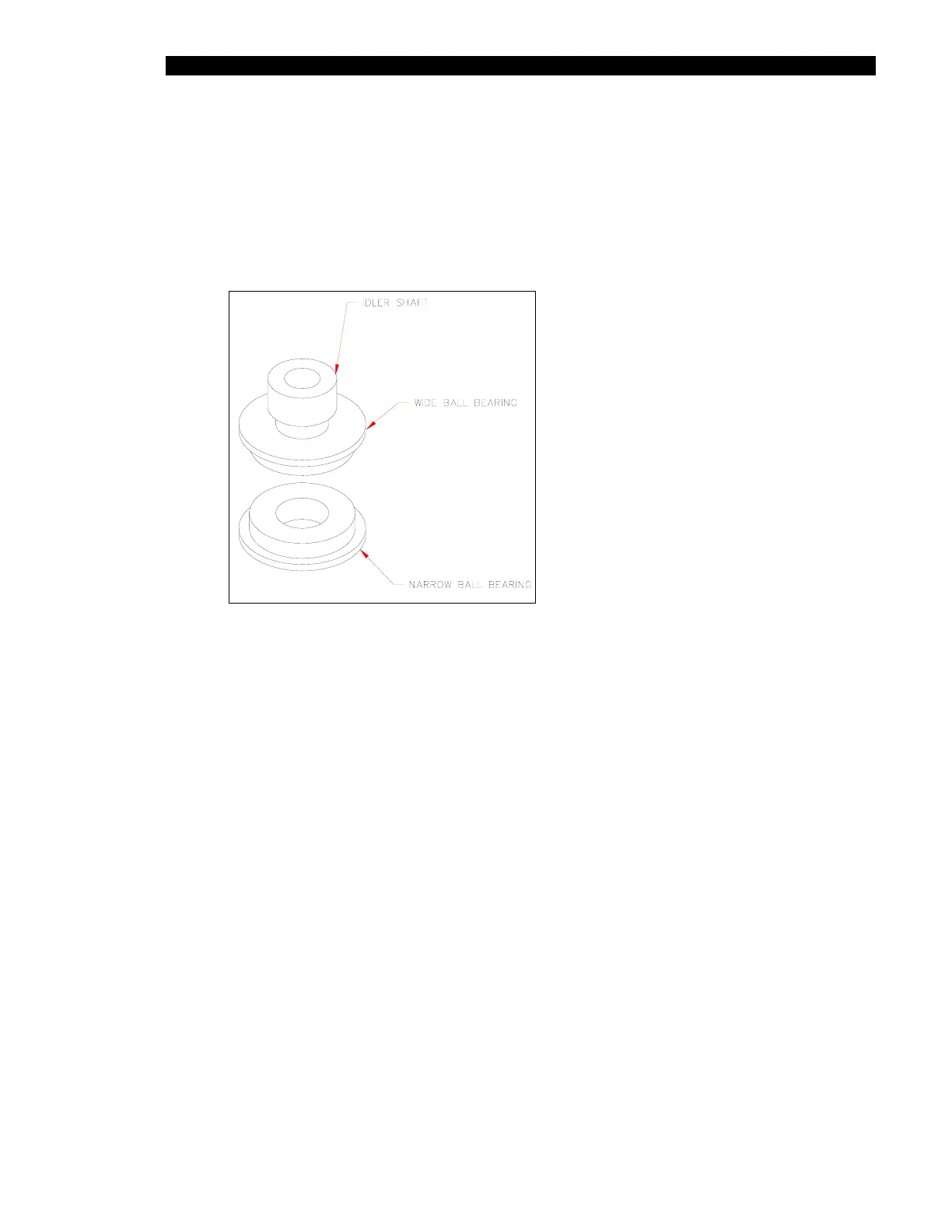
2 Install the new wide bearing on the idler shaft first, then install the new narrow
bearing on the idler shaft (Figure 11-22). Repeat for each assembly.
Figure 11-22 Idler Bearing Assembly
3 Reinstall the three idler assemblies into the chassis using three M2.5 x 12 mm
screws and Loctite 242. Refer to Section 11.4.3 and Section 11.4.4 to reinstall the
drive belt and plate carrier.



 To Next Page