Repairing/Replacing Internal Components
DSX™ System Service Manual 13-19
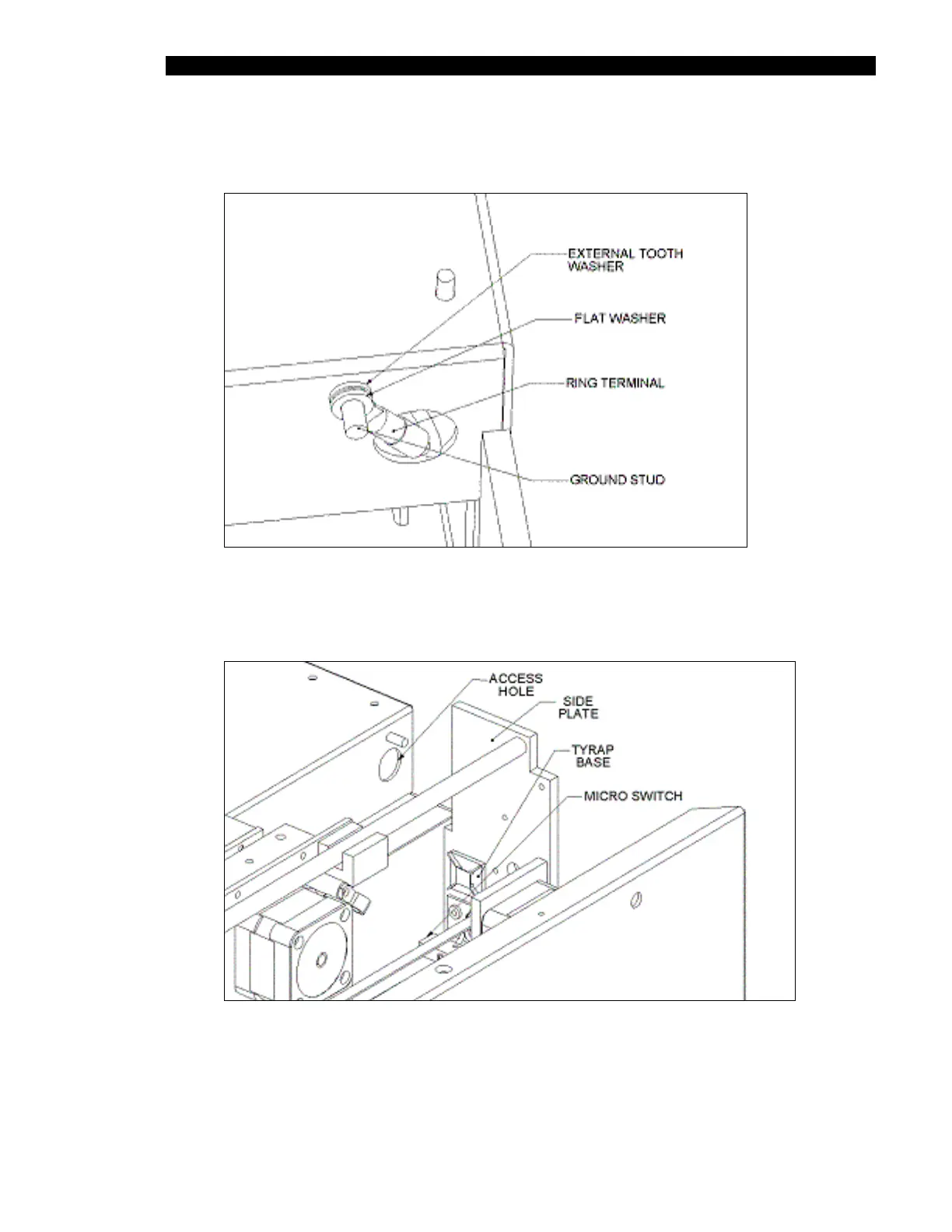
2 Remove the Ring Terminal by removing the M4 Nyloc Nut, M4 flat washer and M4
External tooth washer (Figure 13-10).
Figure 13-10 Ring Terminal Design
3 Withdraw the pinch valve thru the access hole in the front cover (Figure 13-11).
Figure 13-11 Access Hole
4 Disconnect the Pinch Valve Harness.



 To Next Page