GE HEALTHCARERAFT LOGIQ™ S7 EXPERT/PRO
DIRECTION 5460683, REVISION 3 DRAFT (JUNE 25, 2014) SERVICE MANUAL
8-26 Section 8-3 - System Software - Installation/Upgrade Procedure
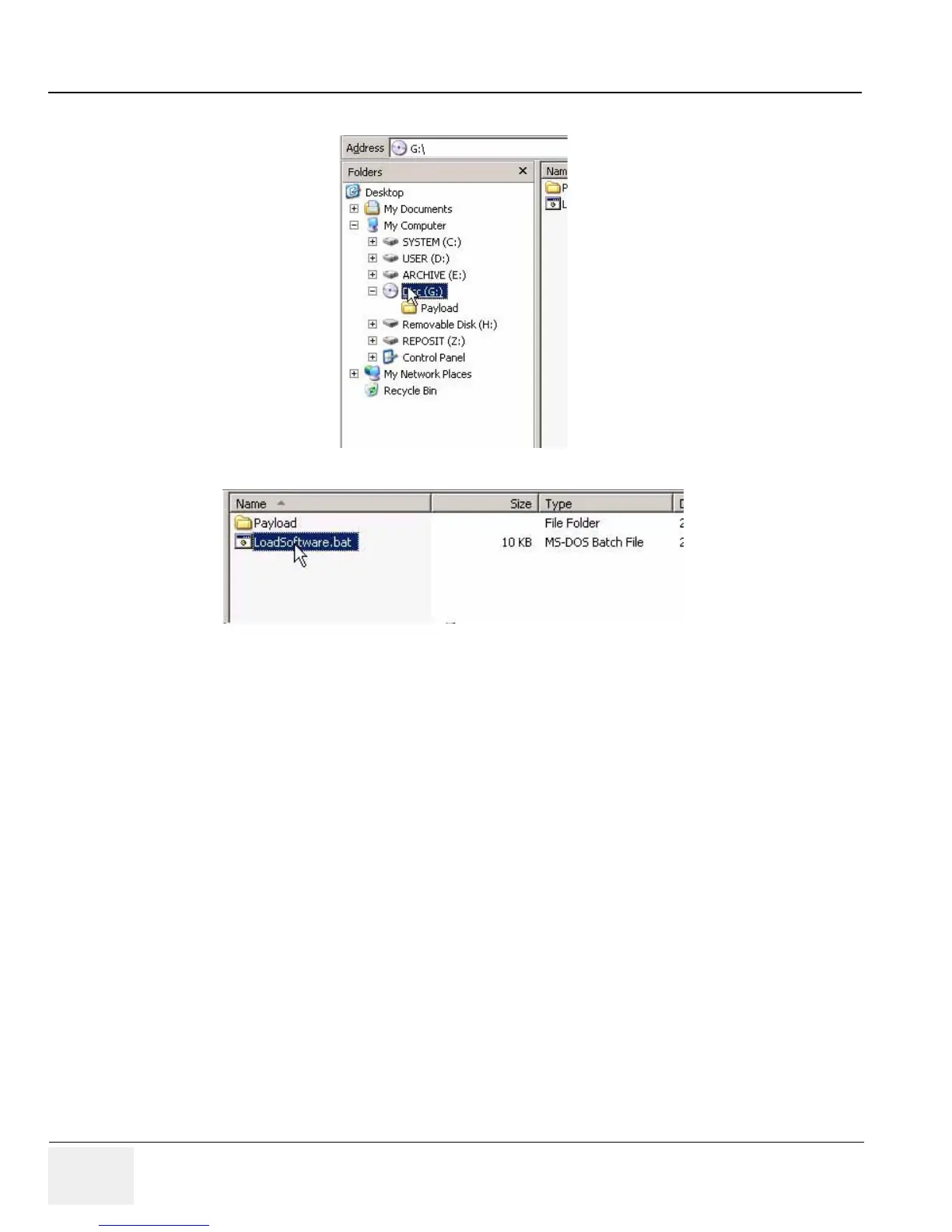
5.) Select “G” drive in the tree view.
6.) Double click “LoadSoftware.bat”. Software Installation will begin.
8-3-7-4 Application Software Installation
7.) Application Software Installation process will take approximately 10 minutes
NOTE: The following message box will appear, but can be ignored. (i.e. No action is required)



 To Next Page
 Loading...









