GE HEALTHCARERAFT LOGIQ™ S7 EXPERT/PRO
DIRECTION 5460683, REVISION 3 DRAFT (JUNE 25, 2014) SERVICE MANUAL
8-118 Section 8-27 - Replacement of the Probe Holder(Kit), Cable Hook, and Extended probe holder
NOTE: Small Probe Cup is used for “small probe” such as L8-18i-D. For regular size probe such as 9L-D, Small
Probe Cup is not required.
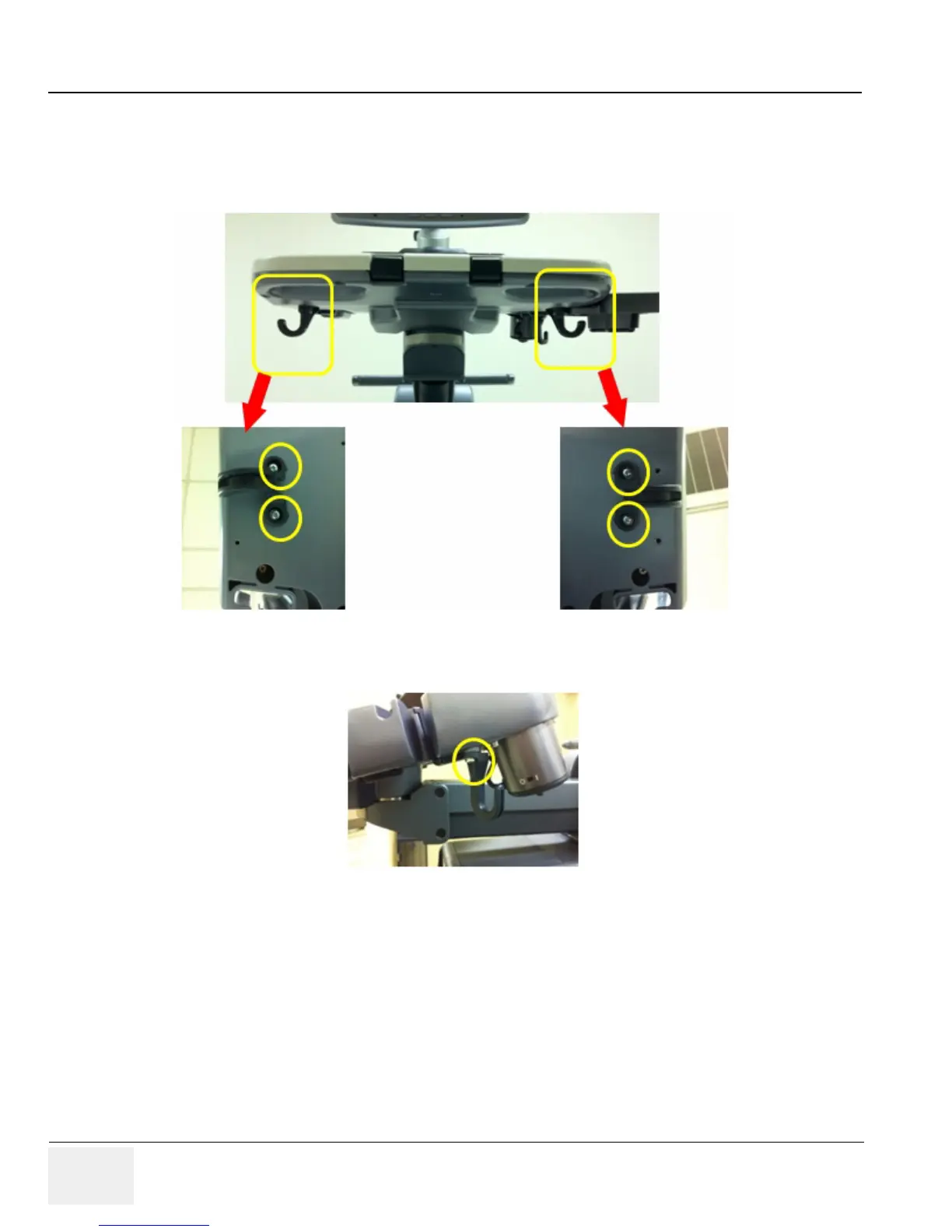
8-27-3-2 Removal Procedure - Cable Hook
1.) Remove two screws from Cable Hook as shown below
.
Figure 8-132 Cable Hook
2.) Remove 1 screw from Side Rear Hook
.
Figure 8-133 Side Rear Hook
NOTE: Make sure not to loose washers when removing hooks.



 To Next Page
 Loading...









