iPECS eMG80/100& eMG800 & UCP & vUCP
Administration and Programming Manual Issue 2.5
93
4.4.2.18 Station Personal CCR Table – PGM 128
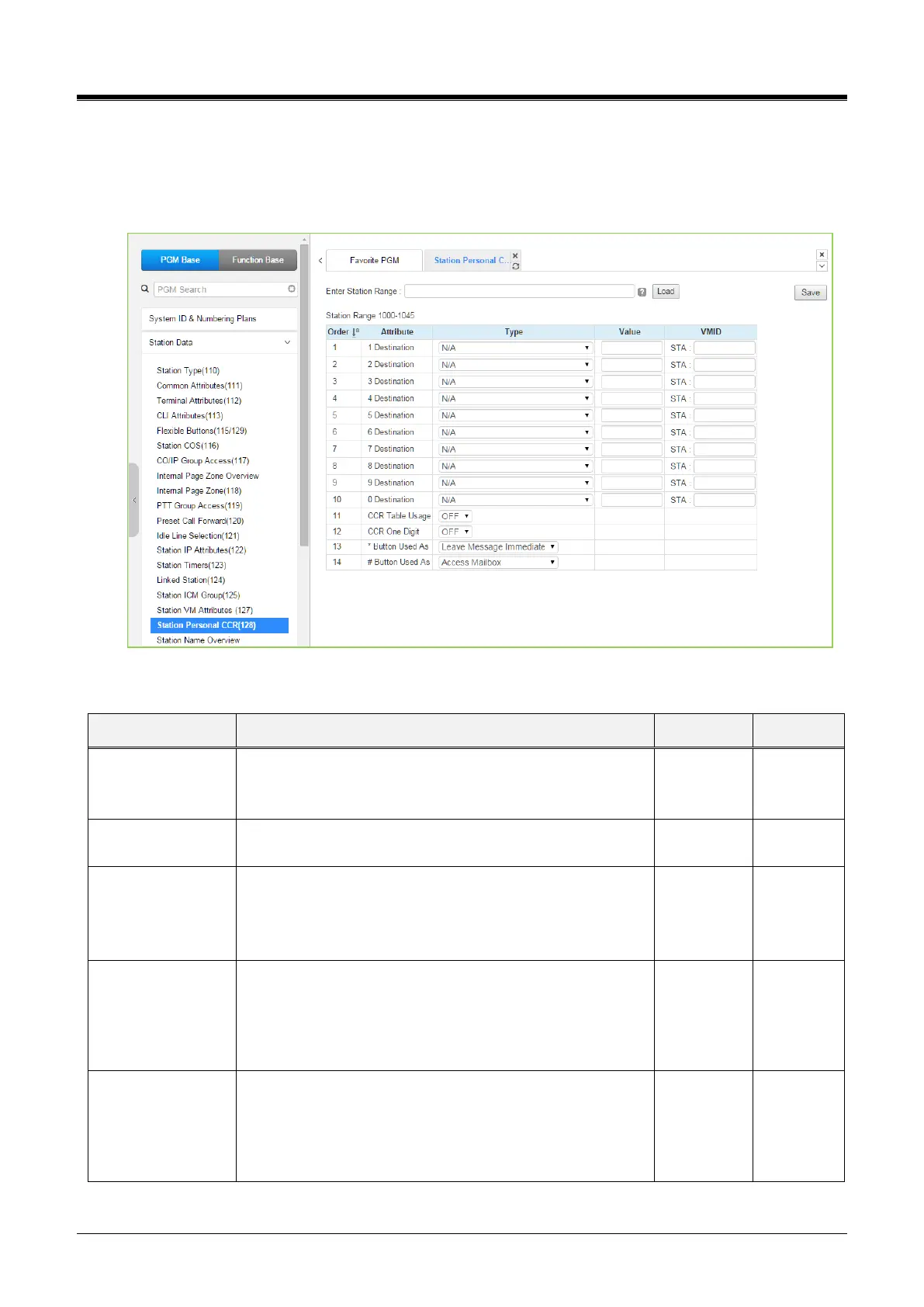
Selecting Station, Personal CCR displays the Station Personal CCR Table input page. Enter a valid Station
range and click [Load] to enter the Station Personal CCR Table data. Click the [Save] button after changing
the type or value.
Figure 4.4.2.18-1Station Personal CCR Table
Table 4.4.2.18-1 STATION CCR Table
Digit dialed by outside caller.
A destination type and value can be programmed by dialed
digit.15 kinds destination is available.
When ON, the system will analyze the first digit received
only. Additional digits dialed by the caller are ignored.
If this option is ON, the CCR table can be activated.
If this option is OFF, the CCR table is not available. Instead
of that, dialing digits by an outside caller can be recognized
as DISA dialing.
It can be used as the following:
System Numbering Plan
Replay Greeting
Access Mailbox
Leave Message Immediate
It can be used as the following:
System Numbering Plan
Replay Greeting
Access Mailbox
Leave Message Immediate



 To Next Page