iPECS eMG80/100& eMG800 & UCP & vUCP
Administration and Programming Manual Issue 2.5
82
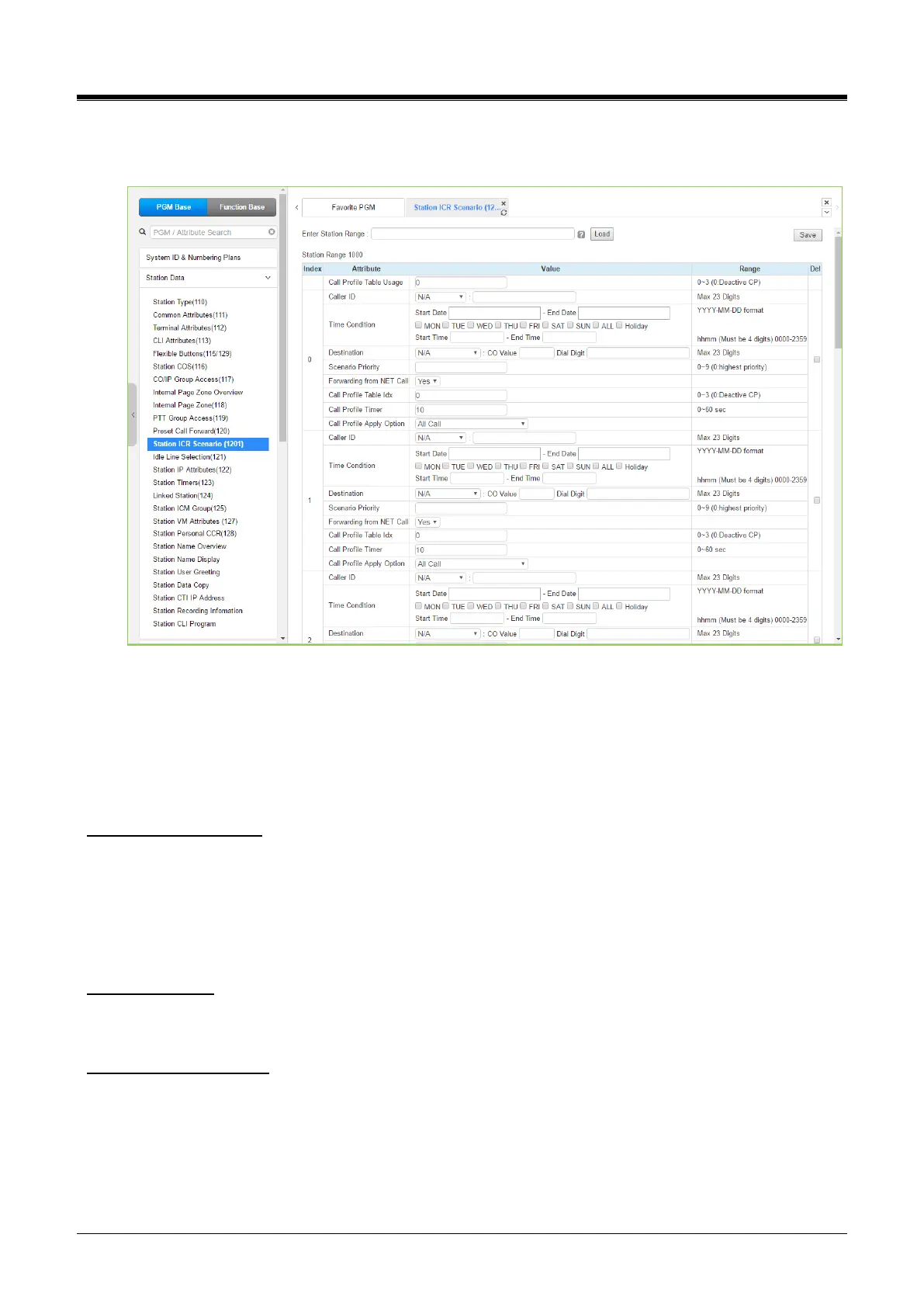
4.4.2.11 Station ICR Scenario - PGM 1201
Selecting Station ICR Scenario displays the input entry page.
Figure 4.4.2.11-1 Station ICR Scenario
Station ICR is an extension of call forward where the user enters scenarios to define the call forward feature.
Each station has ten (10) routing scenarios that define conditions for routing a user’s incoming calls.
Each scenario may define the time of day, day of the week, date, caller ID, and destination for incoming calls.
In addition, the scenarios may be prioritized; calls are routed to the destination with the highest priority-
matching scenario.
Call Profile Table Usage
This option selects Call profile table usage from 0 to 3. O means that Station User doesn't use Call profile
usage. Station user can set the ICR Scenario up to 10 (0 to 9) according to the environment by setting many
options, including 'Call Profile Table Idx (0-3)', 'Call Profile Timer,' and 'Call Profile Apply option.'
Anytime Station User can change the call profile table usage by changing the value so that the Station user
can apply the related station ICR scenario index.
Call Profile Timer
Station users can set the time for applying the call profile. If the station user can set 0 as the timer, ICR
operates immediately.
Call Profile Apply Option
This option selects the call type for applying ICR. If this option is All Call, ICR applies to all calls. If this option
is Direct call (Except CCR, DISA), ICR applies only to DID call.



 To Next Page