iPECS eMG80/100& eMG800 & UCP & vUCP
Administration and Programming Manual Issue 2.5
288
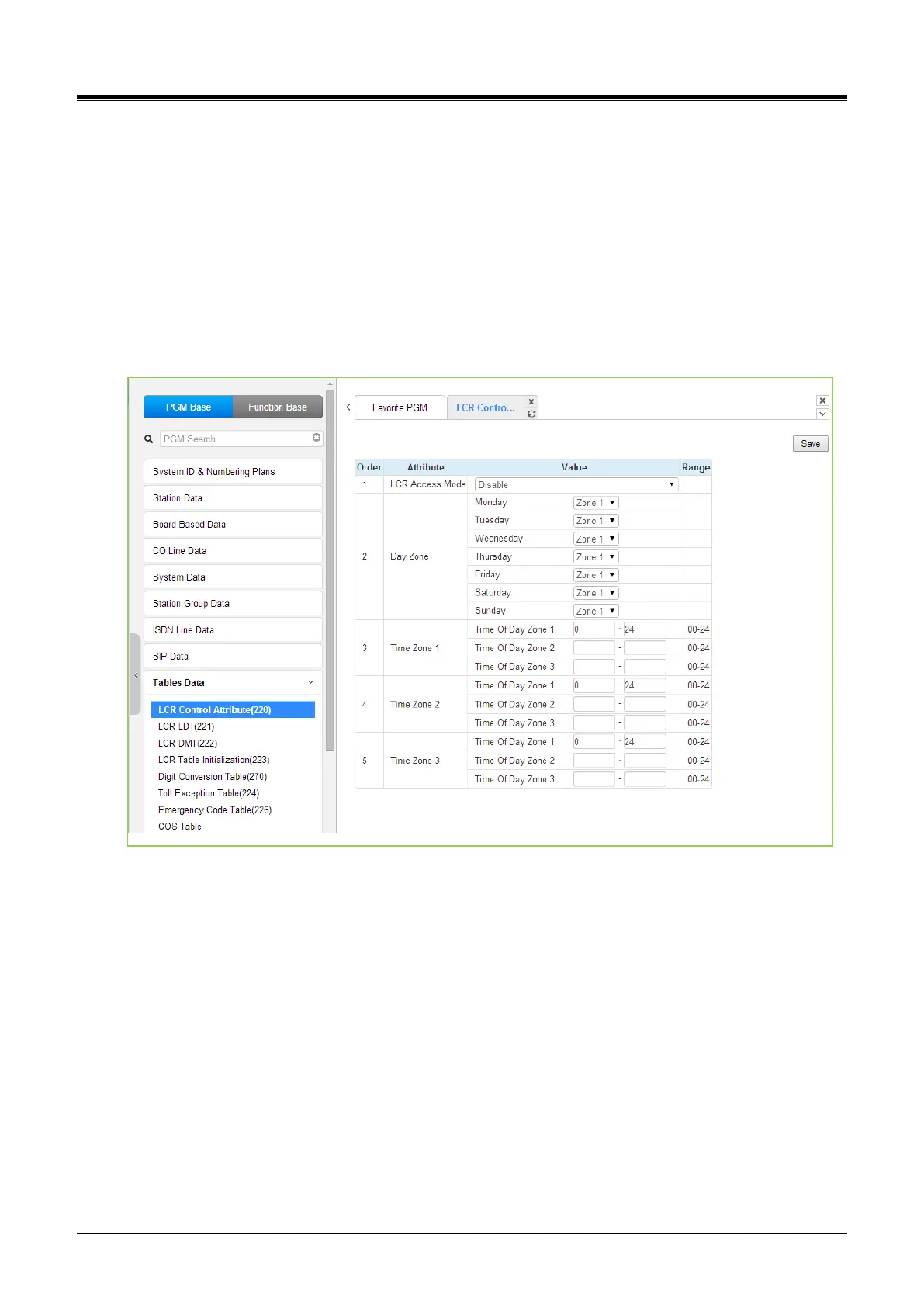
4.4.9.1 LCR Control Attributes - PGM 220
Selecting LCR Control Attributes will display the LCR Control Attributes data entry page. Click the [Save]
button after changing Value.
The LCR Tables provide a mechanism to define the database, which will route outgoing calls, particularly long-
distance, using the most cost-effective route.
User dialed digits are compared to table entries and modified appropriately based on time of day, day of the
week, and assigned routes.
There are four LCR Tables, LCR Control Attributes, LCR Leading Digit Table, LCR Digit Modification Table,
and LCR Initialization Table.
Figure 4.4.9.1-1 LCR Control Attributes
The LCR Control Attributes Table, among other items, allows assignment of the LCR Access Modes. The LCR
Access Modes define the user operations that will access the LCR feature.
The LCR Access Modes are:
LCR Disabled.
Loop (user dials ‘9’ or CO/IP Group code (8xx), or presses a Loop button).
Loop and Internal (user dials digits without a CO/IP Access Code prefix).
Loop and Direct CO Line (user dials CO Line Access Code (88xx) or pressing a {CO line} button).
Loop, Direct CO Line, and Internal.
Internal, Loop, Direct CO, and Direct Loop.
In addition, days of the week are grouped into zones (Day Zones), and the time of day can be set into three
groups (Time Zones). The following table provides general descriptive information and input ranges.



 To Next Page