iPECS eMG80/100& eMG800 & UCP & vUCP
Administration and Programming Manual Issue 2.5
392
4.5.3 Multi-Language
The system can employ either English or a “Local Language” for the Web page displays. The multi-language
file, a csv (comma separated variable) formatted file, is downloaded to a PC, and the English terms are
translated to the local language.
The modified file can then be uploaded to the iPECS system. Once uploaded, the user can select the “Change
Language” button and select either English or the Local Language translation for Web page displays.
4.5.3.1 Multi-Language File Upload
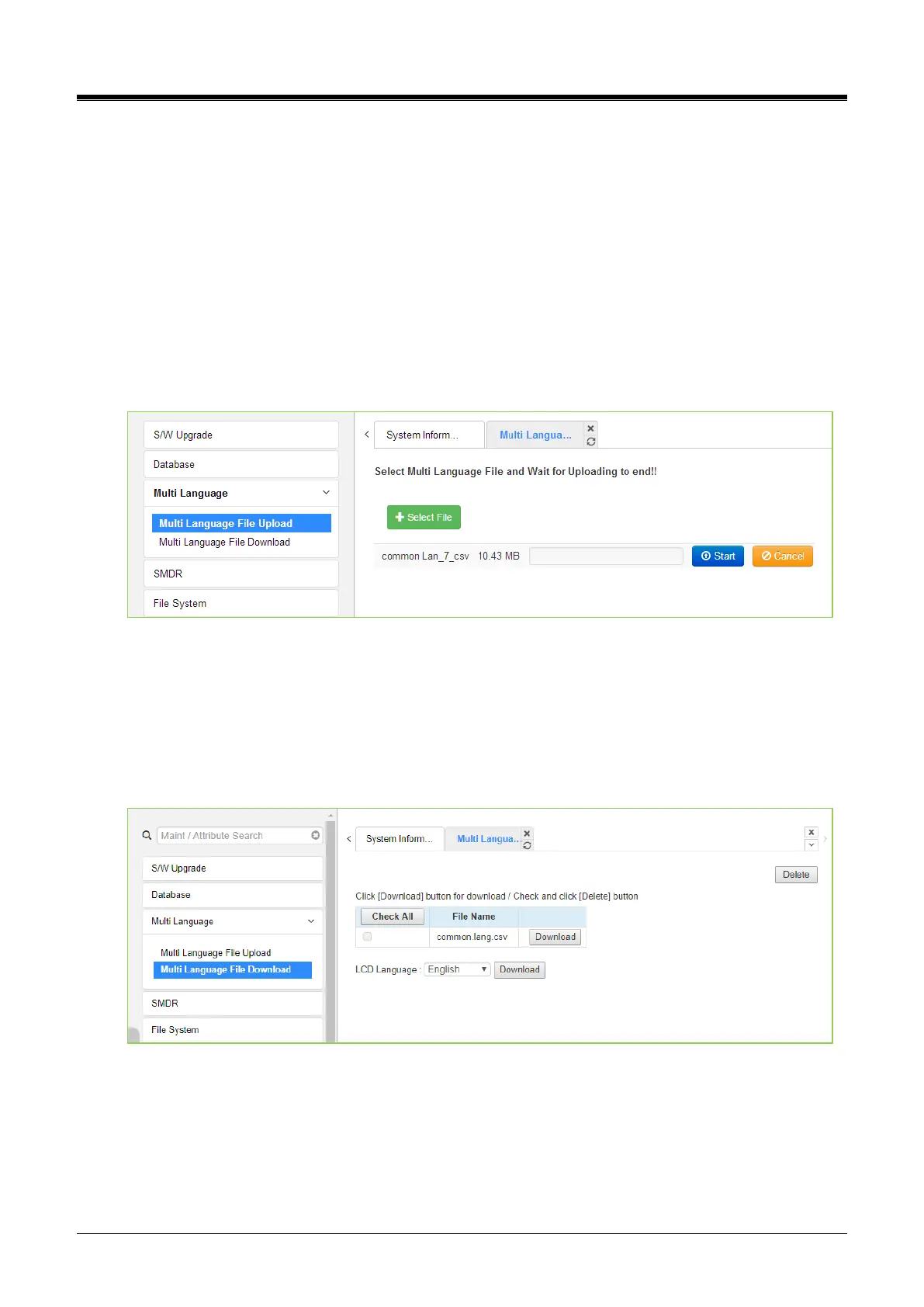
The Multi-Language File Upload selection returns the Multi-Language File Upload page, as shown in the
figure. By selecting the Multi-Language File desired from the local PC, the desired Multi-Language File can be
uploaded to the iPECS system.
Figure 4.5.3.1-1 Multi-Language File Upload
4.5.3.2 Multi-Language File Download
Selecting Multi-Language File Download will display the Multi-Language File Download page figure. Selecting
this option will download the entire iPECS system the Multi-Language File to the local PC.
It also allows the Multi-Language File in the PC to be uploaded to the iPECS system using the file upload
procedures in the S/W Upgrade section.
Figure 4.5.3.2-1Multi Language File Download



 To Next Page