iPECS eMG80/100& eMG800 & UCP & vUCP
Administration and Programming Manual Issue 2.5
121
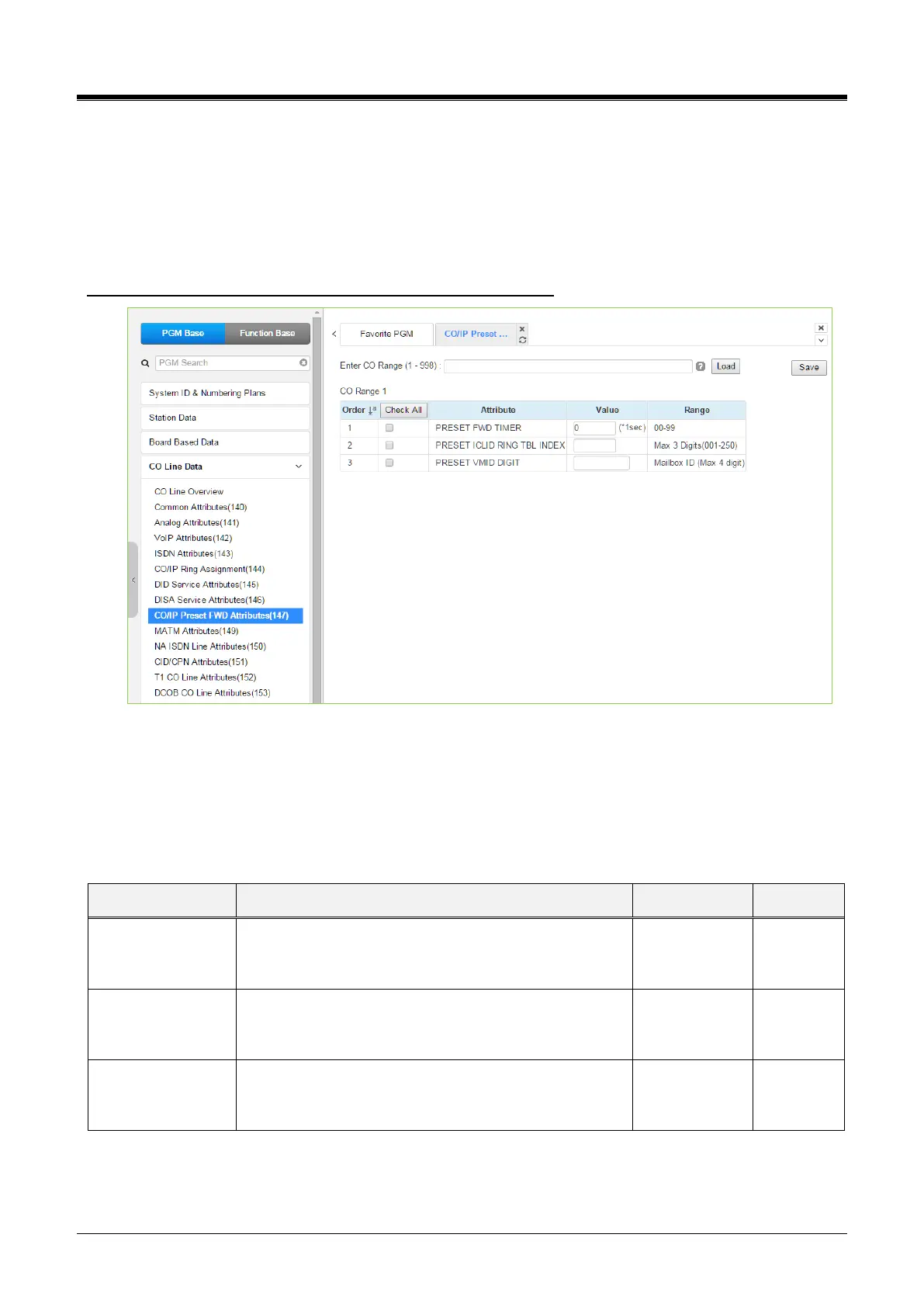
4.4.4.8 CO/IP Preset Forward Attributes - PGM 147
Selecting CO/IP Preset Forward Attributes will display the CO/IP Preset Forward Attributes data input page.
Enter a valid CO range and click [Load] to enter the CO/IP Preset Forward Attributes data.
Use the checkmark to indicate which attributes to modify; checked attributes are stored by clicking the [Save]
button.
Enter CO Range: eMG80/100: 1-74 / eMG800: 1-600 / UCP: 1-998
Figure 4.4.4.8-1 CO/IP Preset Forward Attributes
The CO/IP Preset Call Forward feature enables a CO line to initially ring at multiple stations and forward to a
pre-determined destination. A separate timer can be defined for each CO/IP line for no answer.
The destination can be an index to the ICLID Ring Table in section 4.4.7.5 or a Voice Mailbox. The VMID field
allows selecting a specific mailbox when the CO line calls forwards to an external VM group.
An incoming call, which remains unanswered for this
timer, is routed as defined in the ‘ICLID Ring Table
Index section.’
If an incoming call remains unanswered after the Preset
Fwd time above, the call is routed as defined in the
‘ICLID Ring Table index’ defined here.
Each CO/IP line can be assigned a VMID (Voice Mail Id)
that is sent to the external VM group to identify the
desired Mailbox for the call.



 To Next Page