iPECS eMG80/100& eMG800 & UCP & vUCP
Administration and Programming Manual Issue 2.5
235
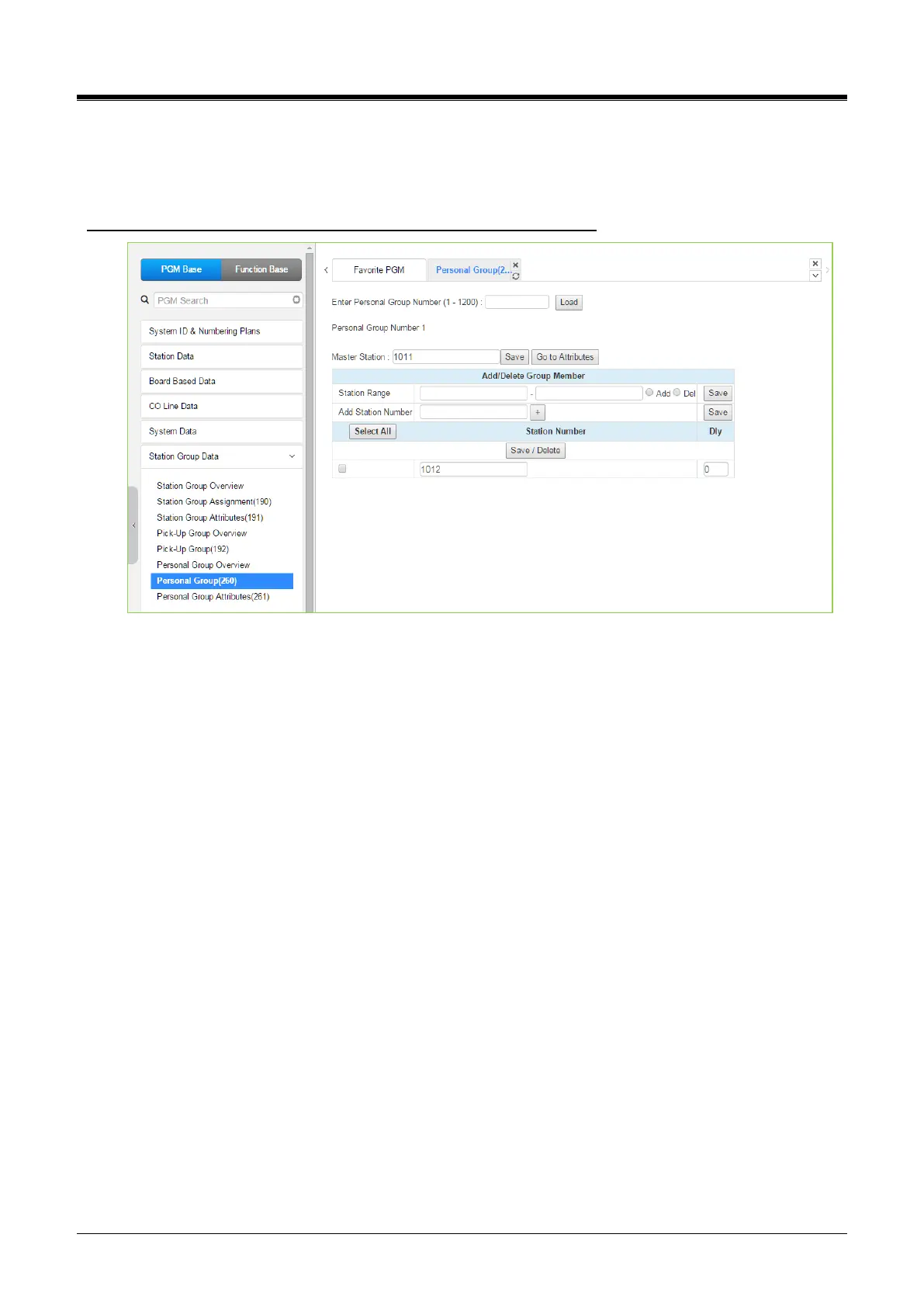
4.4.6.7 Personal Group - PGM 260
Selecting Personal Group will display the Personal Group entry page. Enter a valid Personal Group number
and click load to enter group data.
Enter Group Number: eMG80/100: 1-70 / eMG800: 1-600 / UCP: 1-1200
Figure 4.4.6.7-1 Personal Group
Several stations can share the same station number. That means Personal Group is an extended feature of
Linked Pair. A Personal Group is composed of a master station and several member stations. A master station
and all member stations share the master station‘s number. In the case of Member station, each member
station can be set the delay (Dly) time.
By using this shared number, almost features (Call To xxx / Call From xxx / SMDR / Message Wait…) can be
activated. But, some features can be chosen by PGM 261 attribute about all station activating or individual
station working.
In PGM 260, Personal group master and member can be assigned.
In PGM 261, Personal group attribute can be set.



 To Next Page