iPECS eMG80/100& eMG800 & UCP & vUCP
Administration and Programming Manual Issue 2.5
313
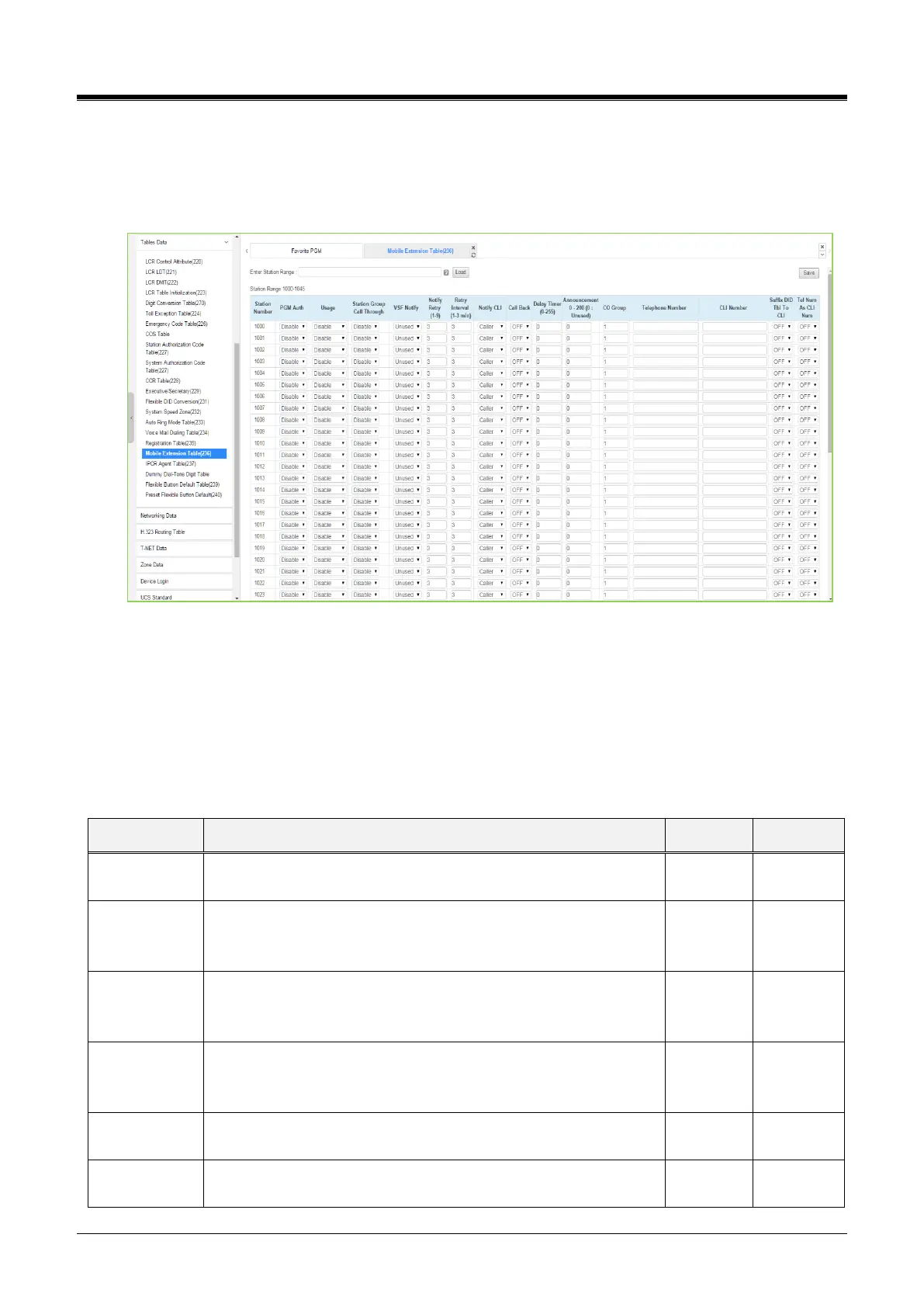
4.4.9.17 Mobile Extension Table - PGM 236
Selecting Mobile Extension Table will display the Mobile Extension data entry page. Select the Station Order
range desired, the blue text above the table header. Selecting the blue-colored text in the Table header will
sort the table based on the selected column. Click the [Save] button after changing Value.
Figure 4.4.9.17-1 Mobile Extension Table
A mobile phone can be used in conjunction with an iPECS Phone. The Mobile phone can access system
resources available to the user‘s wired phone and will receive a ring for incoming iPECS calls. The user may
be allowed to enable the Mobile extension and define the mobile number. The system can be defined to
employ a specific CO/IP Line Group to place calls to the Mobile phone. In addition, the mobile phone can be
assigned to receive Station group calls to the primary extension. Also, parameters for notification of new VSF
voice mails can be defined.
Mobile extension feature can be enabled, and Fail Over to Mobile
extension can be included.
When the paired station is a member of a Station group (ACD,
Circular, or Terminal), group calls can be sent to the active mobile
extension.
When enabled, the active Mobile Extension will receive
notification by the system when the user has a new message in
the built-in Voice Mail.
The number of attempts the system will make to complete a
notification when receiving a busy/no-answer is defined.
This field defines the time between notification attempts. If a
notification fails, the system will retry after the timer expires.



 To Next Page