iPECS eMG80/100& eMG800 & UCP & vUCP
Administration and Programming Manual Issue 2.5
195
4.4.5.30 Web Access Authorization
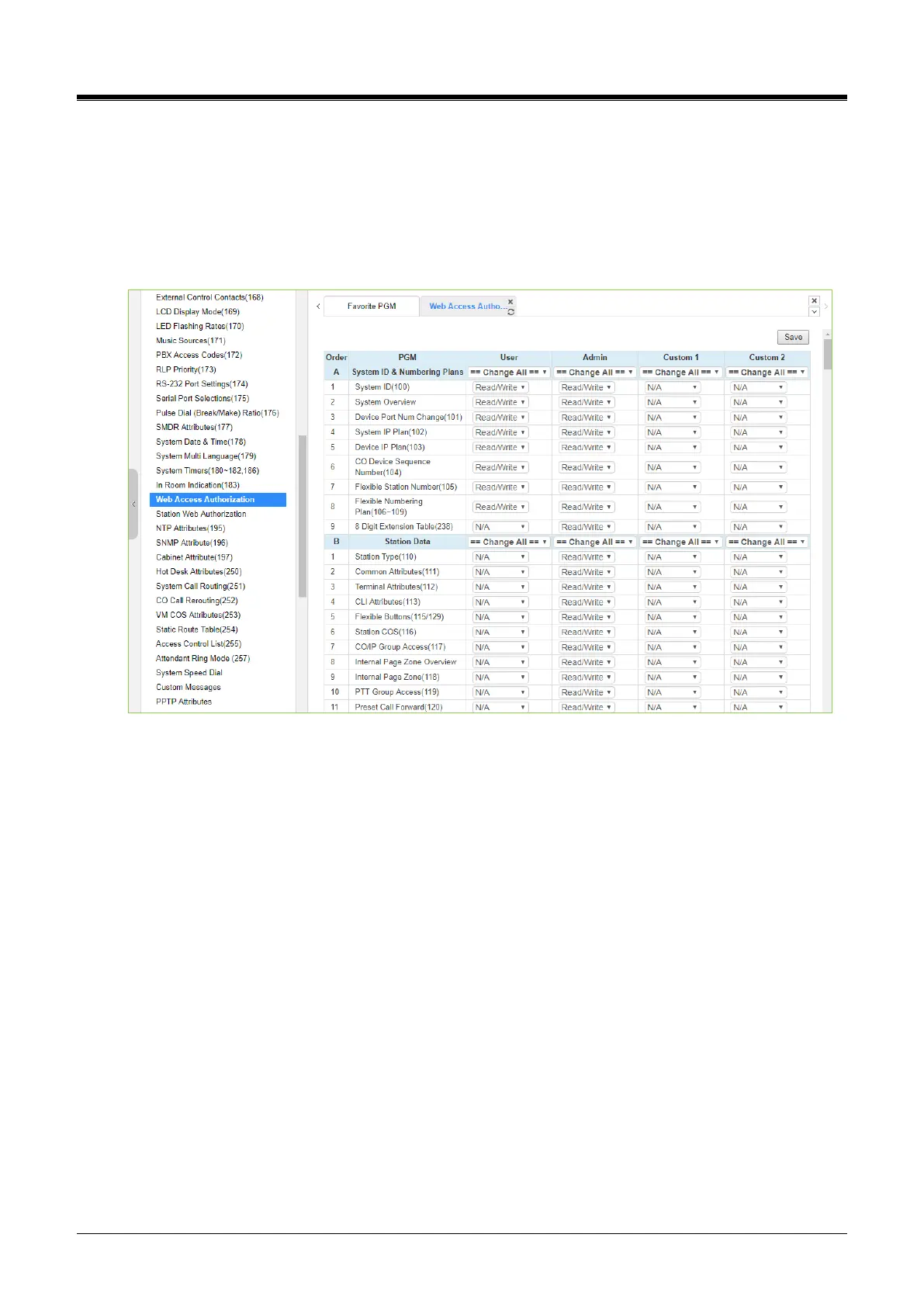
Selecting Web Access Authorization will display the Web Access Authorization data entry page. This page is
only displayed when a password is defined. Click the [Save] button after changing Value. The online license
selection menu can use at the vUCP System only.
A user can select three authorization options (N/A, Read, Read/Write) only in Web Access & Station Web
Authorization PGM of Web Admin.
Figure 4.4.5.30-1 Web Access Authorization
Three different passwords can be assigned for access to the iPECS Web administration to allow different
access levels to the program fields. Four levels (User, Administrator, Custom1, and Custom2)have access to
the assigned fields on this page by selecting N/A, Read, Read/Write. The Maintenance password has access
to all the programming fields and the maintenance fields, including trace settings, device log view, gain &
cadence control, lock key install, and device deletes feature. In addition, the Maintenance level user can
assign the authorities of the other user levels.
In the Maintenance menu, the Database, SMDR, and Voice Mail Delete fields can be chosen by User level or
Admin Level.



 To Next Page