iPECS eMG80/100& eMG800 & UCP & vUCP
Administration and Programming Manual Issue 2.5
325
4.4.10.4 Network CO Line Attributes - PGM 322
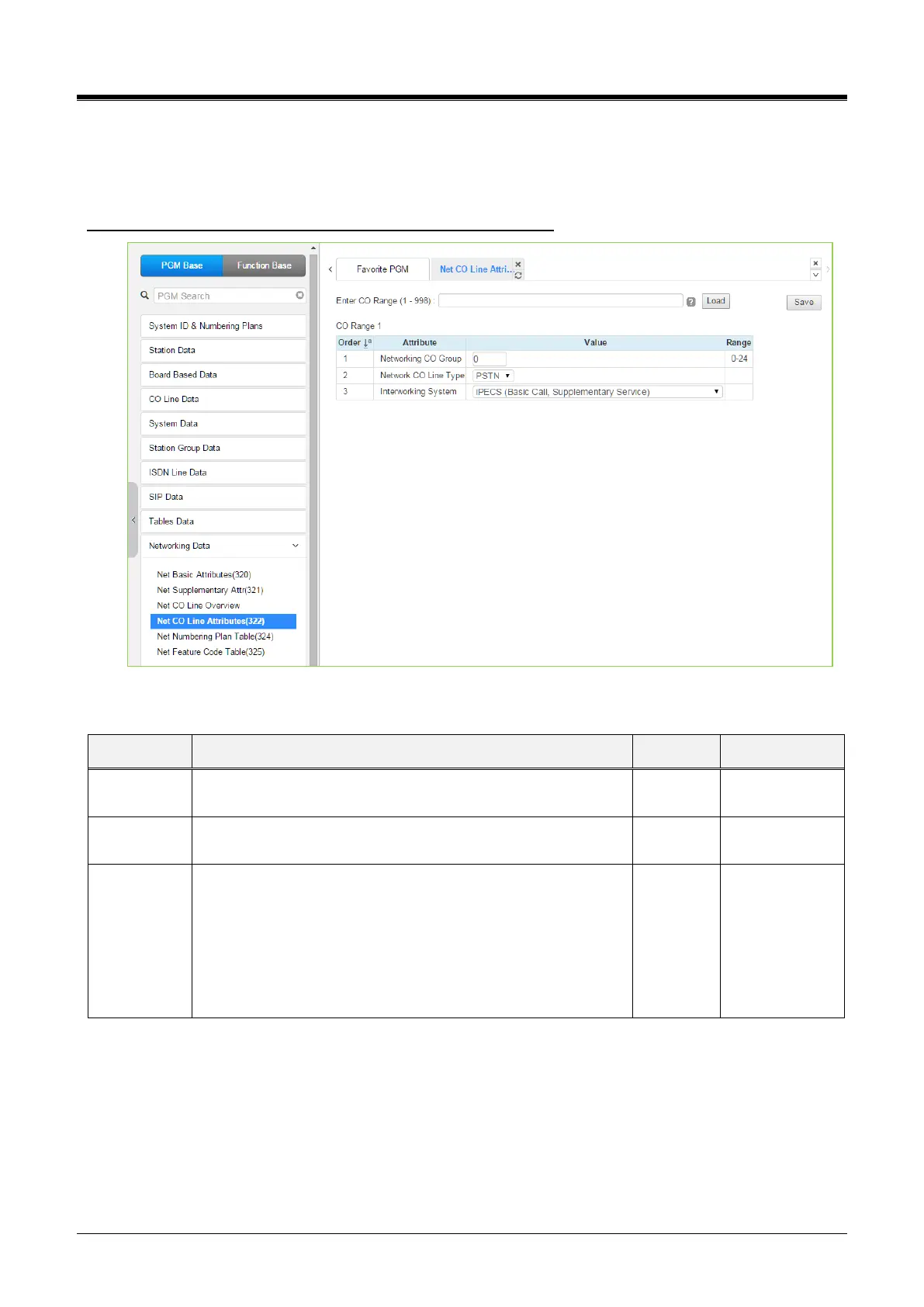
Selecting Network CO Line Attributes will display the Network CO Line Group entry page. Enter a valid CO/IP
Line range and click [Load] to enter the Network CO Line data. Click the [Save] button after changing Value.
Enter CO Range: eMG80/100: 1-74 / eMG800: 1-600 / UCP: 1-998
Figure 4.4.10.4-1 Network CO Line Attributes
Table 4.4.10.4-1 NETWORK CO LINE ATTRIBUTES
The CO/IP Lines in the assigned group are employed as
Network CO Lines, connecting to other systems in the network.
The CO/IP Line is assigned for use by the network as a PSTN
(carrier) or connection to the network.
Select the Qsig interworking system among the below type.
iPECS (Basic call, Supplementary service)
Nortel (Basic call, Name service)
Panasonic (Basic call, Name service-Tunneled message)
Cisco (Basic call, Name service-Display IE)
Simens (Basic call, Name service)
Astra (Basic call)
iPECS
(Basic call,
Supplementary
service)



 To Next Page