iPECS eMG80/100& eMG800 & UCP & vUCP
Administration and Programming Manual Issue 2.5
189
4.4.5.28 System Timers - PGM 180 ~ 182 & 186
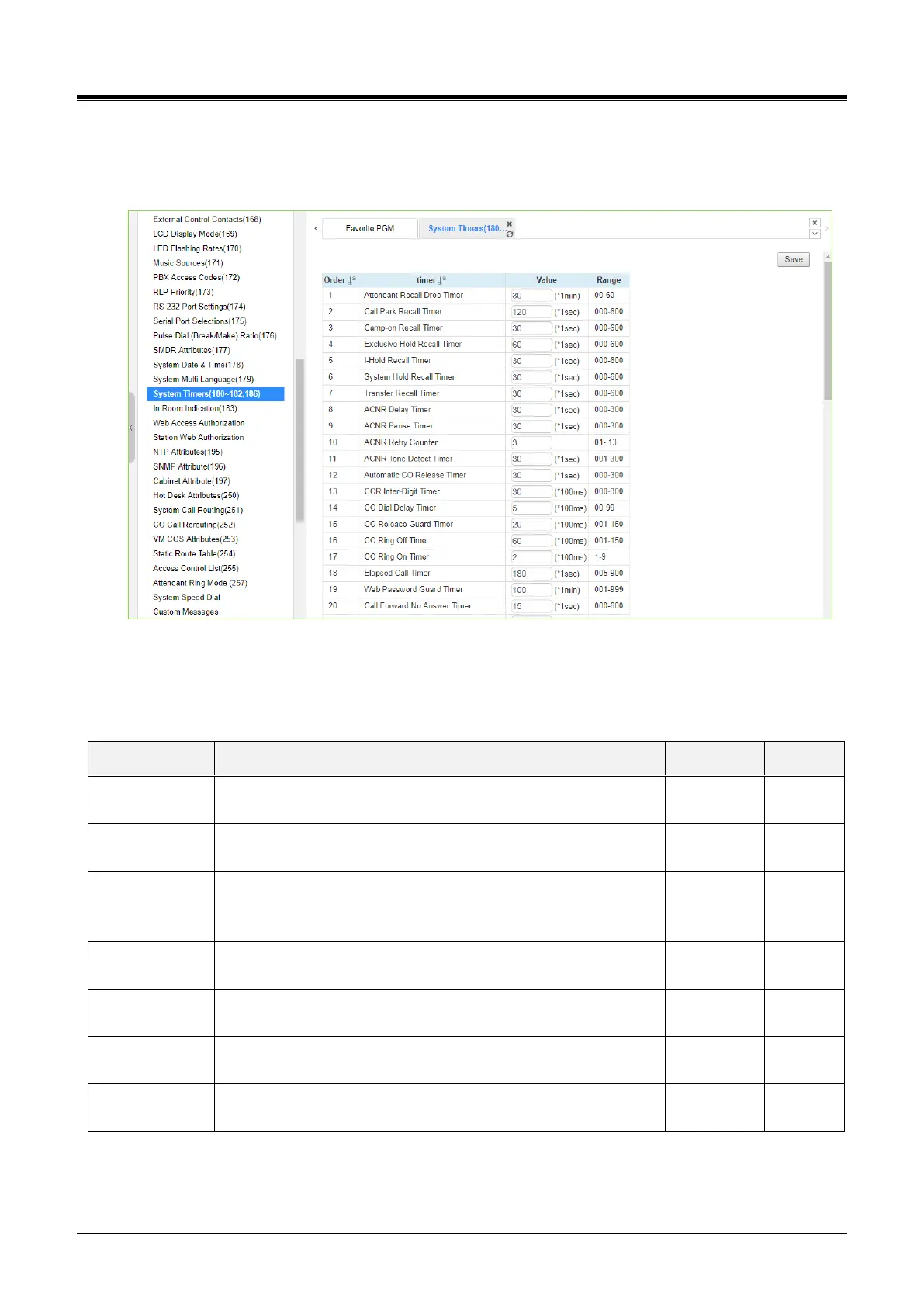
Selecting System Timers will display the System Timers data entry page. Click the [Save] button after
changing Value.
Figure 4.4.5.28-1 System Timers
A number of timers can be assigned to control and affect many features and functions. Refer to the following
table for a description of the timers and the input required.
Table 4.4.5.28-1 SYSTEM TIMERS
Attendant Recall
Drop Timer
Enter the desired time that the Attendant receives recall after the
system will disconnect the call.
Enter the desired recall time for call park. The parked call will
recall the station at a specified time.
When a call is transferred using Camp-On, this field determines
the desired recall time for Camp-on. The station receives the call
again at a specified time.
Exclusive Hold
Recall Timer
Enter the desired time for Exclusive hold. The station receives
the call again after a specified time.
Enter the desired time for Hold recall. The station receives the
call again after a specified time.
Enter the desired time for System hold recall time. The station
receives the call again after a specified time.
Enter the desired time for transferring the call again to the
receiving station.



 To Next Page