iPECS eMG80/100& eMG800 & UCP & vUCP
Administration and Programming Manual Issue 2.5
409
4.5.12 Company Directory
Administrators can upload or download company directories to System. So company directories are available
to use on iPECS phones.
4.5.12.1 CDN Upload
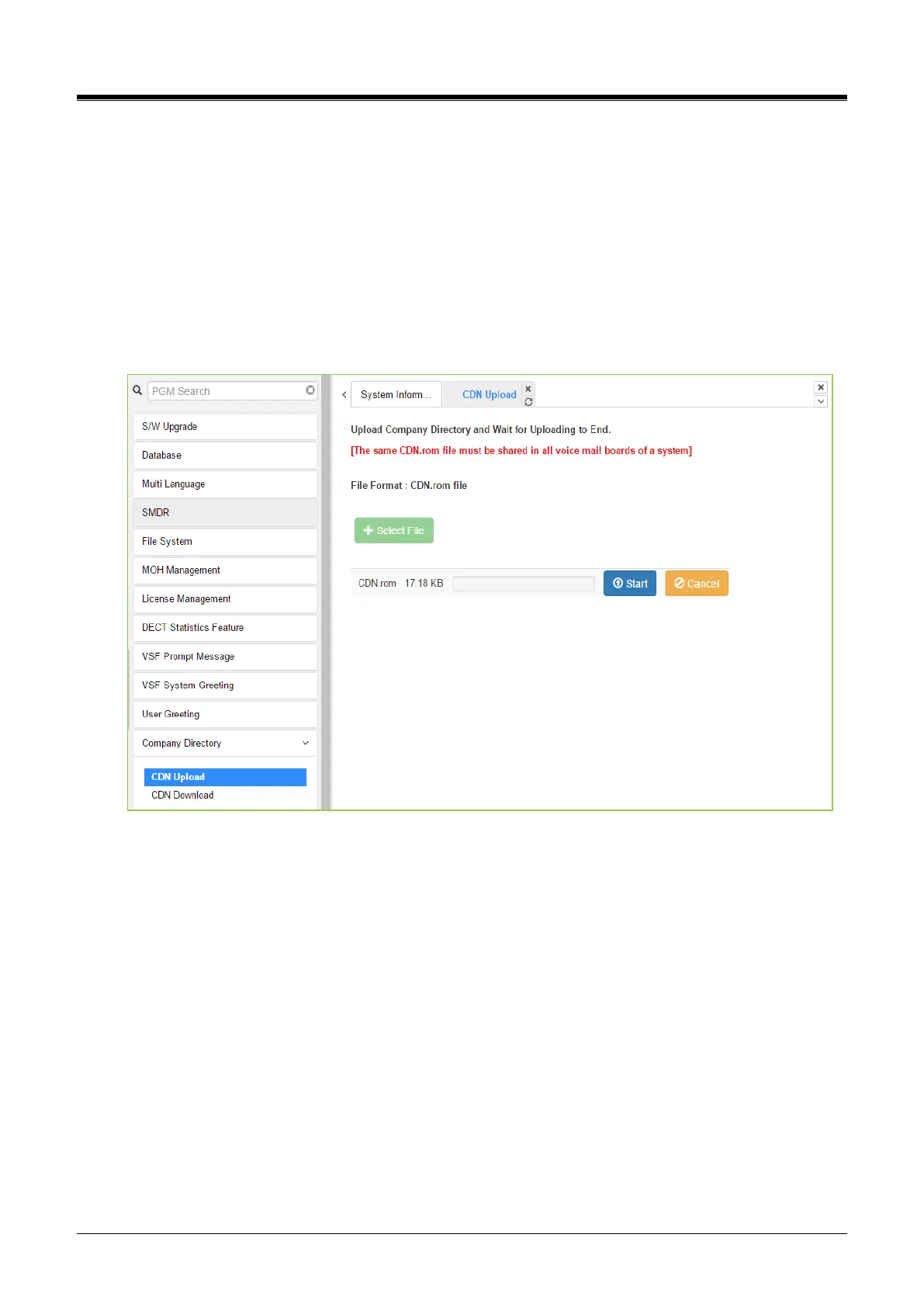
To upload the Company Directory, complete the following steps:
1) Click [Select File] button.
2) Select the Company Directory file (rom file) from the folder.
3) Click [Start] to upload and then display the following figure ‘success’.
Figure 4.5.12.1-1CDN Upload



 To Next Page