iPECS eMG80/100& eMG800 & UCP & vUCP
Administration and Programming Manual Issue 2.5
119
4.4.4.6 DID Service Attributes - PGM 145
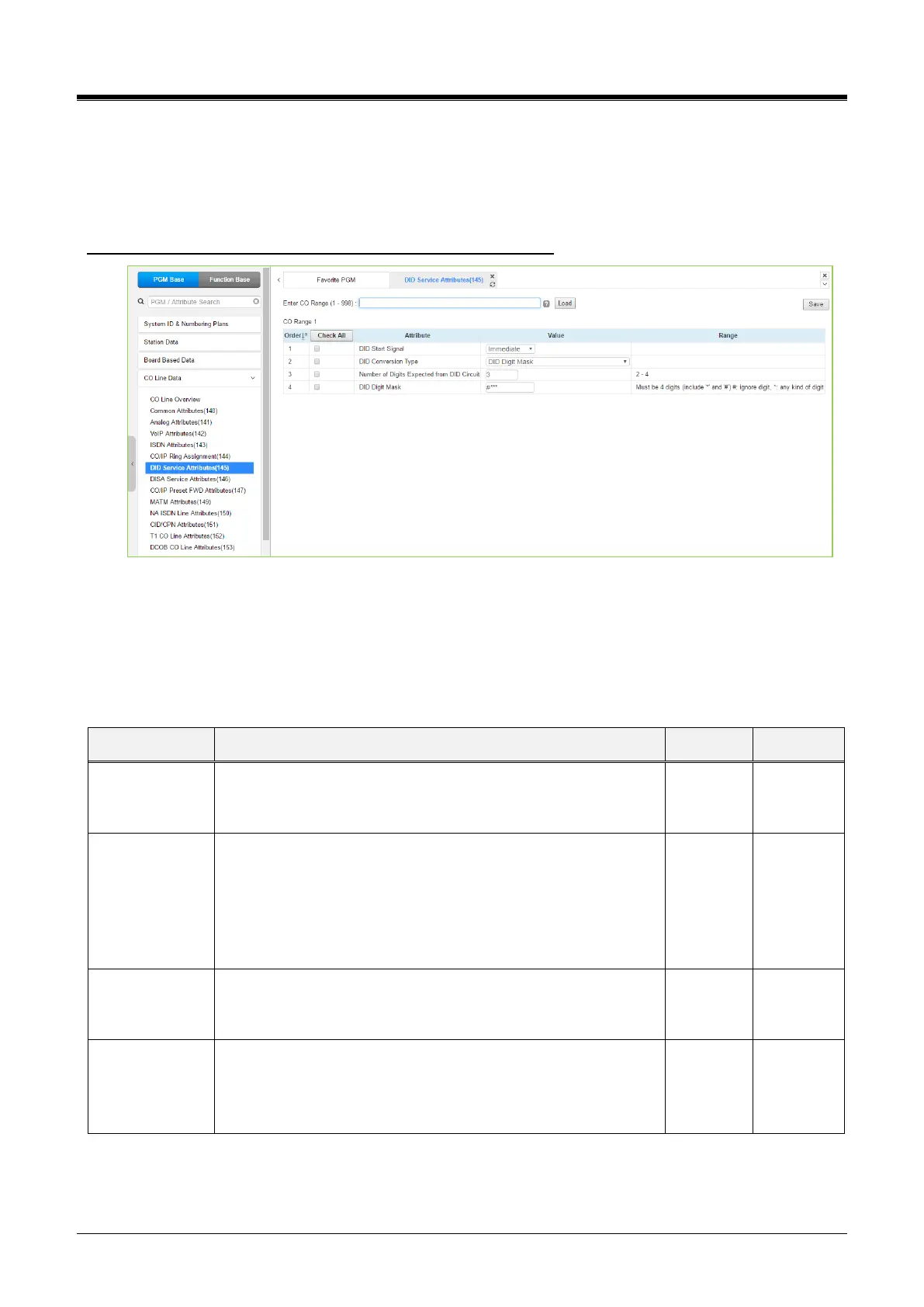
Selecting DID Service Attributes will display the DID Service Attributes data input page. Enter a valid CO
range and click the [Load] button to enter the DID Service Attributes data. Use the checkmark to indicate
which attributes to modify; checked attributes are stored by clicking the [Save] button.
Enter CO Range: eMG80/100: 1-74 / eMG800: 1-600 / UCP: 1-998
Figure 4.4.4.6-1 DID Service Attributes
DID lines can be assigned the type of “Start” signaling and treatment of received digits. Digits can be used “as
is” to route the call within the system, digits can be converted and used to route the call, or digits can be
converted to a Table index to determine the call routing from a Table look-up. Refer to the following table for
additional descriptions of attributes and values.
Table 4.4.4.6-1 DID SERVICE ATTRIBUTES
Assigns the type of DID to start signaling, Immediate, Wink, or
Delayed for the CO/IP Line.
Immediate, Wink, Delayed
The received DID digits can be treated to determine call routing,
simple conversion (Convert), use “as is” (no treatment), or
modify using Flexible DID Conversion Table (Look-up).
DID Digit Mask
Use ‘as is.’
Modify using Flexible DID conversion table
Number of Digits
Expected from
DID Circuit
The number of digits expected from the PSTN DID circuit.
DID digit modification sequence: “#,” “*,” a digit (0~9) replaces
the digit. The modification is based on the position of the digit
(1~4) in the received number. It must be 4 digits, including #,*.
(0~9, *, #)“#.”: ignored digit,“*”: any kind of digit



 To Next Page